Manual Profoon D-Sign Graham Phone

Need a manual for your Profoon D-Sign Graham Phone? Below you can view and download the PDF manual for free in English. This product currently has 0 frequently asked questions, 10 comments and has 3 votes with an average product rating of 0/100. If this is not the manual you want, please contact us.

Is your product defective and the manual offers no solution? Go to a Repair Café for free repair services.

Manual

Loading…
Graham
Gebruiksaanwijzing / Mode d’emploi / Gebrauchsanweisung / User manual
Installatie / Installation / Anschliessen / How to connect:
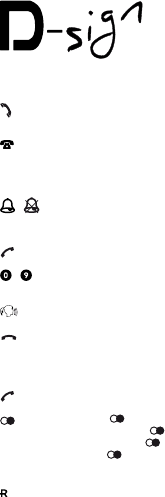
: aansluiting krulsnoer / raccordement du câble bouclé / Anschluss
Spiralkabel / connection handsetcord
: aansluiting telefoonsnoer / raccordement du l du téléphone / Anschluss
Telefonkabel / connection line cord
Belschakelaar / Interrupteur de sonnerie / Klingelschalter / Ringer switch:
- : bel aan-uit / sonnerie allumée-éteinte / Klingel an-aus / ringer on-off
Opbellen / Appeler / anrufen / Make a call:
: neem de hoorn op / décrochez / nehmen Sie den Hörer auf / lift the handset
- : kies het nummer / choisissez le numéro / wählen Sie die Nummer / dial the
number
: voer het gesprek / communiquez / führen Sie das Gespräch / make the call
: leg de hoorn terug / raccrochez le cornet / legen Sie den Hörer auf / replace
the handset
Nummerherhaling / Répétition du dernier numéro / Rufnummerwiederholung /
Last number redail
: neem de hoorn op / décrochez / nehmen Sie den Hörer auf / lift de handset
: druk op toets , het laatst gekozen nummer wordt opnieuw gekozen /
appuyez sur la touche , le dernier numéro choisi est à nouveau choisi /
drücken Sie die Taste , die zuletzt gewählte Nummer wird erneut gewählt /
press button , the last dialed number will be redialed
Toets R / touche R / Taste R / Button R:
: om gesprekken door te verbinden of wisselgesprekken aan te nemen
(raadpleeg hiervoor uw telefoonmaatschappij / pour transférer une commu-
nication ou prendre une communication en attente (consultez pour ceci votre
société de téléphone) / um Gespräche weiter zu verbinden oder Wechsel-
gespräche an zu nehmen, wenden Sie sich bitte hierzu Ihre Telefongesell-
schaft / to tranfer calls or to answer waiting calls (consult your provider)
Download manual in English (PDF, 0.07 MB)
(Consider the environment and only print this manual if it is really necessary)

Loading…

Rating

Let us know what you think about the Profoon D-Sign Graham Phone by leaving a product rating. Want to share your experiences with this product or ask a question? Please leave a comment at the bottom of the page.
Are you satisfied with the Profoon D-Sign Graham Phone?
Yes No
0%
100%
3 votes

Join the conversation about this product

Here you can share what you think about the Profoon D-Sign Graham Phone. If you have a question, first carefully read the manual. Requesting a manual can be done by using our contact form.

Randolph vanoystaeyen 25-12-2020
I would like to know how to increase the call volume.

reply | This was helpful (1) (Translated by Google)
RAAS ROGER 06-11-2024
LAUTSTÄRKE REGELN

reply | This was helpful (1)
Henk 21-02-2020
I can't hear anything, even though the caller can hear me. ` I can't hear the push buttons either, so no dial tone either. The device is hardly used. Does anyone know a solution

reply | This was helpful (0) Read more (Translated by Google)
Katrien 28-11-2020
I have the same problem. Have you already found a solution?

This was helpful (0) (Translated by Google)
Henk Olree 28-11-2020
No, I'm afraid I have to go to the store.

This was helpful (0) (Translated by Google)
M. Vd Valk 06-04-2021
When I call, the person I call sees my number as private. It's not Ziggo's fault, but apparently the phone's settings, Ziggo says. What now? I want the person I'm calling to see it's me.

reply | This was helpful (0) Read more (Translated by Google)
Bert Groener 04-11-2021
Normally you turn on caller ID with *32* (asterisk 32 asterisk)

This was helpful (0) (Translated by Google)
Paul De Clippeleir 29-10-2021
Good evening, I have forward to GSM on the alectonDsign Graham but turn it off . Can I only do this through my telephone company? regards

reply | This was helpful (0) (Translated by Google)
Violaine 27-04-2022
Very nice design, however there is a crackling noise when I call. I felt like it was because the volume was too loud, but there is no button to adjust it. This problem therefore persists. Do you know how to do it? I can hear the person and the other can also hear me, but this crackling is tiring, and sometimes the people with whom I am in communication also have this concern. Thank you

reply | This was helpful (0) (Translated by Google)
Sacreas Danny 27-10-2025
Dear The profoon D-sgin telephone Graham 5232. It may be a stupid question. Can you connect this type of telephone to the Belgian network, or do you still have to make adjustments? Yours sincerely

reply | This was helpful (0) (Translated by Google)

More about this manual

We understand that it’s nice to have a paper manual for your Profoon D-Sign Graham Phone. You can always download the manual from our website and print it yourself. If you would like to have an original manual, we recommend you contact Profoon. They might be able to provide an original manual. Are you looking for the manual of your Profoon D-Sign Graham Phone in a different language? Choose your preferred language on our homepage and search for the model number to see if we have it available.

Specifications

Brand Profoon
Model D-Sign Graham
Category Phones
File type PDF
File size 0.07 MB

All manuals for Profoon Phones
More manuals of Phones
Manual Profoon D-Sign Graham Phone

Related products

Related categories

×
Download