
English
8
Language Code ................................................... 7
Introduction
Supplied accessories ..................................... 10
Cleaning discs .................................................10
Setup ................................................................. 10
Connections
Connecting TV .......................................... 11-12
Using SCART jack ......................................... 11
Using Composite Video jacks (CVBS) ...... 11
Using Component Video jacks (Y Pb Pr) .....
.......................................................................... 12
Using an accessory RF modulator ............ 12
Connecting the power cord ........................ 13
Optional : Connecting to a Stereo System ..
........................................................................... 14
Stereo system has Dolby Pro Logic or Right
/ Left Audio In jack ....................................... 14
Optional: Connecting Digital AV Receiver ...
........................................................................... 14
Receiver has a PCM, Dolby Digital, or
MPEG2 decoder............................................ 14
Optional: Connecting to a TV with HDMI
Jack .................................................................... 15
Using HDMI (High Definition Multimedia
Interface) sockets ......................................... 15
Optional: Connecting a supported USB
devices .............................................................. 16
Using USB port ............................................. 16
Functional Overview
Front and Rear Panels .................................. 17
Remote Control ............................................ 18
Getting Started
Step 1: Inserting batteries into the
Remote Control ............................................ 19
Using the Remote Control to operate the
Player ............................................................... 19
Step 2: Setting up the TV ........................ 19-21
Setting up Progressive Scan feature (for
Progressive Scan TV only)........................... 20
Selecting the colour system that
corresponds to your TV .............................. 21
Step 3: Setting language preference ........... 22
Setting the OSD Language.......................... 22
Setting the Audio, Subtitle and Disc menu
language .......................................................... 22
Disc Operations
Playable Discs ................................................. 23
Region Codes .................................................23
Playing discs ..................................................... 24
Basic playback controls................................. 24
Selecting various repeat/shuffle functions ....
........................................................................... 25
Repeat play mode ......................................... 25
Repeating a section within a chapter/track .
.......................................................................... 25
Operations for video playback ................... 26
Using the Disc Menu.................................... 26
Zooming in ..................................................... 26
Resuming playback from the last stopped
point ................................................................ 26
Slow motion................................................... 26
Forward / Reverse Searching ..................... 26
OSD (On-Screen Display) (DVD/VCD/
SVCD) ........................................................27-28
Using the OSD menu .................................. 27
Title/Chapter/Track selection .................... 27
Time Search ................................................... 27
Audio/Subtitle ................................................ 28
Angle................................................................ 28
Preview Function .......................................... 28
Special DVD Features ................................... 29
Playing a Title ................................................. 29
Changing the Audio Language .................... 29
Subtitles .......................................................... 29
Special VCD & SVCD Features ................... 29
Playback Control (PBC) .............................. 29
Playing DivX
®
disc.......................................... 30
Playing pictures or audio files from the
supported USB device .................................. 31
Compatibility of USB device ...................... 31
Playing MP3/WMA/JPEG/Kodak Picture CD
..................................................................... 32-33
General Operation ....................................... 32
Playback selection ......................................... 32
Zoom picture (JPEG) ................................... 33
Playback with multi-angles (JPEG) ............. 33
Preview Function (JPEG) ............................. 32
Playing MP3/WMA music and JPEG picture
simultaneously ............................................... 33
Contents
001-49 DVP5960_Eng_12_RC5 09/10/06, 10:23 AM8


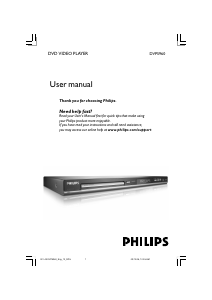
Join the conversation about this product
Here you can share what you think about the Philips DVP5960 DVD Player. If you have a question, first carefully read the manual. Requesting a manual can be done by using our contact form.