
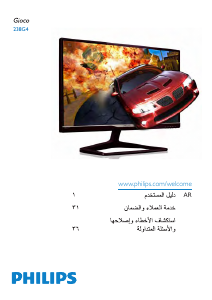
Manual Philips 206V4L LCD Monitor
Need a manual for your Philips 206V4L LCD Monitor? Below you can view and download the PDF manual for free in English. This product currently has 7 frequently asked questions, 0 comments and has 0 votes. If this is not the manual you want, please contact us.
Is your product defective and the manual offers no solution? Go to a Repair Café for free repair services.
Manual
Loading…


Loading…
Rating
Let us know what you think about the Philips 206V4L LCD Monitor by leaving a product rating. Want to share your experiences with this product or ask a question? Please leave a comment at the bottom of the page.More about this manual
We understand that it’s nice to have a paper manual for your Philips 206V4L LCD Monitor. You can always download the manual from our website and print it yourself. If you would like to have an original manual, we recommend you contact Philips. They might be able to provide an original manual. Are you looking for the manual of your Philips 206V4L LCD Monitor in a different language? Choose your preferred language on our homepage and search for the model number to see if we have it available.
Specifications
| Brand | Philips |
| Model | 206V4L |
| Category | LCD Monitors |
| File type | |
| File size | 1.78 MB |
All manuals for Philips LCD Monitors
More manuals of LCD Monitors
Frequently Asked Questions about Philips 206V4L LCD Monitor
Our support team searches for useful product information and answers to frequently asked questions. If you find an inaccuracy in our frequently asked questions, please let us know by using our contact form.
Can I repair a dead pixel myself? Verified
There is a difference between a dead pixel and a stuck pixel. A stuck pixel is still coloured and might be fixed by applying light pressure exactly onto the pixel until it restores itself. A dead pixel is always black or white and can't be repaired by yourself.
This was helpful (70) Read moreWhat does HDMI stand for? Verified
HDMI stands for High-Definition Multimedia Interface. HDMI is a connection to send high quality video and audio from one device to another.
This was helpful (65) Read moreHow do I measure the inches of my LCD monitor? Verified
Measuring the inches on your LCD monitor is done by measuring the diagonal distance between for example the upper left corner and the lower right corner of the screen (not the edge). One inch equals 2,54 centimeter, so when you measure 99 centimeter, this means your LCD Monitor is 39 inches.
This was helpful (34) Read moreWhat is the contrast ratio? Verified
The contrast ratio tells how far the whitest white is from the blackest black. A contrast ratio of for example 400:1 means that the blackest black on screen is 400 times darker than the whitest white. A high contrast ratio contributes to the sharpness of the image.
This was helpful (26) Read moreWhat is the difference between LCD and LED? Verified
Both techniques use an LCD screen that emits no light by itself. The difference is in the lighting behind the screen. With LCD screens this is done by CCFL (cold-cathode fluorescent lamp) and LED makes use of LED lights.
This was helpful (24) Read moreHow can I properly clean my LCD monitor? Verified
Turn off the television and wipe dust and dirt off the screen with a microfiber cloth. Do not use paper, this can cause scratches. Do not apply too much pressure or you might cause damage to pixels. Use a specialized detergent or make one by mixing 1 part vinegar with 1 part water. Moisten the cloth with the detergent and clean the screen. Make sure the cloth is not too wet. Remove stains by making rotating movements. Dry the screen with a second microfiber cloth to prevent stripes.
This was helpful (22) Read moreWhat does LCD stand for? Verified
LCD stands for Liquid Crystal Display and is a technology that allows liquid crystals to polarise light to generate colours.
This was helpful (18) Read more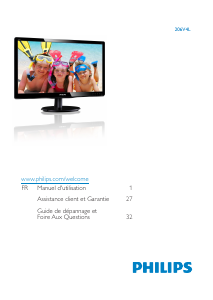
Join the conversation about this product
Here you can share what you think about the Philips 206V4L LCD Monitor. If you have a question, first carefully read the manual. Requesting a manual can be done by using our contact form.