4 5
A warm welcome!
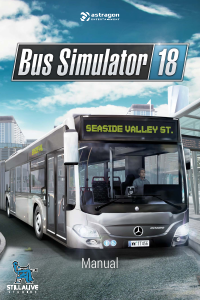
Thank you for choosing to purchase Bus Simulator 18. In this handbook
you’ll nd useful tips that will enable you to enjoy the optimal gaming
experience. We, the teams at stillalive Studios and astragon, wish you many
hours of good fun playing the game.
System requirements
PC minimum
• OS: Windows 7/8/10 64-Bit
• Processor: Intel Core i3 with 3.3 GHz or AMD Phenom II X4 with 3.2 GHz
• Memory: 6 GB RAM
• Graphics: NVIDIA GeForce GTX 750 (1GB VRAM) or AMD Radeon R7 360 (2GB VRAM) or higher
• DirectX: Version 11
• Network: Broadband internet connection is needed for product activation, updates/patches
and multiplayer gaming
• Hard Drive: 6.5 GB
PC recommended
• OS: Windows 10 64-Bit
• Processor: Intel Core i5-4670 (4rd gen.) with 3.4 GHz or AMD FX-8370 with 4 GHz or equivalent
• Memory: 8 GB RAM
• Graphics: NVIDIA GeForce GTX 970 (4GB VRAM) or AMD Radeon R9 290 (4GB VRAM) or higher
• DirectX: Version 11
• Network: Broadband internet connection is needed for product activation, updates/patches
and multiplayer gaming
• Hard Drive: 6.5 GB
Installation, Start, Deinstallation
PLEASE NOTE: Use of the product is subject to acceptance of the terms and conditions of the
STEAM
®
Subscriber Agreement, or SSA. You must rst activate the product via the Internet by
registering for a STEAM
®
account and accepting the SSA.
Further Prerequisites and Help
The installation requires a one-time Internet connection for authentication and to access the
STEAM
®
Client (included in the game package).
Installation Windows PC
Please make sure that your computer is connected to the Internet before you start the Bus Simu-
lator 18 installation process. Insert the Bus Simulator 18 disc in the disc drive of your computer.
During the installation process, a one-time online verication of the disc will be conducted and an
activation le downloaded, which will require that you enter a product code. You will nd the code
on the back of this handbook. Please note that this code is not a STEAM
®
code.
To receive your STEAM
®
code, insert the game disc into your computer disc drive. After a few
seconds, a window will appear on the screen. If the auto-start function is disabled, just double-click
on the “my computer” icon on your Windows desktop, then double-click on the disc drive icon and
then, in its window, click on the “redeem.exe” le. Then follow the instructions given to receive your
STEAM
®
code.
After you have received your STEAM
®
code, you can copy it to your clipboard with a simple click.
Then click on “install game” and follow the instructions to install the Bus Simulator 18. Installing
and activating the game as well as downloading updates may require the disc to be inserted in the
disc drive of your computer. Should you have any problems activating your code, please visit the
following Website: http://copyprotection.astragon.com
Launch Game
Following successful installation, launch the game by clicking on the Windows start menu icon
on the desktop and selecting: Start/All Programs/Steam/Bus Simulator 18. When activating the
auto-start menu in Windows 7/8/10 you might receive a security notice advising you to implement
the program setup.exe or redeem.exe. If so, you may conrm with no misgivings.
Deinstallation
Windows PC: follow the path: Start/Settings/Control Panel/Software, and select the entry <Bus
Simulator 18>. Then click on the Add/Remove button. The program and les with the game data
will then be deinstalled.


Join the conversation about this product
Here you can share what you think about the PC Bus Simulator 18. If you have a question, first carefully read the manual. Requesting a manual can be done by using our contact form.
reply | This was helpful (1)