0504
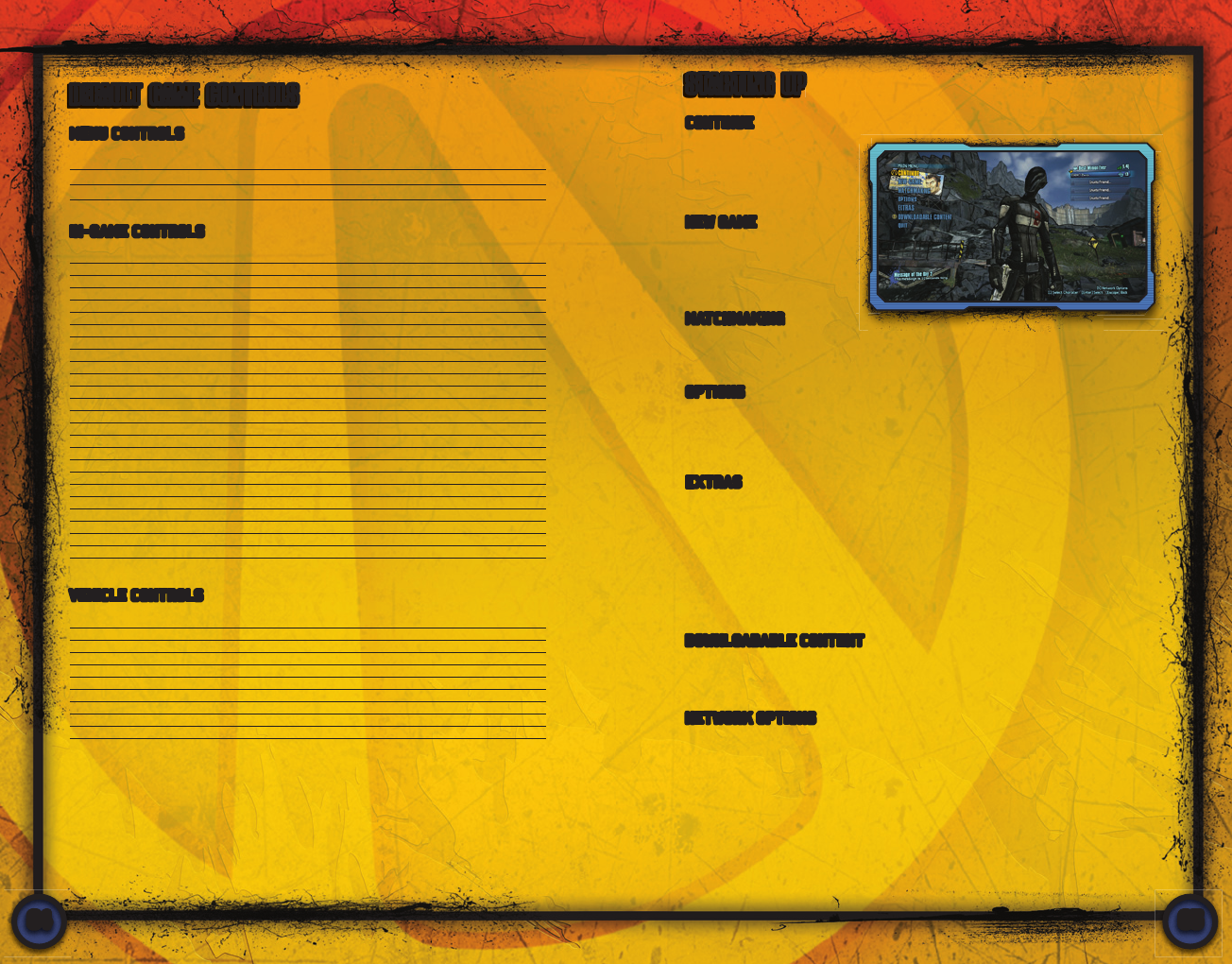
CONTINUE
Resume playing where you
last left your current Vault
Hunter. Press C to select a
different Vault Hunter.
NEW GAME
Create a new Vault Hunter
and start your adventure
from the beginning.
MENU CONTROLS
Navigate options Mouse/Arrow Keys
Select option LMB/Enter
Exit menu Esc
DEFAULT GAME CONTROLS
STARTING UP
Custom Confi gurations: If these default controls don’t work for you, you can completely
reconfi gure each and every key binding in the Options Menu. Seriously, go nuts.
Move forward W
Move backward S
Strafe Left A
Strafe Right D
Jump Space
Sprint Shift
Crouch C
Fire weapon LMB
Aim RMB
Reload weapon R
Use Action Skill F
Grenade G
Use E
Secondary use Q
Cycle weapon Mouse wheel
Select weapon 1-4
ECHO device Tab
Show Mission Log L
Show Map M
Show Inventory I
Show Skills K
Show Challenges/Badass Rank J
Push to talk T
Text chat Y
Trade items X
Drive forward W
Drive backward S
Turn/Aim Mouse
Fire primary weapon LMB
Fire secondary weapon RMB
Vehicle boost F
Use handbreak G
Switch seats C
Vehicle horn Z
Enter/Exit vehicle E
IN-GAME CONTROLS
MATCHMAKING
Join other Vault Hunters online and kick ass like an ass-kicking team. Pick Custom
Match to select from a list of available game sessions, or just pick Quick Match to
have the machine do all that fi nding work for you.
EXTRAS
Redeem your codes for more awesome Borderlands 2 content, get your Player
Loyalty Rewards, and check out all the badasses that made this game.
Shift Codes: Sign in with your Gearbox Software Shift account and redeem
your Shift Codes to unlock exclusive content for Borderlands 2! Not a Shift
member yet? Well what are you waiting for? Free stuff!
Player Loyalty Rewards: You can get special exclusive content for
Borderlands 2 if you have a save fi le from the fi rst Borderlands game on your
profi le. You do have a Borderlands save fi le, don’t you?
OPTIONS
Here’s where you can tweak all of the little gameplay, audio/video, and
control knobs because default is just never good enough. If connected to
Steam, press Shift+Tab to open the Steam UI where you can invite friends
or join friends games.
DOWNLOADABLE CONTENT
Take a look at all the shiny new Borderlands 2 Downloadable Content and then
trade money for it. An exclamation point icon appears here when new DLC
content is available. Exciting!
NETWORK OPTIONS
Press N to access the Network Options menu and change your network settings.
For more information, see the Multiplayer Games section of this manual.
VEHICLE CONTROLS



Join the conversation about this product
Here you can share what you think about the PC Borderlands 2. If you have a question, first carefully read the manual. Requesting a manual can be done by using our contact form.