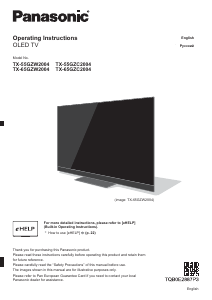
Manual Panasonic TX-65GZW2004 OLED Television

Need a manual for your Panasonic TX-65GZW2004 OLED Television? Below you can view and download the PDF manual for free in English. This product currently has 9 frequently asked questions, 0 comments and has 0 votes. If this is not the manual you want, please contact us.

Is your product defective and the manual offers no solution? Go to a Repair Café for free repair services.

Manual

Loading…

English
4

To avoid image retention, the screen saver may
be activated (OLED logo moves) or the on-screen
message may move after a few minutes if no signals
are sent or no operations are performed.

Set [Logo Luminance Control] to [Max] to avoid image
retention.
[eHELP] (Settings > Picture > Screen Settings > Logo
Luminance Control)

To avoid image retention, the screen may become
dim when the motionless image is displayed. This
is not a malfunction. The brightness of the screen
returns to the previous level when the active image is
displayed.

Be sure to turn the TV off with the remote control to
perform the panel maintenance. During the panel
maintenance, LED turns to orange. (p. 20) The
maintenance works as necessary.

Set aspect ratio to [4:3 Full] for 4:3 image. For details,
refer to [eHELP] (Search by Purpose > Watching >
For best picture).

For more information
“Panel maintenance” (p. 20)
Notice for DVB / Data broadcasting /
IPTV functions

This TV is designed to meet the standards (as of
August, 2018) of DVB-T / T2 (MPEG2, MPEG4-
AVC(H.264) and MPEG HEVC(H.265)) digital
terrestrial services, DVB-C (MPEG2, MPEG4-
AVC(H.264) and MPEG HEVC(H.265)) digital cable
services and DVB-S (MPEG2, MPEG4-AVC(H.264)
and MPEG HEVC(H.265)) digital satellite services.
Consult your local dealer for availability of DVB-T / T2
or DVB-S services in your area.
Consult your cable service provider for availability of
DVB-C services with this TV.

This TV may not work correctly with the signal which
does not meet the standards of DVB-T / T2, DVB-C
or DVB-S.

Not all the features are available depending on the
country, area, broadcaster, service provider, satellite
and network environment.

Not all CI modules work properly with this TV. Consult
your service provider about the available CI module.

This TV may not work correctly with CI module that is
not approved by the service provider.

Additional fees may be charged depending on the
service provider.

Compatibility with future services is not guaranteed.
Internet apps are provided by their respective service
providers, and may be changed, interrupted, or
discontinued at any time.
Panasonic assumes no responsibility and makes no
warranty for the availability or the continuity of the
services.
Panasonic does not guarantee operation and
performance of peripheral devices made by other
manufacturers; and we disclaim any liability or damage
arising from operation and/or performance from usage of
such other maker’s peripheral devices.
Handling of customer information
Certain customer information such as IP address of your
device (this TV)’s network interface will be collected as
soon as you connect your Panasonic-branded smart
television (this TV) or other devices to the internet
(excerpted from our privacy policy). We do this to protect
our customers and the integrity of our Service as well as
to protect the rights or property of Panasonic. If you wish
to know more about the processing of your information
in this context, please refer to the full text of our privacy
policy displayed at [eHELP] (Search by Purpose >
Network > Network settings > Terms of Service and
Settings).
When using Internet connecting function of this TV,
after agreeing (in the jurisdictions where customer’s
consent is required to collect personal information under
applicable privacy laws) to or reviewing Panasonic’s
terms of service / privacy policy (hereinafter referred to
as terms and conditions etc.), customer information on
the use of this unit may be collected and used according
to terms and conditions etc.
For details of terms of service / privacy policy, refer
to [eHELP] (Search by Purpose > Network > Network
settings > Terms of Service and Settings).
Customer’s personal information may be recorded on
this TV by broadcasting organization or application
provider. Before repairing, transferring or discarding
this TV, erase all the information recorded on this TV
according to the following procedure.
[eHELP] (Search by Purpose > Functions > Shipping
Condition)
Customer information may be collected by provider
via application provided by third parties on this TV or
website. Please confirm the terms and conditions etc. of
provider in advance.
Panasonic will not be held responsible for collecting
or using customer information via application provided
by third party on this TV or website.
When entering your credit card number, name, etc.,
pay special attention to the trustworthiness of the
provider.
Registered information may be registered in the
server etc. of provider. Before repairing, transferring
or discarding this TV, be sure to erase the information
according to the terms and conditions etc. of provider.
Download manual in English (PDF, 2.19 MB)
(Consider the environment and only print this manual if it is really necessary)

Loading…

Rating

Let us know what you think about the Panasonic TX-65GZW2004 OLED Television by leaving a product rating. Want to share your experiences with this product or ask a question? Please leave a comment at the bottom of the page.
Are you satisfied with the Panasonic TX-65GZW2004 OLED Television?
Yes No
Be the first to rate this product
0 votes

Join the conversation about this product

Here you can share what you think about the Panasonic TX-65GZW2004 OLED Television. If you have a question, first carefully read the manual. Requesting a manual can be done by using our contact form.

More about this manual

We understand that it’s nice to have a paper manual for your Panasonic TX-65GZW2004 OLED Television. You can always download the manual from our website and print it yourself. If you would like to have an original manual, we recommend you contact Panasonic. They might be able to provide an original manual. Are you looking for the manual of your Panasonic TX-65GZW2004 OLED Television in a different language? Choose your preferred language on our homepage and search for the model number to see if we have it available.

Specifications

Brand Panasonic
Model TX-65GZW2004
Category OLED Televisions
File type PDF
File size 2.19 MB

All manuals for Panasonic OLED Televisions
More manuals of OLED Televisions

Frequently Asked Questions about Panasonic TX-65GZW2004 OLED Television

Our support team searches for useful product information and answers to frequently asked questions. If you find an inaccuracy in our frequently asked questions, please let us know by using our contact form.

I want to connect a speaker to my OLED television with HDMI, which port should I use? Verified

You need to use the HDMI-ARC port, which is specifically made for connecting audio equipment.

This was helpful (274) Read more

Does it matter to which HDMI port I connect my device? Verified

In general you can connect a device like a blu-ray player or game console to any HDMI port. The device can then be used by selecting the corresponding HDMI channel on your television.

This was helpful (126) Read more

What is the optimal viewing distance for my television? Verified

This partially depends on personal preference, but as a rule of thumb the optimal viewing distance is about 3x the diagonal screen size of the television. For a television of 60 inch (152cm) the optimal viewing distance would be 180 inch or about 4.5 meter.

This was helpful (50) Read more

What is OLED? Verified

OLED stands for Organic LED. The pixels of an OLED screen consist of organic materials that light up when a current is run through them. Contrary to LCD and LED, OLED does not need any backlighting, since every pixel emits its own light.

This was helpful (42) Read more

Why are there letters next to the numbers on the remote control? Verified

Certain television settings may require you to enter letters. There are usually three letters or other characters on a button. When letter input is required, you can press that button once for the first letter, press twice for the second letter and press 3 times for the third letter. This way, text can be written with a minimum number of buttons.

This was helpful (37) Read more

What is the contrast ratio? Verified

The contrast ratio tells how far the whitest white is from the blackest black. A contrast ratio of for example 400:1 means that the blackest black on screen is 400 times darker than the whitest white. A high contrast ratio contributes to the sharpness of the image.

This was helpful (31) Read more

What does HDMI stand for? Verified

HDMI stands for High-Definition Multimedia Interface. HDMI is a connection to send high quality video and audio from one device to another.

This was helpful (30) Read more

Will my remote control also work on other television models of the same brand? Verified

Often a remote control of a television will also work on similar models of the same brand. However, it is unusual that it will work on all models of that brand. Universal remote controls are more suited to do this.

This was helpful (29) Read more

How do I measure the inches of my OLED television? Verified

Measuring the inches on your OLED television is done by measuring the diagonal distance between for example the upper left corner and the lower right corner of the screen (not the edge). One inch equals 2,54 centimeter, so when you measure 99 centimeter, this means your OLED television is 39 inches.

This was helpful (25) Read more

Manual Panasonic TX-65GZW2004 OLED Television

Related products

Related categories

×
Download