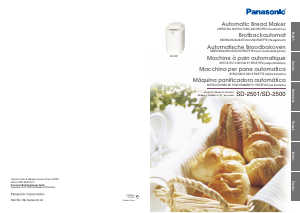
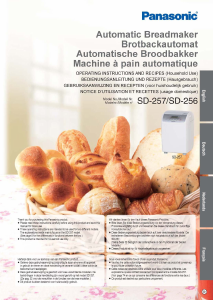
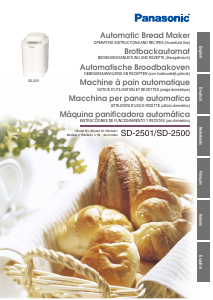
Manual Panasonic SD-2501WXC Bread Maker

Need a manual for your Panasonic SD-2501WXC Bread Maker? Below you can view and download the PDF manual for free in English. This product currently has 2 frequently asked questions, 0 comments and has 1 vote with an average product rating of 100/100. If this is not the manual you want, please contact us.

Is your product defective and the manual offers no solution? Go to a Repair Café for free repair services.

Manual

Loading…
12 13
How to Use
Baking Bread
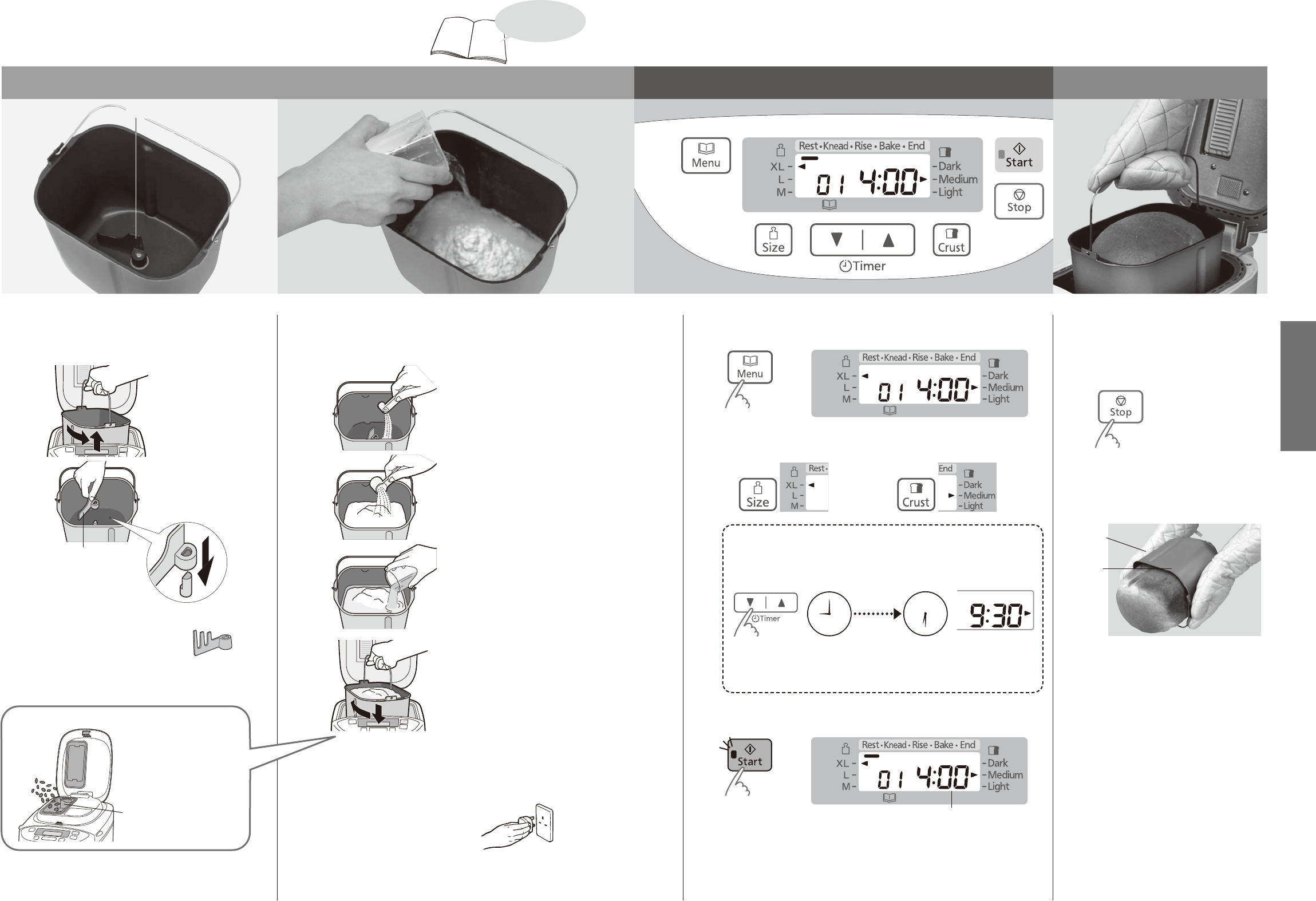
Place the ingredients in the bread pan Set the program and start Remove the bread
Kneading blade
Remove the bread pan and
1
set the kneading blade
Twist the bread pan anti-
clockwise and lift up to
remove.
Ensure the kneading
blade is firmly on the
kneading mounting shaft.
Ensure that the
shaft and kneading
blade are clean, see
P. 42 for cleaning.
Use the specified kneading blade
when baking rye bread.
(SD-2501 only)
The kneading blade is designed to fit loosely on the
shaft.
Place the measured ingredients
2
in the bread pan
Place the dry yeast at the
bottom (so that it does not mix
with the liquid until later).
Cover the yeast with all the dry
ingredients (flour, sugar, salt,
etc.).
Flour must be weighed on
scales.
Pour in the water and any other
liquids.
Wipe the outside of the bread
pan to remove any flour or
liquid.
Put the bread pan into the
Bread Maker and turn slightly
clockwise.
Close the lid.
For optimum results, don’t open the lid until bread is complete
as it affects bread quality.
Plug the Bread Maker into
3
a 230–240V socket
Make sure the start light is
off before selecting a program.
Select a bake menu
4
(The display shows when menu ‘01’ is selected.)
See P. 10 for menu, availability of size and crust.
To change the size
To change the crust colour
To set the timer

e.g. It is 9:00 PM now, and you want the bread to be ready at 6:30 the next
morning.
Set the timer to ‘9:30’ (9 hours 30 minutes from now).
12
9
6
3
12
9
6
3
9hr 30min
from now
Current time Ready time
Pressing the button once will advance the timer by 10 minutes (hold to
advance more quickly).
Press Start pad to start the machine
5
Time until the selected program is complete
The start light will come on.
Press Stop pad and
6
remove bread
when machine beeps 8 times and the bar
at ‘End’ flashes.
The flashing start light will go off.
Remove the bread
7
immediately,
Bread pan
Oven glove
allow to cool, for example, on a wire rack
Unplug after use
8
The Bread Maker has a keep warm
facility to reduce condensation of steam
within the loaf which operates if the
stop pad is not pressed on completion
of the program.
However, this will accelerate the
browning of the crust, therefore, upon
completion of baking, switch off the
unit, remove the bread immediately
from the unit to cool it.
If you leave the bread to cool down in
the bread pan, moisture will be retained
within the loaf which will affect the
finished quality of the loaf. Therefore,
cool on a wire rack to ensure optimum
quality of the loaf.
Baking bread with
added ingredients
(P. 14)
(SD-2501 only)
Clean and dry beforehand
Turn to P.22-27 for
bread recipes
Download manual in English (PDF, 2.36 MB)
(Consider the environment and only print this manual if it is really necessary)

Loading…

Rating

Let us know what you think about the Panasonic SD-2501WXC Bread Maker by leaving a product rating. Want to share your experiences with this product or ask a question? Please leave a comment at the bottom of the page.
Are you satisfied with the Panasonic SD-2501WXC Bread Maker?
Yes No
100%
0%
1 vote

Join the conversation about this product

Here you can share what you think about the Panasonic SD-2501WXC Bread Maker. If you have a question, first carefully read the manual. Requesting a manual can be done by using our contact form.

More about this manual

We understand that it’s nice to have a paper manual for your Panasonic SD-2501WXC Bread Maker. You can always download the manual from our website and print it yourself. If you would like to have an original manual, we recommend you contact Panasonic. They might be able to provide an original manual. Are you looking for the manual of your Panasonic SD-2501WXC Bread Maker in a different language? Choose your preferred language on our homepage and search for the model number to see if we have it available.

Specifications

Brand Panasonic
Model SD-2501WXC
Category Bread Makers
File type PDF
File size 2.36 MB

All manuals for Panasonic Bread Makers
More manuals of Bread Makers

Frequently Asked Questions about Panasonic SD-2501WXC Bread Maker

Our support team searches for useful product information and answers to frequently asked questions. If you find an inaccuracy in our frequently asked questions, please let us know by using our contact form.

Can I clean the baking tin of my bread maker with a scourer? Verified

No. Most bread makers have a baking tin with a non-stick layer that can be damaged by using a scourer or abrasive cleaner. Only use the soft side of a scourer or a wet wipe.

This was helpful (691) Read more

Why do I need to remove the tray before adding ingredients? Verified

This is to prevent ingredients from falling on a heating element. They might burn and cause smoke.

This was helpful (667) Read more
Manual Panasonic SD-2501WXC Bread Maker

Related products

Related categories

×
Download