Use
This unit can play normal, high, or metal
position tapes.
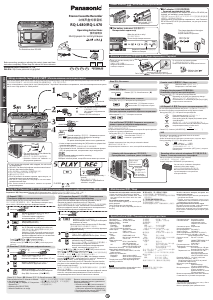
∫ PLAY
Preparation
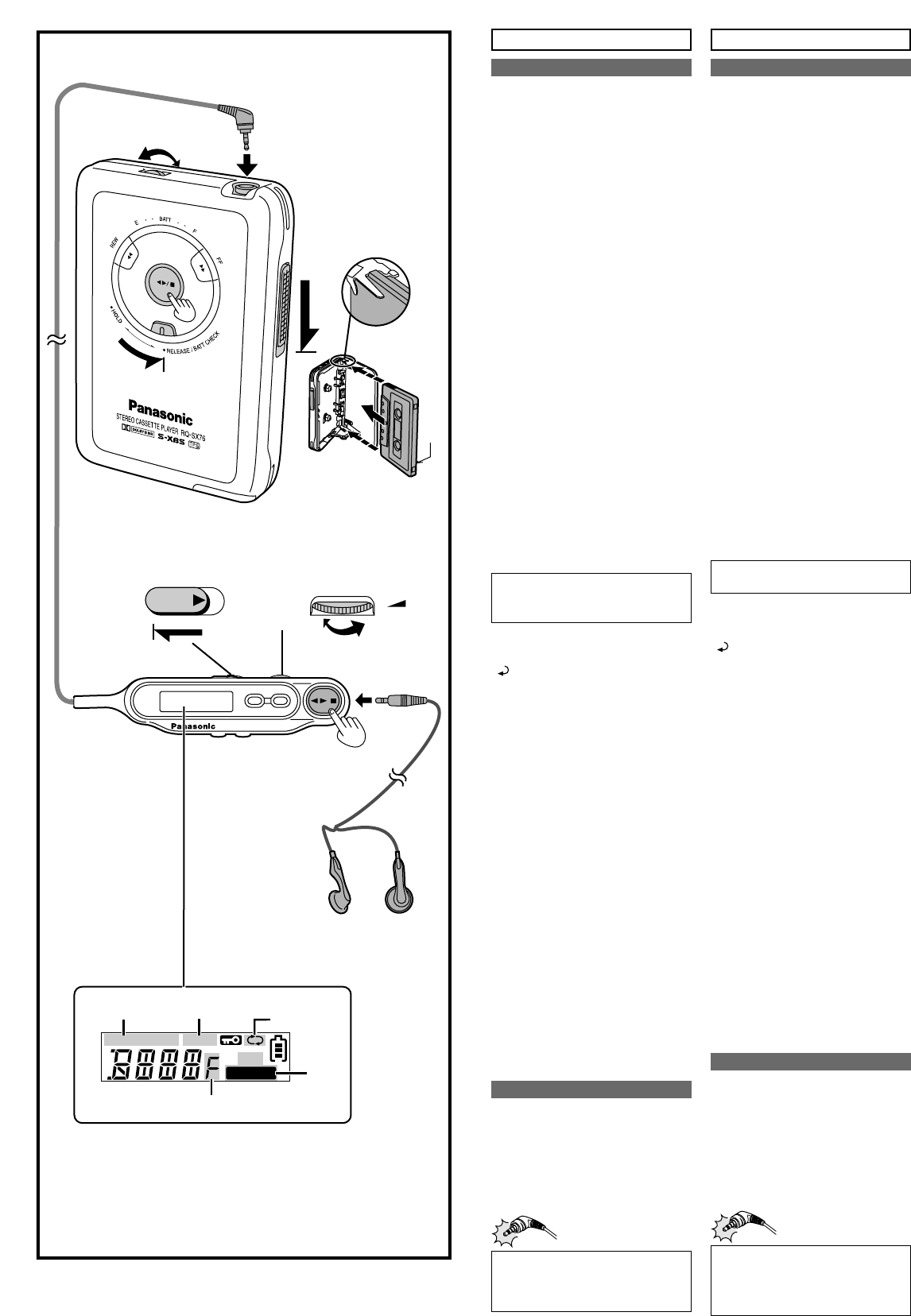
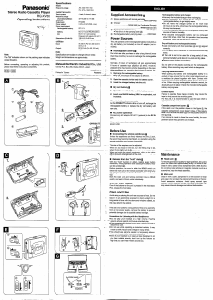
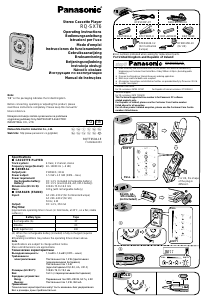
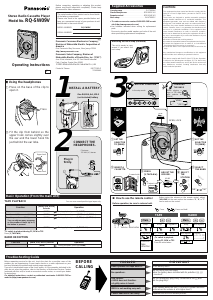
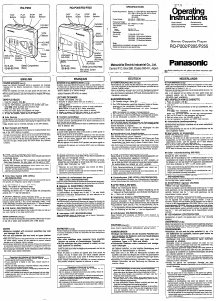
Connect the remote control and earphones.
Plug in firmly.
1
Insert tape. (The unit winds tapeslack and play
is ready to start from the forward side
a
.)
2 Release hold.
3 Start play.
4 Adjust the volume. (Set to 5–7 on the
main unit before adjusting on the remote
control.)
STOP: Press [21/∫].
∫ CHANGE SIDES
During play
Press and hold [21/∫].
Side playing (Refer to b)
“F”: Forward side “R”: Reverse side
∫ FAST-FORWARD AND
REWIND
While stopped
Forward: Press [FF].
Backward: Press [REW].
Press [21/∫] to restart play.
∫ TPS—Tape Program Sensor
Skip up to 9 tracks and start play from the
beginning of a track.
During play
Forward: Press [FF].
Backward: Press [REW].
The number of skips increases each time you
do this.
To return to normal play while using TPS,
press [21/∫] to restart play.
∫ DOLBY B NR
Reduces noise on tapes recorded with Dolby B
NR to
1
⁄
3.
During play
Press and hold [EQ].
“Î NR”()“” (OFF) (Refer to c)
If a gritty noise is heard, wipe
away the dirt on the plug.
This product may receive radio interference
caused by mobile telephones during use. If
such interference is apparent, please
increase separation between the product
and the mobile telephone.
ENGLISH
Verwendung
Dieses Gerät kann Kassetten der Typen
normal, high oder metal abspielen.
∫ WIEDERGABE
Vorbereitung
Die Fernbedienung und Ohrhörer anschließen.
Fest hineinstecken.
1 Kassette einlegen. (Das Gerät strafft das
Band und die Wiedergabe ist von der
vorderen Seite a bereit.)
2 Haltefunktion HOLD lösen.
3 Wiedergabe beginnen.
4 Die Lautstärke einstellen. (5–7 am
Hauptgerät einstellen, bevor an der
Fernbedienung eingestellt wird.)
ZUM STOPPEN DER WIEDERGABE:
[21/∫] drücken.
∫ UMSCHALTEN DER
BANDLAUFRICHTUNG
Bei der Wiedergabe
[21/∫] drücken und halten.
Seite, die gespielt wird (Siehe b)
„F“: Vorderseite „R“:Rückseite
∫ SCHNELLER VORLAUF UND
RÜCKLAUF
Wenn angehalten
Vorwärts: [FF] drücken.
Rückwärts: [REW] drücken.
[21/∫] drücken, um die Wiedergabe
fortzusetzen.
∫ TPS—Bandprogrammsensor
Bis zu 9 Titel überspringen und die
Wiedergabe vom Beginn eines Titels beginnen.
Bei der Wiedergabe
Vorwärts: [FF] drücken.
Rückwärts: [REW] drücken.
Die Anzahl der übersprungen Titel nimmt jedes
Mal zu.
Um bei Verwendung der Bandprogramm-
sensor-Funktion auf die normale Wiedergabe
zurückzuschalten, [21/∫] drücken, um die
Wiedergabe erneut zu starten.
∫ DOLBY B NR
Verringert Geräusche auf Kassetten, die mit
Dolby B NR aufgezeichnet wurden, auf
1
⁄3.
Bei der Wiedergabe
[EQ] drücken und halten
„Î NR“()„“ (Aus) (Siehe c)
In Lizenz von Dolby Laboratories hergestellt.
„Dolby“ und das Doppel-D-Symbol sind
Warenzeichen der Dolby Laboratories.
∫
WAHL DER BANDLAUFUMKEHR-
BETRIEBSART
(Siehe d)
„k“: Fortlaufende Wiedergabe
„
k“: Kassette wird nur einmal abgespielt
Wenn angehalten
[MODE] drücken und halten.
∫ SCHNELLES SPRINGEN
Etwa 10 Sekunden zurück- oder vorspringen.
Bei der Wiedergabe
[FF] oder [REW] drücken und halten.
∫ TON
Stellt den Ton ein.
Bei der Wiedergabe
(Siehe e)
[EQ] drücken.
Jedes Mal, wenn Sie die Taste drücken
[)“S-XBS”: Der Bass wird verstärkt.
l Die Lautstärke verringern, wenn
l
;
der Klang verzerrt wird.
l “TRAIN”: Verringert Geräusche, die
l;andere stören könnten.
{= “”:Aus
∫ A-B Wiederholung
Wiederholt zwischen zwei Punkten.
(Siehe f)
Bei der Wiedergabe
1. [MODE] drücken, um A („B“ Blinken)
auszuwählen.
2. [MODE] drücken, um B anzugeben.
Das Band spult zu Punkt A zurück und die A-B
Wiederholung beginnt.
[21/∫] drücken, um die Wiedergabe
fortzusetzen.
≥[FF] oder [REW] drücken und halten.
≥Wenn Sie keinen Punkt B angeben, gibt das
Gerät diesen nach 45 Minuten oder am Ende
der Seite an.
≥Normale Wiedergabe wird nach
50 Wiederholungen wieder aufgenommen.
≥Die Punkte können sich ändern, wenn das
Band nicht straff ist oder wenn Sie einige
Male wiederholen.
≥Keine A-B Wiederholung an Kassetten
verwenden, die länger als 90 Minuten sind.
Wartung
∫ Wenn die Oberflächen
verschmutzt sind
Das Gerät mit einem weichen,
trockenen Tuch reinigen.
≥Niemals Alkohol, Farbverdünner oder Benzin
verwenden.
≥Bevor Sie ein chemisch behandeltes Tuch
zur Reinigung verwenden, lesen Sie zuerst
aufmerksam die mitgelieferten Anweisungen.
∫ Für optimale Klangqualität
Die Köpfe regelmäßig reinigen, um gute
Wiedergabequalität zu gewährleisten. Eine
Reinigungskassette verwenden (nicht mitgeliefert).
Wenn ein kratziges Geräusch
zu hören ist, die Verschmutzung
am Stecker wegwischen.
Dieses Gerät kann beim Betrieb
Hochfrequenzstörungen auffangen, die
von einem in der Nähe verwendeten
Handy verursacht werden. Falls eine
solche Störbeeinflussung festgestellt wird,
sollte das Handy in größerer Entfernung
von diesem Gerät betrieben werden.
DEUTSCH
Manufactured under license from Dolby
Laboratories.
“Dolby” and the double-D symbol are
trademarks of Dolby Laboratories.
∫ REVERSE MODE
(Refer to d)
“
k”: Continuous play
“
k”: Tape plays once only
While stopped
Press and hold [MODE].
∫ QUICK SKIP
Skip about 10 seconds backward or forward.
During play
Press and hold [FF] or [REW].
∫ TONE
Adjusts the tone.
During play
(Refer to e)
Press [EQ].
Each time you press the button
[)“S-XBS”: Boosts the bass.
l;
Reduce volume if there is distortion.
l “TRAIN”: Reduces noise that may
l;disturb others.
{= “”:Off
∫ A-B REPEAT
Repeats play between two points.
(Refer to f)
During play
1. Press [MODE] to specify A (“B” flashes).
2. Press [MODE] to specify B.
The tape rewinds to point A and A-B repeat
starts.
Press [21/∫] to restart play.
≥This cancels if you press [FF] or [REW].
≥If you don’t specify point B, the unit specifies
it after 45 minutes or at the end of the side.
≥Normal play resumes after 50 repeats.
≥
The points may change slightly if there is slack
in the tape or you repeat a number of times.
≥Do not use A-B repeat on tapes longer than
90 minutes.
Maintenance
∫ If the surfaces are dirty
To clean this unit, wipe with a soft,
dry cloth.
≥Never use alcohol, paint thinner or benzine.
≥
Before using chemically treated cloth, read the
instructions that came with the cloth carefully.
∫ For a cleaner crisper sound
Clean the heads regularly to assure good quality
playback. Use a cleaning tape (not included).


Join the conversation about this product
Here you can share what you think about the Panasonic RQ-SX76EB Cassette Recorder. If you have a question, first carefully read the manual. Requesting a manual can be done by using our contact form.