
-1 2-
Limited Warranty/Servicentre List
Reset Language, Channels, Clock, Time Zone Adjust Limited Warranty/Servicentre List
Panasonic Canada Inc.
5770 Ambler Drive, Mississauga, Ontario L4W 2T3
PANASONIC PRODUCT – LIMITED WARRANTY
Panasonic Canada Inc. warrants this product to be free from defects in material and workmanship
and agrees to remedy any such defect for a period as stated below from the date of original
purchase.
COMBINATION VHS VCR TV / VCR DVD TV:
21Ǝ and under
Carry-in Service
Only
One (1) year, parts (including Picture Tube) and labour
22Ǝ and over In-home Service One (1) year, parts (including Picture Tube) and labour
In-home Service will be carried out only to locations accessible by roads and within 50 km of an
authorized Panasonic service facility.
LIMITATIONS AND EXCLUSIONS
This warranty does not apply to products purchased outside Canada or to any product which has
been improperly installed, subjected to usage for which the product was not designed, misused or
abused, damaged during shipping, or which has been altered or repaired in any way that affects
the reliability or detracts from the performance, nor does it cover any product which is used
commercially. Dry cell batteries are also excluded from coverage under this warranty.
This warranty is extended to the original end user purchaser only. A purchase receipt or other proof
of date of original purchase is required before warranty service is performed.
THIS EXPRESS, LIMITED WARRANTY IS IN LIEU OF ALL OTHER WARRANTIES, EXPRESS
OR IMPLIED, EXCLUDING ANY IMPLIED WARRANTIES OF MERCHANTABILITY OR FITNESS
FOR A PARTICULAR PURPOSE.
IN NO EVENT WILL PANASONIC CANADA INC. BE LIABLE FOR ANY SPECIAL, INDIRECT
OR CONSEQUENTIAL DAMAGES.
In certain instances, some jurisdictions do not allow the exclusion or limitation of incidental or
consequential damages, or the exclusion of implied warranties, so the above limitations and
exclusions may not be applicable.
WARRANTY SERVICE
For product operation and information assistance, please contact your Dealer or our Customer Care Centre
at: Telephone #: (905) 624-5505 Fax #: (905) 238-2360 Web: www.panasonic.ca
For product repairs, please contact one of the following:
• Your Dealer who will inform you of an authorized Servicentre nearest you.
• Our Customer Care Centre at (905) 624-5505 or www.panasonic.ca
• A Panasonic Factory Servicentre listed below:
IF YOU SHIP THE PRODUCT TO A SERVICENTRE
Carefully pack and send prepaid, adequately insured and preferably in the original carton.
Include details of the defect claimed, and proof of date of original purchase.
Richmond, British Columbia Calgary, Alberta Mississauga, Ontario
Panasonic Canada Inc.
12111 Riverside Way
Richmond, BC V6W 1K8
Tel: (604) 278- 4211
Fax: (604) 278-5627
Panasonic Canada Inc.
6835-8th St. N. E.
Calgary, AB T2E 7H7
Tel: (403) 295 -3955
Fax: (403) 274-5493
Panasonic Canada Inc.
5770 Ambler Dr.
Mississauga, ON L4W 2T3
Tel: (9 05) 624-84 47
Fax: (905) 238-2418
Lachine, Québec
Panasonic Canada Inc.
3075, rue Louis A. Amos
Lachine, QC H8T 1C4
Tel: (514) 633-8684
Fax: (514) 633-8020
-1 1-
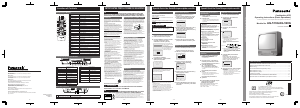
Reset Language, Channels, Clock, Time Zone Adjust
Language Channels Clock
Time Zone Adjust
and press Ź
repeatedly to
select mode.
(“TIME ZONE ADJUST”
appears only when auto
clock is set.)
For English
For Spanish
For French
Press ACTION to display MAIN MENU.
Add or Delete a Channel
■ To add channel
Select channel with number keys and press
ADD/DLT.
■ To delete channel
Select channel with CH Ÿź or number keys and
press ADD/DLT.
MAIN MENU
TV LOCK LANGUAGE
CH CLOCK EXIT
SELECT:
SET :ACTION
1
Press ŸźŻ Ź to
select
“LANGUAGE.”
MAIN MENU
TV LOCK LANGUAGE
CH CLOCK EXIT
SELECT:
SET :ACTION
2
Press ACTION
repeatedly.
MENU PRINCIPAL
TV BLOQUEO IDIOMA
CANAL RELOJ SALIR
ELEGIR:
FIJAR :ACTION
MENU
TELE BLOCAGE LANGUE
CANAL HORLOGE SORTIE
SEL. :
REGLER:ACTION
MAIN MENU
TV LOCK LANGUAGE
CH CLOCK EXIT
SELECT:
SET :ACTION
3
Press ŸźŻ Ź to
select “EXIT,”
and press
ACTION to exit.
1
Press ŸźŻ Ź
to select “CH,”
and press
ACTION.
MAIN MENU
TV LOCK LANGUAGE
CH CLOCK EXIT
SELECT:
SET :ACTION
2
Press Ÿź to
select
“ANTENNA,”
then press Ź to
set your antenna
system (“TV” or
“CABLE”).
SET UP CHANNEL
ANTENNA : TV
AUTO SET
WEAK SIGNAL DISPLAY:ON
SELECT: SET:
END :ACTION
3
Press Ÿź to
select “AUTO
SET,” then press
Ź.
• After Channel Auto
Set is ¿nished, Clock
Auto Set will be
performed. (If clock
is set manually,
Clock Auto Set will
not be performed.)
1
Press ŸźŻ Ź to select “CLOCK,” and
press ACTION.
MAIN MENU
TV LOCK LANGUAGE
CH CLOCK EXIT
SELECT:
SET :ACTION
2
Press Ÿź to
select
“MANUAL” or
“AUTO CLOCK
SET” and press
Ź.
SET CLOCK
AUTO CLOCK SET
MANUAL
TIME ZONE ADJUST : 0
SELECT: SET:
END :ACTION
3
Press Ÿź and
press ŻŹ to
select and set
the month,
date, year, time,
and DST
(Daylight
Saving Time).
(If select “MANUAL”)
SET CLOCK
1/ 4/2004 SUN 12:00AM
DST:ON
-----------------------
SELECT: SET:
START :ACTION
4
Press ACTION
twice to start
the clock and
exit this mode.
2
Press Ÿź to
select “TIME
ZONE ADJUST,”
SET CLOCK
AUTO CLOCK SET
MANUAL
TIME ZONE ADJUST : 0
SELECT: SET:
END :ACTION
3
Press ACTION
twice to exit.
CHANNEL 08 ADDED
CHANNEL 08 DELETED
(Only when Auto Clock
is set.)
Table of Contents
IMPORTANT SAFEGUARDS AND PRECAUTIONS ........................................2
Safety Precautions ............................................................................................3
Before Using......................................................................................................4
Connections/Initial Setup (Ready to Play).........................................................5
Basic Operation (Unit) .......................................................................................6
Basic Operation (Tape)......................................................................................7
Location of Controls ....................................................................................9~10
Reset Language, Channels, Clock, Time Zone Adjust....................................11
Limited Warranty .............................................................................................12
Please read these instructions carefully before attempting to
connect, operate, or adjust this product. Please save this manual.
Models No.
PV-C1324-K/PV-C1334W-K/
PV-C2024-K
LSQT0804 A
As an
E
NERGY
S
TAR
®
Participant, Panasonic has determined
that this product or product model meets the
E
NERGY
S
TAR
®
guidelines for en ergy ef ¿ciency.
Combination VCR
Operating Instructions
(Basic Operations)
For advanced operations, see the separate
“Advanced Operations” instruction book.
For assistance, please call : 1-800-561-5505 or visit us at www.panasonic.ca
This operating instruction book is designed for use with models
PV-C1324-K, PV-C1334W-K and PV-C2024-K. Illustrations in
this manual show the PV-C2024-K.
-10-
Location of Controls (continued)
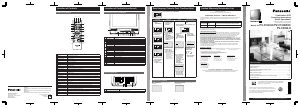
Front View of the Unit and Indicators
9,'(2,1 $8',2,1
32:(5 92/ &+
6723(-(&7 5(:
3/$<5(3($7
)) 5(& ,1387
$&7,21
5(& 217,0(5
352*7,0(5
Rear View of the Unit
VHF/UHF
1
AC Power Plug
When plugged into an AC outlet, the unit consumes 2.5 W of electric
power in OFF condition.
2
VHF/UHF Antenna Input Terminal In from your Antenna or Cable.
Remote Control Buttons Front View of the Unit and Indicators Rear View of the Unit
1
2345678910111213141516
12
1 Built-In Speaker Equipped with 2 front speakers.
2AUDIO/VIDEO IN JackFor dubbing.
3 POWER Turns unit on or off.
4
VOLUME UP/DOWN Adjusts volume.
SET/BACK SPACE Sets a selected menu, or goes back to correct.
5
CHANNEL UP/DOWN Selects a channel.
TRACKING
UP/DOWN
Reduces picture noise during Playback and Slow Motion.
SELECT UP/DOWN Controls navigation around on-screen menu.
6
STOP Stops recording or playback.
EJECT Ejects tape.
ACTION Press together with REW.
7
REWIND/SEARCH Rewinds tape, and searches previous scene.
ACTION Press together with STOP.
8
PLAY Begins playback.
REPEAT Repeats a recording.
9
FAST FORWARD/
SEARCH
Fast forwards tape, and searches next scene.
10 REC Records the program.
11 INPUT Selects LINE input.
12 Remote Sensor Receives infrared signal from remote control.
13 REC Indicator Lights during recording.
14 ON TIMER Indicator Lights when the On-Timer is set.
15
PROG TIMER
Indicator
Lights when the unit is set for Timer Recording.
16 PHONES Jack Connect an earphone or headphones.
-9-
Location of Controls
Remote Control Buttons
1
2
3
4
5
6
7
8
9
10
11
12
13
25 24
23
22
21
20
19
18
17
16
15
14
26
1
POWER Turns unit on or off.
2
DISPLAY Displays VCR status and clock.
3
TAPE POSITION Locates tape position and amount of tape remaining.
4
COUNTER RESET Resets to “0:00:00.”
5
RAPID TUNE Displays the last channel you were watching.
6
MUTE Mutes the sound instantly.
7
CHANNEL UP/DOWN Selects a channel.
SELECT UP/DOWN Controls navigation around on-screen menu.
8
ACTION Displays Main Menu.
9
STOP Stops recording or playback.
10
REWIND/SEARCH Rewinds tape, and searches previous scene.
11
PAUSE/SLOW Pauses and slow motion and frame advance picture.
12
REC Records the program.
13
INPUT Selects LINE input.
14
SPEED Selects recording speed.
15
CM SKIP/ZERO
SEARCH
In Stop mode, goes to the counter “0:00:00.” In Play mode, skips over 1 to 3 minutes of
tape.
16
FAST
FORWARD/SEARCH
Fast forwards tape, and searches next scene.
17
PLAY Begins playback.
18
PROGRAM Displays SET PROGRAM screen. You can set Timer Program and On-Timer.
19
VOLUME UP/DOWN Adjusts volume.
SET/BACK SPACE Sets a selected menu, or goes back to correct.
20
SEARCH Goes directly to the desired recording. Locates end point of recording.
21
ADD/DELETE Adds or deletes a channel.
22
NUMBER Keys Selects channel directly.
23
TRACKING UP/DOWN Reduces picture noise during Play and Slow.
24
SLEEP Turns off the unit automatically.
25
NIGHT Colour and picture intensity level are adjusted for night time use.
26
EJECT Ejects tape. Eject is not available during recording.
-8-
Printed in Indonesia
LSQT0804 A
S0104-0
K
Montréal:
3075 Louis A. Amos, Lachine, Québec H8T 1C4 (514) 633-8684
Toronto:
5770 Ambler Drive, Mississauga, Ontario L4W 2T3 (905) 624-8447
Calgary:
6835 - 8th Street N.E., Calgary, Alberta T2E 7H7 (403) 295-3955
Vancouver:
12111 Riverside Way, Richmond, BC V6W 1K8 (604) 278-4211
Panasonic Canada Inc.
5770 Ambler Drive,
Mississauga, Ontario L4W 2T3
(905) 624-5010
www.panasonic.ca





Join the conversation about this product
Here you can share what you think about the Panasonic PV-C1324-K Television. If you have a question, first carefully read the manual. Requesting a manual can be done by using our contact form.