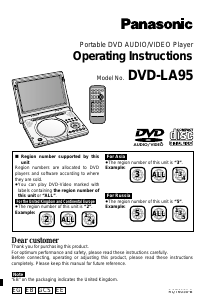
Manual Panasonic DVD-LS70 DVD Player

Need a manual for your Panasonic DVD-LS70 DVD Player? Below you can view and download the PDF manual for free in English. This product currently has 2 frequently asked questions, 0 comments and has 0 votes. If this is not the manual you want, please contact us.

Is your product defective and the manual offers no solution? Go to a Repair Café for free repair services.

Manual

Loading…

RQTC0178
4
Accessories
Please check and identify the supplied
accessories.
Use numbers when asking for replacement parts.
(Product numbers correct as of December 2010. These may be
subject to change.)
1 Audio/video cable (K2KYYYY00057)
1 AC adaptor (RFEA217W)
1 AC mains lead
(K2CT3CA00007)
(K2CP2CA00001)
(K2CQ2CA00006)
AC mains lead with a label is for Thailand.
AC mains lead without a label is for areas other than
Thailand.
(K2CJ2DA00008)
For use with this unit only. Do not use it with other
equipment.
Also, do not use cords for other equipment with this unit.
1 Car DC Adaptor (RFEC204M-AB)
1 Rechargeable battery pack
Included Optional
DY-DB20 DY-DB30
CGR-H711
CGR-H712
● Depending on the battery pack, playback time may differ.
[→ 6, Approximate recharging and play times (Hours)]
g Sales and Support Information
Customer Care Centre
For customers within the UK: 0844 844 3852
For customers within Ireland: 01 289 8333
Visit our website for product information
www.panasonic.co.uk
E-mail: customer[email protected]
Direct Sales at Panasonic UK
For customers: 0844 844 3856
Order accessory and consumable items for your product with
ease and confidence by phoning our Customer Care Centre
Monday – Thursday 9:00 a.m. – 5:30 p.m., Friday 9:30 a.m.
– 5:30 p.m. (Excluding public holidays)
Or go on line through our Internet Accessory ordering
application at www.pas-europe.com.
Most major credit and debit cards accepted.
All enquiries transactions and distribution facilities are
provided directly by Panasonic UK Ltd.
It couldn’t be simpler!
Also available through our Internet is direct shopping for
a wide range of finished products, take a browse on our
website for further details.
Table of contents
Getting started
Precautions .................................................................2
Accessories ................................................................4
Preparations
Attaching the battery .............................................5
Recharging the battery .......................................... 5
Adjusting the LCD angle ........................................ 6
Discs that can be played ...........................................7
Playback
Playing discs ..............................................................8
Useful functions .......................................................10
About DivX
®
VOD content ........................................10
Switching drives ....................................................... 11
Playing CD, data disc and USB device ................... 11
Transition effect ........................................................12
Tips for making data discs .....................................12
Settings
Using On-Screen Menus ..........................................13
Changing the player settings ..................................14
Enjoying in various situations
Enjoying in a car ....................................................... 15
Using this unit with other equipment ..................... 15
Reference
Maintenance .............................................................. 16
Specifications ...........................................................16
Troubleshooting guide .............................................17
Frequently asked questions ....................................18
Index ...........................................................Back cover
Caution for AC Mains Lead .................................... 2
About DivX subtitles text display ........................ 11
For the United Kingdom and Ireland
For Asia
For Australia and New Zealand
DVD-LS92
DVD-LS70
For the United Kingdom and Ireland
RQTC0178-B.indd 4 1/26/2011 14:30:54
Download manual in English (PDF, 3.37 MB)
(Consider the environment and only print this manual if it is really necessary)

Loading…

Rating

Let us know what you think about the Panasonic DVD-LS70 DVD Player by leaving a product rating. Want to share your experiences with this product or ask a question? Please leave a comment at the bottom of the page.
Are you satisfied with the Panasonic DVD-LS70 DVD Player?
Yes No
Be the first to rate this product
0 votes

Join the conversation about this product

Here you can share what you think about the Panasonic DVD-LS70 DVD Player. If you have a question, first carefully read the manual. Requesting a manual can be done by using our contact form.

More about this manual

We understand that it’s nice to have a paper manual for your Panasonic DVD-LS70 DVD Player. You can always download the manual from our website and print it yourself. If you would like to have an original manual, we recommend you contact Panasonic. They might be able to provide an original manual. Are you looking for the manual of your Panasonic DVD-LS70 DVD Player in a different language? Choose your preferred language on our homepage and search for the model number to see if we have it available.

Specifications

Brand Panasonic
Model DVD-LS70
Category DVD Players
File type PDF
File size 3.37 MB

All manuals for Panasonic DVD Players
More manuals of DVD Players

Frequently Asked Questions about Panasonic DVD-LS70 DVD Player

Our support team searches for useful product information and answers to frequently asked questions. If you find an inaccuracy in our frequently asked questions, please let us know by using our contact form.

Can a DVD player also play CD's? Verified

Yes, almost all DVD players are capable of playing CD's.

This was helpful (197) Read more

Can I repair scratches on a DVD myself? Verified

Scratches prevent de laser from reading the disc correctly. When the scratches are only superficial it is possible to repair them yourself by polishing the disc with a slightly abrasive compound. Ideally you use a professional abrasive compound but it’s also possible to use regular toothpaste. After polishing the disc it needs to be washed and let to dry. There are specialised businesses that can do this.

This was helpful (91) Read more
Manual Panasonic DVD-LS70 DVD Player

Related products

Related categories

×
Download