Manual Orbit 94148 Water Computer

Need a manual for your Orbit 94148 Water Computer? Below you can view and download the PDF manual for free in English. This product currently has 0 frequently asked questions, 6 comments and has 0 votes. If this is not the manual you want, please contact us.

Is your product defective and the manual offers no solution? Go to a Repair Café for free repair services.

Manual

Loading…
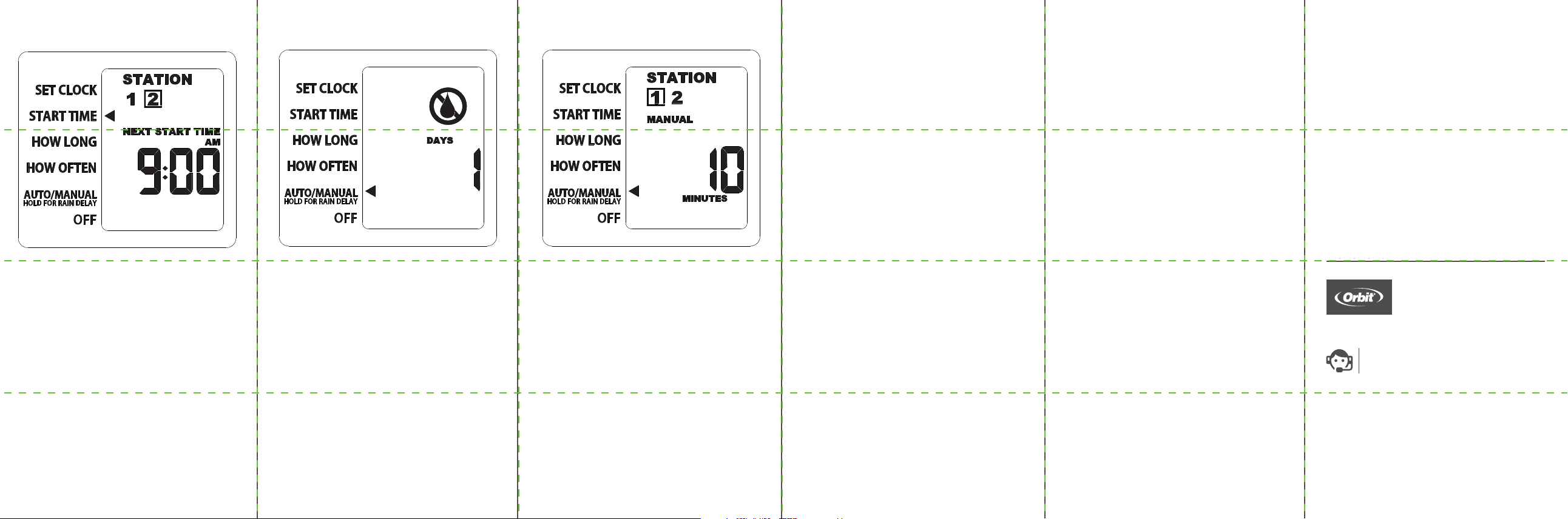
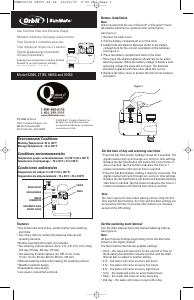
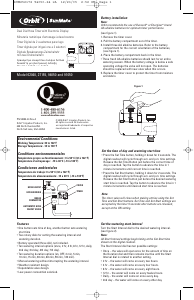
Manual/Hand Watering
This feature allows you to water without
interrupting your set schedule. To access this
feature, follow the steps below.
1. With the arrow pointing to AUTO/MANUAL,
press the dial to select.
2. Manual will appear and minutes will begin
to flash. Station [1] is automatically selected,
press the STATION button to select Station [2].
3. Turn the dial until the desired number of
minutes is displayed, then press to confirm.
Determine how long to water from
1 to 360 minutes.
4. The manual icon will appear and the screen
will flash between clock and time remaining
before programmed cycle resumes.
Note: There may be a slight delay between the
time the dial is pressed and when watering
begins.
5. To stop manual watering, turn the dial to
OFF and then back to AUTO/MANUAL.
©2018 Orbit Irrigation Products, Inc.
All rights reserved. All trade names are
registered trademarks of respective
manufacturers listed.
Orbit
®
Irrigation Products, Inc.
North Salt Lake, UT 84054
PN 24621-24 rA
Customer Service
1-800-488-6156
orbitonline.com
Additional Features
Rain Delay
Rain delay allows you to postpone watering for
a set period of time. To access the rain delay,
follow the steps below.
1. With the arrow pointing to AUTO/MANUAL,
press and hold the dial for 3 seconds.
2. The rain delay symbol will appear and the
number of days will begin to flash.
3. Turn the dial until the desired number of
days is displayed, then press to confirm. You
may select a delay of 1 to 7 days.
3. Screen will flash between clock and
remaining time before programmed
cycle resumes.
4. To remove rain delay, turn dial to OFF and
then back to AUTO/MANUAL.
Troubleshooting
Water does not come on at desired time.
Check if:
Clock is set to correct time,
including AM and PM.
• Dial is set to “AUTO/MANUAL
Start time is set to desired time,
including AM and PM.
Rain Delay is on.
Timer does not water.
Check if:
• Timer is set to AUTO/MANUAL.
• Hose faucet is on.
• Batteries are low.
• Clock is set to correct time,
including AM and PM.
• Rain Delay is on.
Water won’t turn o.
Check if:
HOW LONG is set to desired time.
HOW OFTEN is set to desired
interval hour or day.
Working water pressure:
Minimum: 10 psi
Maximum: 100 psi
Working temperature:
Maximum: Do not exceed 120°F
Minimum: Keep from freezing
Warnings:
For outdoor use with cold water only.
Not for use with appliances.
Programming Station 2
1. Turn the dial so the arrow is pointing to
START TIME.
2. Press the STATION button to select
station [2], this will set Station 2 as the
default station.
3. With Station 2 now selected, repeat the
steps for Start Time, How Long,
and How Often.
Congratulations!
Station 2 is now programmed.
Turn your dial to AUTO/MANUAL to allow your
timer to water according to programmed time
and frequency.
Download manual in English (PDF, 0.33 MB)
(Consider the environment and only print this manual if it is really necessary)

Loading…

Rating

Let us know what you think about the Orbit 94148 Water Computer by leaving a product rating. Want to share your experiences with this product or ask a question? Please leave a comment at the bottom of the page.
Are you satisfied with the Orbit 94148 Water Computer?
Yes No
Be the first to rate this product
0 votes

Join the conversation about this product

Here you can share what you think about the Orbit 94148 Water Computer. If you have a question, first carefully read the manual. Requesting a manual can be done by using our contact form.

wim pommerel 12-04-2023
I can't find the Dutch translation of the orbit 94148 can you send it via email fri regards, W. Pomerel [email protected]

reply | This was helpful (0) (Translated by Google)

More about this manual

We understand that it’s nice to have a paper manual for your Orbit 94148 Water Computer. You can always download the manual from our website and print it yourself. If you would like to have an original manual, we recommend you contact Orbit. They might be able to provide an original manual. Are you looking for the manual of your Orbit 94148 Water Computer in a different language? Choose your preferred language on our homepage and search for the model number to see if we have it available.

Specifications

Brand Orbit
Model 94148
Category Water Computers
File type PDF
File size 0.33 MB

All manuals for Orbit Water Computers
More manuals of Water Computers
Manual Orbit 94148 Water Computer

Related products

Related categories

×
Download