
FLUSH MOUNTING DIGITAL THERMOSTAT
DECO TERMO
INSTRUCTIONS FOR USE
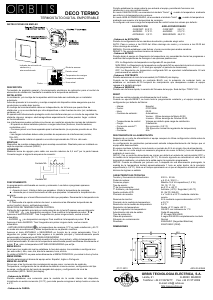
INSTALLATION
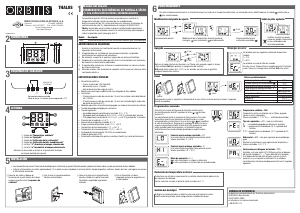
This device is designed for installing in a universal flush mounting box or surface
mounting box. Follow the next diagram for installation.
214LN
L
N
Contact NO
Contact NC
RECOMMENDATIONS
The installation should be carried out by an officially authorised technician.
Do not install near inductive charges (motors, transformers…).
A separate power supply line is advisable (if necessary from a network filter).
RESET
When resetting, the device will restore the last valid setting before the power
supply was lost: time and date and parameter configuration.
Regardless of the length of time the device is disconnected, the configuration
parameters will be saved correctly.
The time and date will be saved for a period of approximately 24 hours, without any
type of power supply.
Following a period longer than this, the device will reset to 1 January 2006, 00:00
hours.
The device is reset by pressing the 4 buttons simultaneously for more than 3
seconds.
After resetting the device, the factory default settings are the following:
• Language: Spanish
• Time: 00:00 (24 hour mode)
• Date: 01/01/2006 – Sunday (winter)
• Daylight saving adjustment in spring: last Sunday in March at 2am.
• Daylight saving adjustment in autumn: Last Sunday in October at 3am.
• The default temperature setting is COMFORT (22ºC).
• Temperature sensor correction: ± 0.5ºC.
OPERATION
The following information is displayed on the screen:
• Day of the week.
• Time and date.
• Room temperature.
• Temperature setting and symbol corresponding to current period (comfort,
saving, anti-freezing / security).
The device is programmed using the menus and sub-menus.
The values to be programmed will flash on the display screen.
Main screen: the thermostat shows the current date and uses the selected
temperature setting. This temperature can be modified by pressing ▲▼.
√: Access the CLOCK menu; validate a change by modifying and / or selecting
comfort, saving and anti-freeze / security temperature settings.
▲: Scroll up the menu / Increase the flashing value. If is held down the value can
be increased faster, by 5 units per second
▼: Scroll down the menu / Decrease the flashing value. If is held down the value
can be decreased faster, by 5 units per second.
C: Return to the previous option or display the different temperatures on the
screen. Starting from the main screen, each time the button is pressed the
following will be displayed in order:
• COMFORT and the set temperature. Press ▲▼ to change the temperature.
The word COMFORT will be displayed. If no button has been pressed after 3
seconds, it will return to automatic mode.
• SAVING and the set temperature. Press ▲▼ to change the temperature. The
word SAVING will be displayed. If no button has been pressed after 3
seconds, it will return to automatic mode.
• ANTI-FREEZING / SECURITY and the temperature setting (2ºC in heating
mode and 55ºC in air conditioning mode). These temperatures cannot be
modified. The word ANTI-FREEZE or SECURITY will be displayed according
to the selection. If no button has been pressed after 3 seconds, it will return to
automatic mode.
CLOCK MENU
The device’s time can be set using this menu. The values to be configured include
(in this order): Year, month, day, day of the week, hour, minute.
Once MINUTE has been confirmed the display will automatically return to the MAIN
MENU and the time and date will be saved.
LANGUAGE SELECTION
The language can be set using this menu, selecting between: Spanish, English or
Portuguese.
ADJUSTMENTS MENU
This menu accesses the more complex functions of the device, such as:
configuration of temperature sensor, daylight savings changes, type of load, and
switch off mode.
- SENSOR sub-menu: The correction to be applied to the sensor can be set using
this menu. Initially no correction is established (0.0ºC), but this can be corrected as
required.
- LOAD sub-menu: The load on which the device will function can be set using
this menu, selecting between heating and air conditioning. In HEATING mode, the
“flame” symbol will be displayed when the room temperature is lower than the set
temperature.
In AIR CON mode, the “ICE” symbol will be displayed when the room temperature
is higher than the set temperature.
- SEASON sub-menu: In this menu the daylight savings changes can be set,
selecting between:
• Automatic: switches to daylight saving at 2am on the last Sunday in March
and switches back at 3am on the last Sunday in October.
• Manual: this allows the specific dates and times of the changes to be
established.
• Disabled: daylight saving changes will not be made.
- STATUS sub-menu: The device can be left without temperature programming.
• ON: The temperature programming will function.
• NUM DAY: The temperature timer programming will NOT function during the
established number of days, between 1 and 31 (for example: during
holidays).
• OFF: The temperature programming will NOT function.
- CONTRAST sub-menu: The level of brightness of the display (High / Low) can
be selected using this menu.
- VERSION sub-menu: The firmware version of the device can be displayed
quickly in this menu. Type: TRM V1.02.
TECHNICAL CHARACTERISTICS
Power supply: 230 V~
Power supply tolerance: ± 10%
Frequency: 50 Hz.
Rupture capacity: µ 8 (2) A / 250 V ac
Internal consumption: 16.5 VA Maximum capacitives (1.4W).
Anti-freezing Temperature: 2ºC
Operational temperature: between 0 ºC and +40 ºC
Precision: ≤ ± 1 s/24 h at 23 ºC using quartz crystal
Temperature precision: ± 0.5 ºC
Type of protection: IP 20 according to EN 60529
Class of protection: II according to EN 60335 fully installed
Directives: 2002/95/EC (RoHS) 73/23/CEE and
93/68/CEE (Electrical Safety)
89/336/CEE and 92/31/CEE (CEM)
Mark: CE
DIMENSIONS
01/11.2013 A016.35.53588
ORBIS TECNOLOGIA ELECTRICA, S.A.
Lérida, 61 E-28020 MADRID
Teléfono: +34 91 5672277; Fax: +34 91 5714006
E-mail: info@ orbis.es
http://www.orbis.es
93
86
31
45.5
60
60
Frame
Metallic frame
Comfort / saving / security
temperatures selection button and
return to previous option button.
Increase / decrease
temperature
buttons and function
selection
Menu access button /
Confirm flashing value


Join the conversation about this product
Here you can share what you think about the Orbis Deco-Termo Thermostat. If you have a question, first carefully read the manual. Requesting a manual can be done by using our contact form.