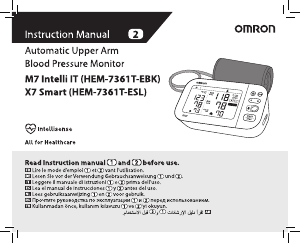
Manual Omron HEM-7155T-EBK M4 Intelli IT Blood Pressure Monitor

Need a manual for your Omron HEM-7155T-EBK M4 Intelli IT Blood Pressure Monitor? Below you can view and download the PDF manual for free in English. This product currently has 2 frequently asked questions, 0 comments and has 3 votes with an average product rating of 100/100. If this is not the manual you want, please contact us.

Is your product defective and the manual offers no solution? Go to a Repair Café for free repair services.

Manual

Loading…

EN2
EN
AC Adapter (optional accessory) Handling and Usage
DO NOT use the AC adapter if this monitor or the AC adapter cable is
damaged. If this monitor or the cable is damaged, turn off the power
and unplug the AC adapter immediately.
P
lug the AC adapter into the appropriate voltage outlet. DO NOT
use in a multi-outlet plug.
NE
VER plug in or unplug the AC adapter from the electric outlet
with wet hands.
DO NO
T disassemble or attempt to repair the AC adapter.
Battery Handling and Usage
Keep batteries out of the reach of infants, toddlers and children.
2.2 Caution
Indicates a potentially hazardous
situation which, if not avoided,may
result in minor or moderate injury to
the user or patient or damage to the
equipment or other property.
Stop using this monitor and consult with your physician if you
experience skin irritation or discomfort.
Consult with your physician before using this monitor on an arm
where intravascular access or therapy, or an arteriovenous (A-V)
shunt, is present because of temporary interference to blood flow
and could result in injury.
C
onsult with your physician before using this monitor if you have
had a mastectomy.
Consult with your physician before using this monitor if you have
severe blood flow problems or blood disorders as cuff inflation can
cause bruising.
DO NOT take measurements more often than necessary because
bruising, due to blood flow interference, may occur.
ONL
Y inflate the arm cuff when it is applied on your upper arm.
R
emove the arm cuff if it does not start deflating during a
measurement.
DO NOT use this monitor for any purpose other than measuring
blood pressure.
During measurement, make sure that no mobile device or any other
electrical device that emit electromagnetic fields is within 30 cm of
this monitor. This may result in incorrect operation of the monitor
and/or cause an inaccurate reading.
DO NO
T disassemble or attempt to repair this monitor or other
components. This may cause an inaccurate reading.
DO NO
T use in a location where there is moisture or a risk of water
splashing this monitor. This may damage this monitor.
DO NO
T use this monitor in a moving vehicle such as in a car or on
an aircraft.
DO NO
T drop or subject this monitor to strong shocks or vibrations.
DO NOT use this monitor in places with high or low humidity or high
or low temperatures. Refer to section 6.
D
uring measurement, observe the arm to ensure that the monitor is
not causing prolonged impairment to blood circulation.
DO NO
T use this monitor in high-use environments such as medical
clinics or physician offices.
DO NOT use this monitor with other medical electrical (ME)
equipment simultaneously. This may result in incorrect operation of
the monitor and/or cause an inaccurate reading.
Avoid bathing, drinking alcohol or caffeine, smoking, exercising and
eating for at least 30 minutes before taking a measurement.
Rest for at least 5 minutes before taking a measurement.
Remove tight-fitting or thick clothing from your arm while taking a
measurement.
R
emain still and DO NOT talk while taking a measurement.
ONL
Y use the arm cuff on persons whose arm circumference is
within the specified range of the cuff.
Ensur
e that this monitor has acclimated to room temperature before
taking a measurement. Taking a measurement after an extreme
temperature change could lead to an inaccurate reading. OMRON
recommends waiting for approximately 2 hours for the monitor to
warm up or cool down when the monitor is used in an environment
within the temperature specified as operating conditions after
it is stored either at the maximum or at the minimum storage
temperature. For additional information on operating and storage/
transport temperature, refer to section 6.
DO NO
T use this monitor after the durable period has ended. Refer
to section 6.
DO NO
T crease the arm cuff or the air tube excessively.
DO NOT fold or kink the air tube while taking a measurement. This
may cause an injury by interrupting blood flow.
To unplug the air plug, pull on the plastic air plug at the base of the
tube, not the tube itself.
Download manual in English (PDF, 13.9 MB)
(Consider the environment and only print this manual if it is really necessary)

Loading…

Rating

Let us know what you think about the Omron HEM-7155T-EBK M4 Intelli IT Blood Pressure Monitor by leaving a product rating. Want to share your experiences with this product or ask a question? Please leave a comment at the bottom of the page.
Are you satisfied with the Omron HEM-7155T-EBK M4 Intelli IT Blood Pressure Monitor?
Yes No
100%
0%
3 votes

Join the conversation about this product

Here you can share what you think about the Omron HEM-7155T-EBK M4 Intelli IT Blood Pressure Monitor. If you have a question, first carefully read the manual. Requesting a manual can be done by using our contact form.

More about this manual

We understand that it’s nice to have a paper manual for your Omron HEM-7155T-EBK M4 Intelli IT Blood Pressure Monitor. You can always download the manual from our website and print it yourself. If you would like to have an original manual, we recommend you contact Omron. They might be able to provide an original manual. Are you looking for the manual of your Omron HEM-7155T-EBK M4 Intelli IT Blood Pressure Monitor in a different language? Choose your preferred language on our homepage and search for the model number to see if we have it available.

Specifications

Brand Omron
Model HEM-7155T-EBK M4 Intelli IT
Category Blood Pressure Monitors
File type PDF
File size 13.9 MB

All manuals for Omron Blood Pressure Monitors
More manuals of Blood Pressure Monitors

Frequently Asked Questions about Omron HEM-7155T-EBK M4 Intelli IT Blood Pressure Monitor

Our support team searches for useful product information and answers to frequently asked questions. If you find an inaccuracy in our frequently asked questions, please let us know by using our contact form.

I just measured my blood pressure with a blood pressure monitor, but what is considered a 'normal' blood pressure? Verified

In general a systolic pressure of 120 and a diastolic pressure of 80 is considered normal or healthy. People aged 60 and over can have a slightly higher blood pressure.

This was helpful (1295) Read more

What are systolic and diastolic blood pressure? Verified

When measuring blood pressure two values are displayed, systolic and diastolic pressure. Systolic pressure is the pressure on the veins when the heart contracts and diastolic pressure is the pressure on the veins then the heart relaxes.

This was helpful (549) Read more
Manual Omron HEM-7155T-EBK M4 Intelli IT Blood Pressure Monitor

Related products

Related categories

×
Download