Manual Netgear R7800 Router

Need a manual for your Netgear R7800 Router? Below you can view and download the PDF manual for free in English. This product currently has 2 frequently asked questions, 0 comments and has 0 votes. If this is not the manual you want, please contact us.

Is your product defective and the manual offers no solution? Go to a Repair Café for free repair services.

Manual

Loading…

Improve Network Connections With Universal Plug and Play..............................85
Wi-Fi Multimedia Quality of Service.....................................................................86
Chapter 7 Manage Your Network
Update the Router Firmware................................................................................88
Change the admin Password...............................................................................88
Set Up Password Recovery.................................................................................89
Recover the admin Password..............................................................................90
View Router Status..............................................................................................90
Display Internet Port Statistics.............................................................................92
Check the Internet Connection Status.................................................................93
View and Manage Logs of Router Activity...........................................................94
View Devices Currently on the Network...............................................................95
Monitor Internet Traffictraffic metering..................................................................95
Manage the Router Configuration File.................................................................97
Back Up Settings.............................................................................................97
Erase the Current Configuration Settings........................................................97
Restore Configuration Settings.......................................................................98
Remote Access....................................................................................................99
Set Up Remote Management..........................................................................99
Use Remote Access......................................................................................100
Remotely Access Your Router Using the genie App..........................................100
Chapter 8 Share USB Storage Devices Attached to the Router
USB Device Requirements................................................................................102
Connect a Storage Device to the Router...........................................................102
Access a Storage Device Connected to the Router From a Windows Computer.103
Map a USB Device to a Windows Network Drive...............................................103
Access a Storage Device That Is Connected to the Router From a Mac...........104
Back Up Windows Computers With ReadySHARE Vault...................................104
Back Up Mac Computers With Time Machine....................................................105
Set Up a USB Hard Drive on a Mac..............................................................105
Prepare to Back Up a Large Amount of Data................................................105
Use Time Machine to Back Up Onto a USB Hard Disk.................................106
Use FTP Within the Network..............................................................................107
View or Change Network Folders on a Storage Device.....................................108
Add a Network Folder on a Storage Device.......................................................110
Edit a Network Folder on a Storage Device.......................................................111
Safely Remove a USB Device............................................................................111
Chapter 9 Use Dynamic DNS to Access USB Storage Devices Through the Internet
Set Up and Manage Dynamic DNS...................................................................114
Set Up FTP Access Through the Internet..........................................................114
Your Personal FTP Server.................................................................................115
Set Up Your Personal FTP Server.................................................................115
Set Up a New Dynamic DNS Account...........................................................116
Specify a DNS Account That You Already Created.......................................117
Change the Dynamic DNS Settings..............................................................118
5
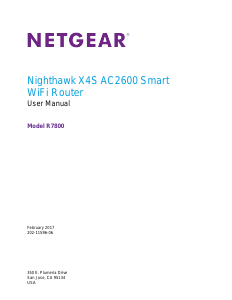
Nighthawk X4S AC2600 Smart WiFi Router
Download manual in English (PDF, 8.4 MB)
(Consider the environment and only print this manual if it is really necessary)

Loading…

Rating

Let us know what you think about the Netgear R7800 Router by leaving a product rating. Want to share your experiences with this product or ask a question? Please leave a comment at the bottom of the page.
Are you satisfied with the Netgear R7800 Router?
Yes No
Be the first to rate this product
0 votes

Join the conversation about this product

Here you can share what you think about the Netgear R7800 Router. If you have a question, first carefully read the manual. Requesting a manual can be done by using our contact form.

More about this manual

We understand that it’s nice to have a paper manual for your Netgear R7800 Router. You can always download the manual from our website and print it yourself. If you would like to have an original manual, we recommend you contact Netgear. They might be able to provide an original manual. Are you looking for the manual of your Netgear R7800 Router in a different language? Choose your preferred language on our homepage and search for the model number to see if we have it available.

Specifications

Brand Netgear
Model R7800
Category Routers
File type PDF
File size 8.4 MB

All manuals for Netgear Routers
More manuals of Routers

Frequently Asked Questions about Netgear R7800 Router

Our support team searches for useful product information and answers to frequently asked questions. If you find an inaccuracy in our frequently asked questions, please let us know by using our contact form.

How can I improve the signal of my router? Verified

First try to adjust the location and positioning of the router to improve the signal. If that fails it's often possible to change the wireless channel of your router. There is a chance that other wireless devices are using the same wireless channel, which can result in decreased signal strength.

This was helpful (1252) Read more

What is the difference between a router and a modem? Verified

A modem facilitates the connection to the internet through your provider. A router distributes this signal to different devices within a network. Most modern routers have a built-in modem.

This was helpful (179) Read more
Manual Netgear R7800 Router

Related products

Related categories

×
Download