Manual Netgear GS108Ev3 Switch

Need a manual for your Netgear GS108Ev3 Switch? Below you can view and download the PDF manual for free in English. This product currently has 0 frequently asked questions, 0 comments and has 0 votes. If this is not the manual you want, please contact us.

Is your product defective and the manual offers no solution? Go to a Repair Café for free repair services.

Manual

Loading…

Get Started
7
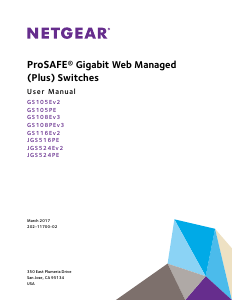
ProSAFE Gigabit Web Managed (Plus) Switches
Supported Switches
The ProSAFE Gigabit Web Managed (Plus) Switch Series User Manual supports the
following switch models:
GS105Ev2
GS105PE
GS108Ev3
GS108PEv3
GS116Ev2
JGS516PE
JGS524Ev2
JGS524PE
Configure the Switch
ProSAFE Web Managed (Plus) Switches are Plug-and-Play, so they can be used without any
configuration. Just connect power, connect to your network and to your other devices, and
you’re done. You can also configure and manage additional advanced features of the switch
either by using your computer’s web browser or by installing the ProSAFE Plus Utility on your
Windows-based computer.
For easiest access, we recommend that you cable the switch to a network with a router or
DHCP server that assigns IP addresses, power on the switch, and then use a computer that
is connected to the same network as the switch (on-network). However, it is also possible to
configure the switch connected directly only to the computer that you are using to configure it,
and not connected to the network (off-network). See the following sections for details about
the different options for configuring your switch.
Access the Switch Using a Web Browser
You can access and configure the switch directly through its web-based management
interface by entering the switch’s IP address in the address bar of a browser. When using
web-browser setup, the simplest way to configure the switch is not connected to your
network (off-network). You can also configure the switch with it connected to your network,
router, or modem, (on-network) but you must be able to determine the IP address of the
switch if your network uses DHCP.
Download manual in English (PDF, 0.7 MB)
(Consider the environment and only print this manual if it is really necessary)

Loading…

Rating

Let us know what you think about the Netgear GS108Ev3 Switch by leaving a product rating. Want to share your experiences with this product or ask a question? Please leave a comment at the bottom of the page.
Are you satisfied with the Netgear GS108Ev3 Switch?
Yes No
Be the first to rate this product
0 votes

Join the conversation about this product

Here you can share what you think about the Netgear GS108Ev3 Switch. If you have a question, first carefully read the manual. Requesting a manual can be done by using our contact form.

More about this manual

We understand that it’s nice to have a paper manual for your Netgear GS108Ev3 Switch. You can always download the manual from our website and print it yourself. If you would like to have an original manual, we recommend you contact Netgear. They might be able to provide an original manual. Are you looking for the manual of your Netgear GS108Ev3 Switch in a different language? Choose your preferred language on our homepage and search for the model number to see if we have it available.

Specifications

Brand Netgear
Model GS108Ev3
Category Switches
File type PDF
File size 0.7 MB

All manuals for Netgear Switches
More manuals of Switches

Manual Netgear GS108Ev3 Switch

Related products

Related categories

×
Download