Manual Netgear EX7300 Nighthawk Range Extender

Need a manual for your Netgear EX7300 Nighthawk Range Extender? Below you can view and download the PDF manual for free in English. This product currently has 2 frequently asked questions, 0 comments and has 2 votes with an average product rating of 50/100. If this is not the manual you want, please contact us.

Is your product defective and the manual offers no solution? Go to a Repair Café for free repair services.

Manual

Loading…

3
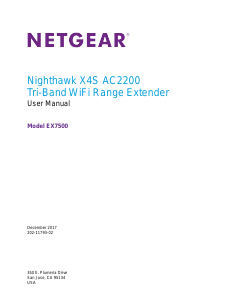
Nighthawk X4 AC2200 WiFi Range Extender
Contents
Chapter 1 Get to Know Your Extender
Front Panel and Side Panel LEDs and Buttons . . . . . . . . . . . . . . . . . . . . . . . . . . . . . 6
When to Use Your Extender. . . . . . . . . . . . . . . . . . . . . . . . . . . . . . . . . . . . . . . . . . . . 7
Support for the 802.11ac Networking Standard. . . . . . . . . . . . . . . . . . . . . . . . . . 8
Chapter 2 Get Started
Use the Extender in Extender Mode. . . . . . . . . . . . . . . . . . . . . . . . . . . . . . . . . . . . 10
Place the Extender and Apply Power . . . . . . . . . . . . . . . . . . . . . . . . . . . . . . . . . 10
Connect to an Existing WiFi Network . . . . . . . . . . . . . . . . . . . . . . . . . . . . . . . . 10
Use the Extender in Access Point Mode. . . . . . . . . . . . . . . . . . . . . . . . . . . . . . . . . 15
Access Extender Settings . . . . . . . . . . . . . . . . . . . . . . . . . . . . . . . . . . . . . . . . . . . . . 16
Run Smart Setup . . . . . . . . . . . . . . . . . . . . . . . . . . . . . . . . . . . . . . . . . . . . . . . . . . . . 16
Chapter 3 Extender Network Settings
View Connected Devices . . . . . . . . . . . . . . . . . . . . . . . . . . . . . . . . . . . . . . . . . . . . . 19
Boost Your Video Streaming With FastLane Technology . . . . . . . . . . . . . . . . . . . 19
View WiFi Settings. . . . . . . . . . . . . . . . . . . . . . . . . . . . . . . . . . . . . . . . . . . . . . . . . . . 21
Change the WiFi Network Name . . . . . . . . . . . . . . . . . . . . . . . . . . . . . . . . . . . . . . . 21
Turn Off the SSID Broadcast to Create a Hidden Network . . . . . . . . . . . . . . . . . 22
Disable or Enable the WiFi Radios . . . . . . . . . . . . . . . . . . . . . . . . . . . . . . . . . . . . . . 23
Change the WiFi Speed. . . . . . . . . . . . . . . . . . . . . . . . . . . . . . . . . . . . . . . . . . . . . . . 24
Use WPS to Add a Computer to the Extender’s WiFi Network . . . . . . . . . . . . . . 25
Use WPS With the Push Button Method . . . . . . . . . . . . . . . . . . . . . . . . . . . . . . 26
Use WPS With the PIN Method. . . . . . . . . . . . . . . . . . . . . . . . . . . . . . . . . . . . . . 26
Deny Access to a Computer or WiFi Device . . . . . . . . . . . . . . . . . . . . . . . . . . . . . 27
Set Up an Access Schedule. . . . . . . . . . . . . . . . . . . . . . . . . . . . . . . . . . . . . . . . . . . . 29
Change the Extenders Device Name . . . . . . . . . . . . . . . . . . . . . . . . . . . . . . . . . . . 30
Set Up the Extender to Use a Static IP Address . . . . . . . . . . . . . . . . . . . . . . . . . . 30
Use the Extender With MAC Filtering or Access Control. . . . . . . . . . . . . . . . . . . 31
Chapter 4 Monitor and Maintain the Extender
Change the Extender User Name and Password. . . . . . . . . . . . . . . . . . . . . . . . . . 34
Turn Password Protection Off and On . . . . . . . . . . . . . . . . . . . . . . . . . . . . . . . . . . 35
Recover a Forgotten User Name or Password. . . . . . . . . . . . . . . . . . . . . . . . . . . . 35
Automatically Adjust for Daylight Saving Time. . . . . . . . . . . . . . . . . . . . . . . . . . . 36
Manually Set the Extender Clock . . . . . . . . . . . . . . . . . . . . . . . . . . . . . . . . . . . . . . 36
Back Up and Manage the Extender Configuration . . . . . . . . . . . . . . . . . . . . . . . . 37
Back Up the Configuration Settings . . . . . . . . . . . . . . . . . . . . . . . . . . . . . . . . . . 37
Restore the Configuration Settings . . . . . . . . . . . . . . . . . . . . . . . . . . . . . . . . . . 38
Return the Extender to Its Factory Settings . . . . . . . . . . . . . . . . . . . . . . . . . . . . . 39
Use the Factory Reset Button to Restore Factory Settings . . . . . . . . . . . . . . 39
Download manual in English (PDF, 0.92 MB)
(Consider the environment and only print this manual if it is really necessary)

Loading…

Rating

Let us know what you think about the Netgear EX7300 Nighthawk Range Extender by leaving a product rating. Want to share your experiences with this product or ask a question? Please leave a comment at the bottom of the page.
Are you satisfied with the Netgear EX7300 Nighthawk Range Extender?
Yes No
50%
50%
2 votes

Join the conversation about this product

Here you can share what you think about the Netgear EX7300 Nighthawk Range Extender. If you have a question, first carefully read the manual. Requesting a manual can be done by using our contact form.

More about this manual

We understand that it’s nice to have a paper manual for your Netgear EX7300 Nighthawk Range Extender. You can always download the manual from our website and print it yourself. If you would like to have an original manual, we recommend you contact Netgear. They might be able to provide an original manual. Are you looking for the manual of your Netgear EX7300 Nighthawk Range Extender in a different language? Choose your preferred language on our homepage and search for the model number to see if we have it available.

Specifications

Brand Netgear
Model EX7300 Nighthawk
Category Range Extenders
File type PDF
File size 0.92 MB

All manuals for Netgear Range Extenders
More manuals of Range Extenders

Frequently Asked Questions about Netgear EX7300 Nighthawk Range Extender

Our support team searches for useful product information and answers to frequently asked questions. If you find an inaccuracy in our frequently asked questions, please let us know by using our contact form.

What is the difference between a range extender and an access point? Verified

The biggest difference is that an acces point generally is connected to a modem or router with a cable. A range extender amplifies an existing wireless signal.

This was helpful (241) Read more

Can I connect a range extender to the signal of another range extender? Verified

Yes, this is possible with most models. Note that the quality of the repeated signal might be less than when connected directly to a router.

This was helpful (176) Read more
Manual Netgear EX7300 Nighthawk Range Extender

Related products

Related categories

×
Download