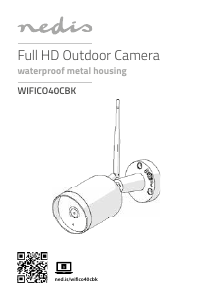
Manual Nedis WIFICO20CWT IP Camera

Need a manual for your Nedis WIFICO20CWT IP Camera? Below you can view and download the PDF manual for free in English. This product currently has 0 frequently asked questions, 5 comments and has 10 votes with an average product rating of 20/100. If this is not the manual you want, please contact us.

Is your product defective and the manual offers no solution? Go to a Repair Café for free repair services.

Manual

Loading…

English
3
WIFICO20CWT
Outdoor IP camera
Description
1. Status indicator
2. Reset button
3. Speaker
4. Microphone
Use
1. Download and install the app “Nedis SmartLife“ from
Apple App Store or Google Play Store on your mobile
device.
2. Launch the app “Nedis SmartLife“.
3. Create a new account or log in to your existing
account.
4. Tap “+” to add the device.
5. Select “Security Camera” from the list of products.
6. Connect the power adapter to the device. Insert the
mains plug of the power adapter into the wall socket.
7. If the status indicator does not ash: Press the reset
button.
If the status indicator ashes: Conrm in the app.
8. Confrm the Wi-Fi network and password.
9. Enter the device name.
Note: The device name will also be used for push
notications.
10. Use the metal bracket to mount the camera on the
wall or in an angle.
11. Place the camera on the bracket and rotate to xate.
Safety
To reduce risk of electric shock, this product should
only be opened by an authorized technician when
service is required.
Disconnect the product from the mains and other
equipment if a problem should occur.
Read the manual carefully before use. Keep the
manual for future reference.
Only use the device for its intended purposes.
Do not use the device for other purposes than
described in the manual.
Do not use the device if any part is damaged or
defective. If the device is damaged or defective,
replace the device immediately.
Cleaning and maintenance
Warning!
Do not use cleaning solvents or abrasives.
Do not clean the inside of the device.
Do not attempt to repair the device. If the device
does not operate correctly, replace it with a new
device.
Clean the outside of the device using a soft, damp
cloth.
Support
If you need further help or have comments or
suggestions please visit www.nedis.com/support
Download manual in English (PDF, 1.58 MB)
(Consider the environment and only print this manual if it is really necessary)

Loading…

Rating

Let us know what you think about the Nedis WIFICO20CWT IP Camera by leaving a product rating. Want to share your experiences with this product or ask a question? Please leave a comment at the bottom of the page.
Are you satisfied with the Nedis WIFICO20CWT IP Camera?
Yes No
20%
80%
10 votes

Join the conversation about this product

Here you can share what you think about the Nedis WIFICO20CWT IP Camera. If you have a question, first carefully read the manual. Requesting a manual can be done by using our contact form.

Vintertider 29-12-2022
Hey! Have Nedis outdoor camera, problem with it being offline all the time Anyone know what I can do to avoid this?

reply | This was helpful (54) (Translated by Google)
Hilma helminen 10-01-2025
Camera in offline mode, what's wrong

reply | This was helpful (4) (Translated by Google)
CARL 17-09-2022
barely legible text in the menus difficult to maneuver bad descriptions

reply | This was helpful (1) (Translated by Google)
Kaj Granvik 15-10-2025
All the tricks are done correctly according to the rules and instructions will not be contacted by the camera.

reply | This was helpful (0) (Translated by Google)
Justiina 06-07-2026
Today, how is it possible to connect this device to the router's network? All possible settings were reviewed and the router was forced to 2.4, but no. Towards the end, when the camera has read the QR code and connecting to the network starts to load, something happens(?) and finally it says that you need to check that, this and so on. And I can't figure out what's wrong.

reply | This was helpful (0) (Translated by Google)

More about this manual

We understand that it’s nice to have a paper manual for your Nedis WIFICO20CWT IP Camera. You can always download the manual from our website and print it yourself. If you would like to have an original manual, we recommend you contact Nedis. They might be able to provide an original manual. Are you looking for the manual of your Nedis WIFICO20CWT IP Camera in a different language? Choose your preferred language on our homepage and search for the model number to see if we have it available.

Specifications

Brand Nedis
Model WIFICO20CWT
Category IP Cameras
File type PDF
File size 1.58 MB

All manuals for Nedis IP Cameras
More manuals of IP Cameras
Manual Nedis WIFICO20CWT IP Camera

Related products

Related categories

×
Download