
2
Your decision to own this McIntosh MA8900 Inte-
grated Amplifier ranks you at the very top among
discriminating music listeners. You now have “The
Best.” The McIntosh dedication to “Quality,” is as-
surance that you will receive many years of musical
enjoyment from this unit.
Please take a short time to read the information in
this manual. We want you to be as familiar as pos-
sible with all the features and functions of your new
McIntosh.
Copyright 2017 © by McIntosh Laboratory, Inc.
Table of Contents
Thank You
Please Take A Moment
Technical Assistance
If at any time you have questions about your McIntosh
product, contact your McIntosh Dealer who is familiar
with your McIntosh equipment and any other brands
that may be part of your system. If you or your Dealer
wish additional help concerning a suspected problem,
you can receive technical assistance for all McIntosh
products at:
McIntosh Laboratory, Inc.
2 Chambers Street
Binghamton, New York 13903
Phone: 607-723-3512
Fax: 607-724-0549
Customer Service
If it is determined that your McIntosh product is in
need of repair, you can return it to your Dealer. You
can also return it to the McIntosh Laboratory Service
Department. For assistance on factory repair return
procedure, contact the McIntosh Service Department
at:
McIntosh Laboratory, Inc.
2 Chambers Street
Binghamton, New York 13903
Phone: 607-723-3515
Fax: 607-723-1917
The serial number, purchase date and McIntosh Dealer
name are important to you for possible insurance
claim or future service. The spaces below have been
provided for you to record that information:
Serial Number: _______________________________
Purchase Date: _______________________________
Dealer Name: ________________________________
Important Safety Information is supplied in a separate document “Important Additional Operation Information Guide”
Safety Instructions .............................................................. 2
(Separate Sheet) ............................Important Additional
Operation Information Guide
Thank You and Please Take a Moment ...............................2
Technical Assistance and Customer Service .......................2
Table of Contents .................................................................2
General Information ............................................................3
Connector and Cable Information .......................................3
Introduction ......................................................................... 4
Performance Features ..........................................................4
Dimensions ..........................................................................5
Installation ...........................................................................6
Connections:
Rear Panel Connections .......................................................7
(Separate Sheet) ...........................................................Mc1A
Connecting Components .....................................................8
Connection Diagrams (Separate Sheet) ................. Mc2A/2B
Passthru Connections ..........................................................9
Connecting for Bi-Amplification ...................................... 10
Connecting Loudspeakers ............................................ 11-12
Remote Control and Front Panel:
Remote Control Push-buttons ........................................... 14
How to use the Remote Control ......................................... 15
Front Panel Displays, Controls,
Push-buttons and Jack ....................................................... 16
Setup Mode:
How to Operate the Setup Mode ....................................... 17
Setup Functions:
Default Settings .........................................................17
Fir mware Version ...................................................... 17
Source Input Renaming ........................................17-19
Output Settings ..........................................................19
Power Control Triggers 1 and 2 .................................20
Data Ports ................................................................... 20
Passthru ......................................................................21
Comm Port Baud Rate ...............................................21
Remote Control Codes ............................................... 21
IR Sensor ....................................................................22
Power Mode ...............................................................22
Factory Reset .............................................................22
Microprocessor Reset ........................................................23
Operation:
How to Operate the MA8900 .......................................24 -31
Trim Functions:
Balance .......................................................................24
Equalizer Mode ..........................................................25
Trim Level ..................................................................25
Phono Adjustments ....................................................25
Mono/Stereo Mode ....................................................26
Meter Backlight .........................................................26
Display Brightness ..................................................... 26
Headphone HXD ........................................................27
Equalizer, Trim, Mute, Headphone Jack .................... 27
Power Output Meters, Power Guard ..........................27
How to Make a Recording .......................................... 28
Using a Separate Power Amplifier .............................28
Using Output 2 and Passthru ......................................28
Equalizer Controls ...................................................... 29
Optical and Coaxial Digital Inputs ............................ 29
USB Input Operation with a Computer ...................... 30
Resetting the MA8900 to default settings ..................30
Photo ......................................................................... 32
Specifications ....................................................... 33-34
Packing Instructions ................................................. 35



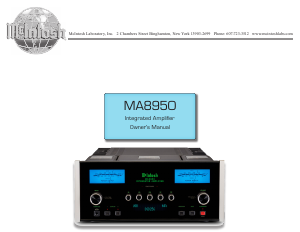
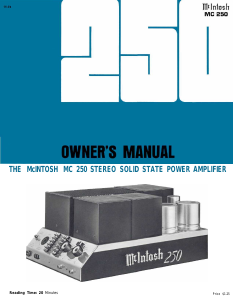
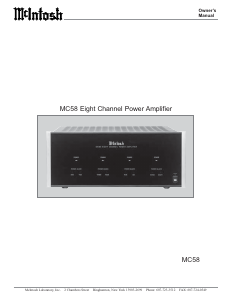
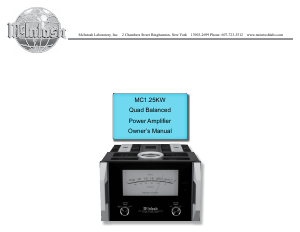
Join the conversation about this product
Here you can share what you think about the McIntosh MA8900 Amplifier. If you have a question, first carefully read the manual. Requesting a manual can be done by using our contact form.