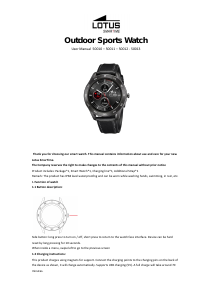
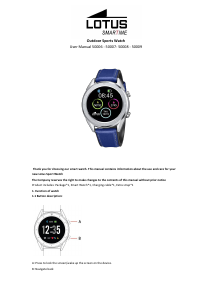
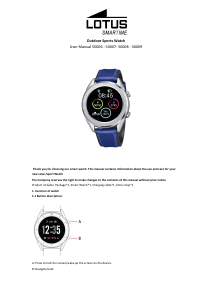
Manual Lotus 50009 Outdoor Smart Watch

Need a manual for your Lotus 50009 Outdoor Smart Watch? Below you can view and download the PDF manual for free in English. This product currently has 0 frequently asked questions, 1 comment and has 2 votes with an average product rating of 0/100. If this is not the manual you want, please contact us.

Is your product defective and the manual offers no solution? Go to a Repair Café for free repair services.

Manual

Loading…
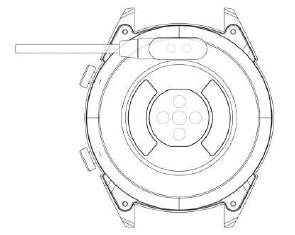
1.2 Charging instructions:
Magnetic charging is as shown below.
*Only charge the watch in the way shown. Incorrect charging may damage the watch.
1.3 Watch Face in standby mode:
1) Swipe right to open Notifications
2) Swipe down to open the drop-down menu to control brightness, enter settings, and Do not Disturb function.
3) Swipe up to open the main menu.
4) Press and hold the screen while in standby mode to change the watch face design. Select by tapping the
screen.
5) Tap once to display data on heart beats per minute, steps and calories.
1.4 Messages
Swipe right on the main screen to open Notifications. To enable notifications, connect the watch with the Lotus
SmarTime app and enable the relevant permissions. In the app, you can enable App notifications, Call
notifications and SMS notifications. When notifications are received on your phone, they will show up on the
watch, which can display up to 8 notifications.
1.5 Drop-down menu
Swipe down screen interface to open the drop-down menu.
1) The left icon shows Bluetooth connection status
2) Tap the middle icon to toggle Do Not Disturb mode. When Do Not Disturb mode is on, the device only vibrates
for the Find device and Alarms functions.
3) The right icon can be used to adjust the screen brightness.
4) Battery level is shown in the upper part of the screen.
1.6 Step count
The step counter is on by default. This interface displays the current number of steps on the watch. Steps are
counted starting from midnight. Swiping left you can find the data regarding distance covered and calories
burned.
1.7 Sleep
The sleep monitoring time period is from 21:00 to 9:00 the next day. After the sleep pattern has been recorded
on the device, sleep data is sent to the Lotus SmarTime app. Swiping left you can find data on the hours of light
and deep sleep.
1.8 Bluetooth music
Android: after connecting the watch via the phone settings, open the music player, play/pause and switch songs;
(no need to bind in the app, if it is already bound, please unbind it and connect in the phone settings)
IOS: When connected to your phone you can play, pause and switch songs directly via the watch.
1.9 Exercise tracking (walking, running, cycling, hiking, swimming, football, basketball, table tennis, badminton)
1.9.1 Select the exercise and tap the screen to start. After a brief countdown, activity tracking will start. You can
pause the exercise when needed. When you press the "□" icon, the exercise will be stopped and the activity data
is saved.
Download manual in English (PDF, 1.41 MB)
(Consider the environment and only print this manual if it is really necessary)

Loading…

Rating

Let us know what you think about the Lotus 50009 Outdoor Smart Watch by leaving a product rating. Want to share your experiences with this product or ask a question? Please leave a comment at the bottom of the page.
Are you satisfied with the Lotus 50009 Outdoor Smart Watch?
Yes No
0%
100%
2 votes

Join the conversation about this product

Here you can share what you think about the Lotus 50009 Outdoor Smart Watch. If you have a question, first carefully read the manual. Requesting a manual can be done by using our contact form.

Karine 12-06-2021
Hello how to update it please

reply | This was helpful (2) (Translated by Google)

More about this manual

We understand that it’s nice to have a paper manual for your Lotus 50009 Outdoor Smart Watch. You can always download the manual from our website and print it yourself. If you would like to have an original manual, we recommend you contact Lotus. They might be able to provide an original manual. Are you looking for the manual of your Lotus 50009 Outdoor Smart Watch in a different language? Choose your preferred language on our homepage and search for the model number to see if we have it available.

Specifications

Brand Lotus
Model 50009 Outdoor
Category Smart Watches
File type PDF
File size 1.41 MB

All manuals for Lotus Smart Watches
More manuals of Smart Watches
Manual Lotus 50009 Outdoor Smart Watch

Related products

Related categories

×
Download