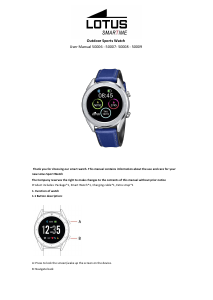
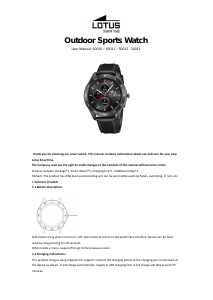
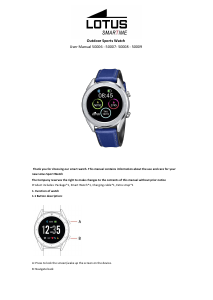
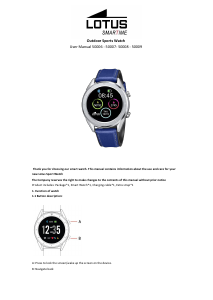
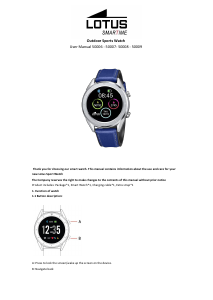
Manual Lotus 50006 Outdoor Smart Watch

Need a manual for your Lotus 50006 Outdoor Smart Watch? Below you can view and download the PDF manual for free in English. This product currently has 0 frequently asked questions, 7 comments and has 2 votes with an average product rating of 0/100. If this is not the manual you want, please contact us.

Is your product defective and the manual offers no solution? Go to a Repair Café for free repair services.

Manual

Loading…

1.9.2 Activity data is saved for any exercise over 200 meters or lasting longer than 5 minutes. For smaller sessions
the device will prompt “Too little data to be saved”
1.9.3 To view your activity data, open the Lotus SmarTime app and tap the synchronization icon in the top left
corner.
1.10 Heart rate
Wear the watch on your preferred wrist and enter the heart rate menu for the continuous heart rate
measurement. When the watch is connected to your phone, the heart rate data can be synchronized to the app
in real time.
1.11 Blood pressure
Wear the watch on your preferred wrist and enter the blood pressure menu for a single measurement of blood
pressure. When the watch is connected to your phone, the blood pressure data can be synchronized to the app
in real time.
1.12 Alarm clock
This function shows your alarms. You can manage alarms in the Lotus SmarTime App
1.13 Sedentary reminder
Turn on/off the Sedentary reminder. This function lets you know when you’ve been inactive for long spells. This
can be configured in the Lotus SmarTime app
1.14 Stopwatch
Tap the start button to start, tap again to pause. Swipe right to clear time and exit.
1.15 Find phone
Lost your phone? Tap Find phone to make your phone vibrate. Tap again when you’ve found your phone. The
watch has to be connected for this function to work.
1.16 Remote camera
Open the camera on your phone via the Lotus SmarTime app. Then tap the camera icon to take photos. All
photos taken are stored on your phone.
1.17 Raise to wake (flip over)
Set to off by default to save battery. This can also be controlled from the Lotus SmarTime app. With this mode
activated, the watch screen will turn on with the movement of the wrist.
1.18 Timing
Open the countdown function and tap play to start. Once the countdown time is over, the watch will vibrate.
1.19 Settings
1.19.1 About
View the Bluetooth name and Bluetooth address and version number
1.19.2 Restore factory settings
Click Restore factory settings to restore the watch to the initial factory state.
1.19.3 Shutdown
After clicking Shutdown, the watch is turned off.
2. Lotus SmarTime App
1. Installation instructions
1.1 Scan the following QR code to take you directly to a download link
Download manual in English (PDF, 1.41 MB)
(Consider the environment and only print this manual if it is really necessary)

Loading…

Rating

Let us know what you think about the Lotus 50006 Outdoor Smart Watch by leaving a product rating. Want to share your experiences with this product or ask a question? Please leave a comment at the bottom of the page.
Are you satisfied with the Lotus 50006 Outdoor Smart Watch?
Yes No
0%
100%
2 votes

Join the conversation about this product

Here you can share what you think about the Lotus 50006 Outdoor Smart Watch. If you have a question, first carefully read the manual. Requesting a manual can be done by using our contact form.

Michelle Leveque 11-06-2021
Hello, I would like to receive the lotus 50006 manual in French

reply | This was helpful (1) (Translated by Google)
Margriet Zijlstra 21-12-2020
I would like a Dutch manual. [email protected]

reply | This was helpful (0) (Translated by Google)
Marc Louwet 31-01-2021
I would like a manual in Dutch. A manual in 6 other languages ​​is of no use to me

reply | This was helpful (0) (Translated by Google)
Richard slot 05-08-2021
I would like a Dutch manual

reply | This was helpful (0) (Translated by Google)
Richard slot 05-08-2021
I would like a Dutch manual

reply | This was helpful (0) (Translated by Google)
Santacreu Patrick 03-09-2022
Hello, I've had a Lotus 50006 watch for a year, and when I connect it to the charger, nothing happens, it doesn't charge. Can you tell me if there is a solution. Thanks

reply | This was helpful (0) (Translated by Google)
Inez Herst 29-07-2024
I would like a Dutch manual for the Lotus 50006 smartwatch

reply | This was helpful (0) (Translated by Google)

More about this manual

We understand that it’s nice to have a paper manual for your Lotus 50006 Outdoor Smart Watch. You can always download the manual from our website and print it yourself. If you would like to have an original manual, we recommend you contact Lotus. They might be able to provide an original manual. Are you looking for the manual of your Lotus 50006 Outdoor Smart Watch in a different language? Choose your preferred language on our homepage and search for the model number to see if we have it available.

Specifications

Brand Lotus
Model 50006 Outdoor
Category Smart Watches
File type PDF
File size 1.41 MB

All manuals for Lotus Smart Watches
More manuals of Smart Watches
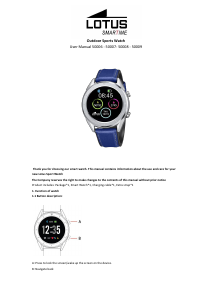
Manual Lotus 50006 Outdoor Smart Watch

Related products

Related categories

×
Download