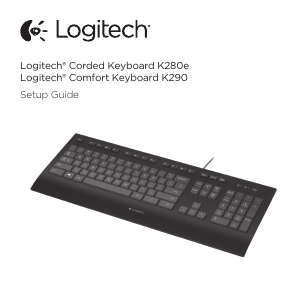
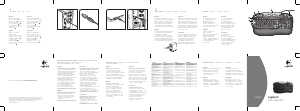
Manual Logitech Classic 200 Keyboard

Need a manual for your Logitech Classic 200 Keyboard? Below you can view and download the PDF manual for free in English. This product currently has 2 frequently asked questions, 0 comments and has 0 votes. If this is not the manual you want, please contact us.

Is your product defective and the manual offers no solution? Go to a Repair Café for free repair services.

Manual

Loading…
Logitech
®
Classic Keyboard 200
Clavier Classique 200
www.logitech.com/support
WWW
United States
+1 702 269 3457
Argentina
0800 555 3284
Brazil
0800 891 4173
Canada
+1 416 207 2782
Chile
1230 020 5484
Latin America
+55 11 3444 6761
Mexico
001 800 578 9619
English
Important Ergonomic Information: Long periods of repetitive motion using an improperly set-up workspace, incorrect body
position, and poor work habits may be associated with physical discomfort and injury to nerves, tendons, and muscles. If you feel
pain, numbness, weakness, swelling, burning, cramping, or stiffness in your hands, wrists, arms, shoulders, neck, or back, see a
qualified health professional. For more information, please read the Comfort Guidelines located on the Logitech
®
web site at
http://www.logitech.com/comfort.
UL Testing. Your product is UL tested and should only be used with other UL listed devices.
Compliance. For compliance information, go to http://www.logitech.com/compliance.
Limited Warranty. Logitech warrants that any hardware product accompanying this documentation shall be free from significant
defects in material and workmanship for a period of two (2) years from the date of purchase. Logitech's limited warranty is
nontransferable and is limited to the original purchaser. This warranty gives you specific legal rights, and you may also have other
rights which vary under local laws. Remedies. Logitech’s entire liability and your exclusive remedy for any breach of warranty shall be,
at Logitech’s option, to: (a) repair or replace the hardware, or (b) refund the price paid, provided that the hardware is returned to the
point of purchase or such other place as Logitech may direct, with a copy of the sales receipt. Any replacement hardware will be
warranted for the remainder of the original warranty period or thirty (30) days, whichever is longer. These remedies are void if failure
of the hardware has resulted from accident, abuse, misapplication, or any unauthorised repair, modification or disassembly. Further,
for cordless devices, these remedies are void if you use battery types other than those recommended by Logitech. Upon request
from Logitech, you must prove the date of the original purchase of the hardware by a dated bill of sale or dated itemised receipt.
Disclaimer of Warranty. THE WARRANTIES EXPRESSLY SET FORTH IN THIS AGREEMENT REPLACE ALL OTHER WARRANTIES. LOGITECH
AND ITS SUPPLIERS EXPRESSLY DISCLAIM ALL OTHER WARRANTIES, INCLUDING, BUT NOT LIMITED TO, THE IMPLIED WARRANTIES OF
MERCHANTABILITY AND FITNESS FOR A PARTICULAR PURPOSE AND NONINFRINGEMENT OF THIRD-PARTY RIGHTS WITH RESPECT TO THE
HARDWARE. NO LOGITECH DEALER, AGENT, OR EMPLOYEE IS AUTHORIZED TO MAKE ANY MODIFICATION, EXTENSION, OR ADDITION TO
THIS WARRANTY. Some jurisdictions do not allow limitations on how long an implied warranty lasts, so the above limitation may not
apply to you. Limitation of Liability. IN NO EVENT WILL LOGITECH OR ITS SUPPLIERS BE LIABLE FOR ANY COSTS OF PROCUREMENT OF
SUBSTITUTE PRODUCTS OR SERVICES, LOST PROFITS, LOSS OF INFORMATION OR DATA, OR ANY OTHER SPECIAL, INDIRECT,
CONSEQUENTIAL, OR INCIDENTAL DAMAGES ARISING IN ANY WAY OUT OF THE SALE OF, USE OF, OR INABILITY TO USE ANY LOGITECH
PRODUCT OR SERVICE, EVEN IF LOGITECH HAS BEEN ADVISED OF THE POSSIBILITY OF SUCH DAMAGES. IN NO CASE SHALL LOGITECH'S
AND ITS SUPPLIERS' TOTAL LIABILITY EXCEED THE ACTUAL MONEY PAID FOR THE LOGITECH PRODUCT OR SERVICE GIVING RISE TO THE
LIABILITY. Some jurisdictions do not allow the exclusion or limitation of incidental or consequential damages, so the above limitation
or exclusion may not apply to you. The above limitations will not apply in case of personal injury where and to the extent that
applicable law requires such liability.
English
Français
Download manual in English (PDF, 3.14 MB)
(Consider the environment and only print this manual if it is really necessary)

Loading…

Rating

Let us know what you think about the Logitech Classic 200 Keyboard by leaving a product rating. Want to share your experiences with this product or ask a question? Please leave a comment at the bottom of the page.
Are you satisfied with the Logitech Classic 200 Keyboard?
Yes No
Be the first to rate this product
0 votes

Join the conversation about this product

Here you can share what you think about the Logitech Classic 200 Keyboard. If you have a question, first carefully read the manual. Requesting a manual can be done by using our contact form.

More about this manual

We understand that it’s nice to have a paper manual for your Logitech Classic 200 Keyboard. You can always download the manual from our website and print it yourself. If you would like to have an original manual, we recommend you contact Logitech. They might be able to provide an original manual. Are you looking for the manual of your Logitech Classic 200 Keyboard in a different language? Choose your preferred language on our homepage and search for the model number to see if we have it available.

Specifications

Brand Logitech
Model Classic 200
Category Keyboards
File type PDF
File size 3.14 MB

All manuals for Logitech Keyboards
More manuals of Keyboards

Frequently Asked Questions about Logitech Classic 200 Keyboard

Our support team searches for useful product information and answers to frequently asked questions. If you find an inaccuracy in our frequently asked questions, please let us know by using our contact form.

The letters on the keyboard are not in the places that I am used to, why is that? Verified

Most keyboards use a QWERTY layout, standing for the first six letters on the keyboard. However, there are different keyboard layouts, matching the specific needs of a certain language. It is also possible that the keyboard keys have been swapped. Especially with older keyboards this is easy to do.

This was helpful (1365) Read more

What is the best way to clean my keyboard Verified

Never insert objects between the edges of the keys, as this will mainly push dirt in and damage the keyboard. It is best to clean the keyboard with compressed air while keeping the keyboard upside down. The top of the keys can be cleaned with a slightly damp cloth.

This was helpful (204) Read more
Manual Logitech Classic 200 Keyboard

Related products

Related categories

×
Download