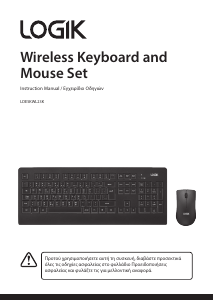
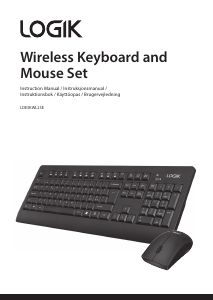
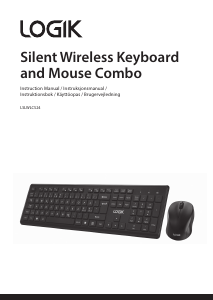
Manual Logik LCKBM10 Keyboard

Need a manual for your Logik LCKBM10 Keyboard? Below you can view and download the PDF manual for free in English. This product currently has 2 frequently asked questions, 0 comments and has 0 votes. If this is not the manual you want, please contact us.

Is your product defective and the manual offers no solution? Go to a Repair Café for free repair services.

Manual

Loading…

1 2 3 4 5 6 7 8 9
This symbol on the product or in the instructions means that your electrical and
electronic equipment should be disposed at the end of its life separately from your
household waste. There are separate collection systems for recycling in the EU.
For more information, please contact the local authority or your retailer where you
purchased the product.
Visit Partmaster.co.uk today for the easiest way to buy electrical
spares and accessories. With over 1 million spares and accesso-
ries available we can deliver direct to your door the very next
day. Visit www.partmaster.co.uk or call 0844 800 3456 (UK
customers only) Calls charged at National Rate.
DSG Retail Ltd. • Maylands Avenue Hemel Hempstead • Hertfordshire HP2 7TG England
Mouse Indicator
- Red LED is on for 10 sec.
¬
Power ON.
- Green LED blinking
¬
Pairing (LED o when paired or failed
after 10 sec).
- Red LED blinks for 10 sec.
¬
Low Battery Warning.
Keyboard Indicator
- Red LED is on for 10 sec.
¬
Power ON
- Red LED blinking.
¬
Pairing (LED o when paired or failed
after 10 sec.)
- Red LED blinks for 10 sec.
¬
Low Battery Warning
88
Warnings
To reduce the risk of injury :
Keep batteries out of the reach of children.
Do not heat, open, puncture, mutilate, or dispose of batteries in re.
Do not mix new and old batteries or batteries of different types.
Do not allow metal objects to touch the battery terminals on the
device; they can become hot and cause burns.
Features and specications are subject to change without prior notice.
Windows is a registered trademark of Microsoft Corporation in the United States and
other countries.
DSG International Sourcing declares that the wireless keyborad and mouse comply
with the essential requirements and other relevant provisions of Directive 1999/5/EC.
55
Function Keys
66
Indications
77
Warnings
Don’t disassemble the keyboard and the mouse or remove any parts.
Don’t put the keyboard and the mouse into water or any liquid.
Don’t use the keyboard and the mouse close to heat sources or expose to high
temperatures.
Don’t use the keyboard and the mouse where strong electromagnetic waves
are present. Strong electromagnetic waves will cause damage to the keyboard.
Keep the keyboard and the mouse away from direct sunlight, moisture, dirt or
abrasive chemical products (cleaning products etc).
1
2
3
4
5
Homepage(www/e) Start the default Web browser and loads the home Web page.
Outlook(E-mail) Default Start the default e-mail program.
Search Open the internet Explorer Search panel.
Play/Pause Switch between playing and pausing media.
Volume up (Voice+) Increase the computer’s sound volume.
6
7
8
9
Volume down (Voice-) Decrease the computer’s sound volume.
Mute Mute (turns o) the computers sound.
Calculator Start Microsoft Calculator.
My Computer My Computer.
Notes for battery disposal:
The batteries used with this product contain chemicals that are harmful to the environment. To
preserve our environment, disposal of used batteries according to your local laws or regulations.
Do not dispose of batteries with the normal household waste.
For more information, please contact the local authority or your retailer where you purchased the
product.
Scroll Wheel
& LED Indicator
Left button
LED Indicator
LED Indicator
LED Indicator
Right button
Battery-Powered Devices :
Improper use of batteries may result in battery uid leakage, overheating, or
explosion. Released battery uid is corrosive and may be toxic. It can cause skin and
eye burns, and is harmful if swallowed.
Optical :
Never point the optical sensor pf the mouse towards the face, particularly the eyes,
to avoid possible injury.
Wireless Devices :
Before boarding any aircraft or packing a wireless device in luggage that will be
checked in, remove the batteries from the wireless device.
Wireless devices can transmit radio frequency (RF) energy, whenever batteries are
installed and the wireless device is turn on.
While the mouse is functioning, optical light is visible to the naked eye. Be careful not
to look directly into the emitter hole while the mouse is active.
Download manual in English (PDF, 2.89 MB)
(Consider the environment and only print this manual if it is really necessary)

Loading…

Rating

Let us know what you think about the Logik LCKBM10 Keyboard by leaving a product rating. Want to share your experiences with this product or ask a question? Please leave a comment at the bottom of the page.
Are you satisfied with the Logik LCKBM10 Keyboard?
Yes No
Be the first to rate this product
0 votes

Join the conversation about this product

Here you can share what you think about the Logik LCKBM10 Keyboard. If you have a question, first carefully read the manual. Requesting a manual can be done by using our contact form.

More about this manual

We understand that it’s nice to have a paper manual for your Logik LCKBM10 Keyboard. You can always download the manual from our website and print it yourself. If you would like to have an original manual, we recommend you contact Logik. They might be able to provide an original manual. Are you looking for the manual of your Logik LCKBM10 Keyboard in a different language? Choose your preferred language on our homepage and search for the model number to see if we have it available.

Specifications

Brand Logik
Model LCKBM10
Category Keyboards
File type PDF
File size 2.89 MB

All manuals for Logik Keyboards
More manuals of Keyboards

Frequently Asked Questions about Logik LCKBM10 Keyboard

Our support team searches for useful product information and answers to frequently asked questions. If you find an inaccuracy in our frequently asked questions, please let us know by using our contact form.

The letters on the keyboard are not in the places that I am used to, why is that? Verified

Most keyboards use a QWERTY layout, standing for the first six letters on the keyboard. However, there are different keyboard layouts, matching the specific needs of a certain language. It is also possible that the keyboard keys have been swapped. Especially with older keyboards this is easy to do.

This was helpful (1365) Read more

What is the best way to clean my keyboard Verified

Never insert objects between the edges of the keys, as this will mainly push dirt in and damage the keyboard. It is best to clean the keyboard with compressed air while keeping the keyboard upside down. The top of the keys can be cleaned with a slightly damp cloth.

This was helpful (204) Read more
Manual Logik LCKBM10 Keyboard

Related products

Related categories

×
Download