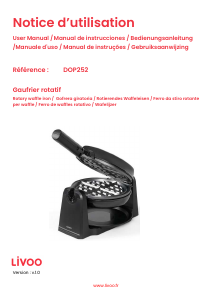
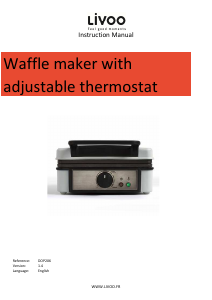
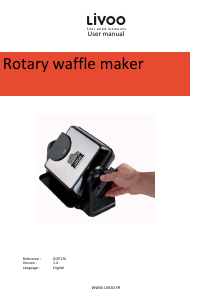
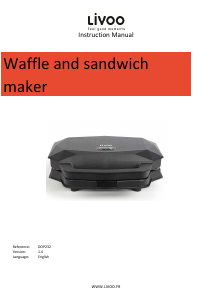
Manual Livoo DOP176 Waffle Maker

Need a manual for your Livoo DOP176 Waffle Maker? Below you can view and download the PDF manual for free in English. This product currently has 1 frequently asked question, 0 comments and has 0 votes. If this is not the manual you want, please contact us.

Is your product defective and the manual offers no solution? Go to a Repair Café for free repair services.

Manual

Loading…

User manual
4
5. Green Ready Light
6. Removable Drip Tray
USE
When your waffle maker is heated for the first time, it may emit slight smoke or odor. This is normal and does not
affect the safety of your appliance. However, it may affect the flavor of the first set of waffles prepared and it is
recommended that you discard these.
Preparing your waffles
• Pre-heat the waffle maker by setting the temperature control to the maximum setting.
Close the waffle maker and plug it into the wall outlet, you will notice that the red power light and green light will
go on, indicating that the appliance has begun preheating. It will take approximately 5 to 7 minutes to reach baking
temperature. The red power light will remain on until you unplug your waffle maker. When the green light go off, the
waffle maker is ready for use.
• Set the Waffle Temperature Control to your desired setting. At first, try a setting in the middle. You may later adjust
it lower or higher according to your preference. A lower setting produces a lighter colored waffle, while waffles made
at a higher setting are darker and crisper. Different waffle batters will also cook up differently. Over time, you will find
your perfect setting for the batter you use.
Before baking the first waffles of the day, use a pastry brush to lightly coat the top and bottom waffle grids with
vegetable oil. A light coating of non-stick cooking spray also works well.
Baking
When the proper baking temperature is reached, the green light will go on. Once heated up, cycle times will be
faster.
• Pour batter onto bottom grid of waffle maker. Ladle just enough batter to fill lower grid so that the peak area of the
grid is covered. If necessary, use a spatula to spread the batter in to the corners of the grid. At this point the green
light will go off as the baking cycle begins.
Close waffle maker and rotate unit 180° to the right (clockwise). Do not open for at least minutes. Opening the
lid too soon will cause under-baked waffles to split, making them difficult to remove.
• When the green light goes on again, rotate waffle maker 180° to the left (counterclockwise). Your waffles should be
done according to the Waffle Temperature Control setting that you’ve chosen. If you want them darker, close the lid
and continue baking until the desired color is achieved.
• Remove waffles from the grid using non-metallic utensils.
If additional baking is to be done, close waffle maker to retain heat. Always be sure the green light goes on again
before making more waffles.
If you need to take a short break, close waffle maker to maintain heat. When you return to baking, you will notice
that the first waffles will bake faster because extra heat has been allowed to build up.
• Close supervision is necessary when any appliance is being used by or near children.
Download manual in English (PDF, 0.37 MB)
(Consider the environment and only print this manual if it is really necessary)

Loading…

Rating

Let us know what you think about the Livoo DOP176 Waffle Maker by leaving a product rating. Want to share your experiences with this product or ask a question? Please leave a comment at the bottom of the page.
Are you satisfied with the Livoo DOP176 Waffle Maker?
Yes No
Be the first to rate this product
0 votes

Join the conversation about this product

Here you can share what you think about the Livoo DOP176 Waffle Maker. If you have a question, first carefully read the manual. Requesting a manual can be done by using our contact form.

More about this manual

We understand that it’s nice to have a paper manual for your Livoo DOP176 Waffle Maker. You can always download the manual from our website and print it yourself. If you would like to have an original manual, we recommend you contact Livoo. They might be able to provide an original manual. Are you looking for the manual of your Livoo DOP176 Waffle Maker in a different language? Choose your preferred language on our homepage and search for the model number to see if we have it available.

Specifications

Brand Livoo
Model DOP176
Category Waffle Makers
File type PDF
File size 0.37 MB

All manuals for Livoo Waffle Makers
More manuals of Waffle Makers

Frequently Asked Questions about Livoo DOP176 Waffle Maker

Our support team searches for useful product information and answers to frequently asked questions. If you find an inaccuracy in our frequently asked questions, please let us know by using our contact form.

How do I clea my waffle maker? Verified

It's best to do this with a moist cloth or spunge. Never use a scourer or an abrasive cleaner. This will damage the protective layer.

This was helpful (264) Read more
Manual Livoo DOP176 Waffle Maker

Related products

Related categories

×
Download