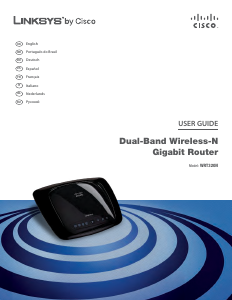
Manual Linksys WRT3200ACM Router

Need a manual for your Linksys WRT3200ACM Router? Below you can view and download the PDF manual for free in English. This product currently has 2 frequently asked questions, 0 comments and has 1 vote with an average product rating of 100/100. If this is not the manual you want, please contact us.

Is your product defective and the manual offers no solution? Go to a Repair Café for free repair services.

Manual

Loading…

2
Contents
Product Overview ................................................................................................... 3
Front view ................................................................................................................................................... 3
Back view .................................................................................................................................................... 5
Avoid Overheating................................................................................................................................... 7
Wall-Mounting Placement..................................................................................................................... 7
Setting Up: Basics ............................................................................................... 10
Where to find more help ..................................................................................................................... 10
How to install your router .................................................................................................................. 10
How to Use Linksys Smart Wi-Fi .................................................................... 13
How to connect to Linksys Smart Wi-Fi........................................................................................ 13
Network Map .......................................................................................................................................... 14
Guest Access ......................................................................................................................................... 14
Parental Controls.................................................................................................................................. 15
Media Prioritization .............................................................................................................................. 15
Speed Test .............................................................................................................................................. 16
External Storage................................................................................................................................... 16
Connectivity ........................................................................................................................................... 17
Troubleshooting .................................................................................................................................... 17
Wireless .................................................................................................................................................... 18
Security .................................................................................................................................................... 18
Troubleshooting ................................................................................................... 19
Your router was not successfully set up ...................................................................................... 19
Your Internet cable is not plugged in message .......................................................................... 19
Cannot access your router message ............................................................................................. 20
After setup .............................................................................................................................................. 22
Specifications ....................................................................................................... 24
Linksys WRT3200ACM...................................................................................................................... 24
Environmental ........................................................................................................................................ 24
Download manual in English (PDF, 5.68 MB)
(Consider the environment and only print this manual if it is really necessary)

Loading…

Rating

Let us know what you think about the Linksys WRT3200ACM Router by leaving a product rating. Want to share your experiences with this product or ask a question? Please leave a comment at the bottom of the page.
Are you satisfied with the Linksys WRT3200ACM Router?
Yes No
100%
0%
1 vote

Join the conversation about this product

Here you can share what you think about the Linksys WRT3200ACM Router. If you have a question, first carefully read the manual. Requesting a manual can be done by using our contact form.

More about this manual

We understand that it’s nice to have a paper manual for your Linksys WRT3200ACM Router. You can always download the manual from our website and print it yourself. If you would like to have an original manual, we recommend you contact Linksys. They might be able to provide an original manual. Are you looking for the manual of your Linksys WRT3200ACM Router in a different language? Choose your preferred language on our homepage and search for the model number to see if we have it available.

Specifications

Brand Linksys
Model WRT3200ACM
Category Routers
File type PDF
File size 5.68 MB

All manuals for Linksys Routers
More manuals of Routers

Frequently Asked Questions about Linksys WRT3200ACM Router

Our support team searches for useful product information and answers to frequently asked questions. If you find an inaccuracy in our frequently asked questions, please let us know by using our contact form.

How can I improve the signal of my router? Verified

First try to adjust the location and positioning of the router to improve the signal. If that fails it's often possible to change the wireless channel of your router. There is a chance that other wireless devices are using the same wireless channel, which can result in decreased signal strength.

This was helpful (1252) Read more

What is the difference between a router and a modem? Verified

A modem facilitates the connection to the internet through your provider. A router distributes this signal to different devices within a network. Most modern routers have a built-in modem.

This was helpful (179) Read more
Manual Linksys WRT3200ACM Router

Related products

Related categories

×
Download