Manual Likebook Ares Note E-Reader

Need a manual for your Likebook Ares Note E-Reader? Below you can view and download the PDF manual for free in English. This product currently has 2 frequently asked questions, 0 comments and has 0 votes. If this is not the manual you want, please contact us.

Is your product defective and the manual offers no solution? Go to a Repair Café for free repair services.

Manual

Loading…

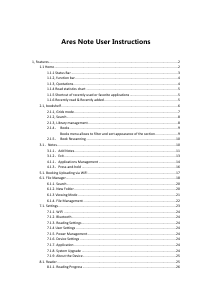
Ares Note User Instructions
1, Features ......................................................................................................................................... 2
1.1 Home ................................................................................................................................... 2
1.1.1 Status Bar ................................................................................................................. 3
1.1.2, function bar ............................................................................................................. 4
1.1.3, Quotations ............................................................................................................... 4
1.1.4 Read statistics chart ................................................................................................. 5
1.1.5 Shortcut of recently used or favorite applications ................................................... 5
1.1.6 Recently read & Recently added .............................................................................. 5
2.1, bookshelf ............................................................................................................................ 6
2.1.1, Grids mode .............................................................................................................. 7
2.1.2, Search ...................................................................................................................... 8
2.1.3, Library management ............................................................................................... 8
2.1.4 Books ................................................................................................................... 9
Books menu allows to filter and sort appearance of the section. ....................... 9
2.1.5 Book Rescanning ............................................................................................... 10
3.1Notes .............................................................................................................................. 10
3.1.1Add Notes ............................................................................................................ 11
3.1.2Exit ....................................................................................................................... 13
4.1.1Applications Management .................................................................................. 14
4.1.3Press-and-hold .................................................................................................... 16
5.1. Booking Uploading via WiFi ............................................................................................. 17
6.1. File Manager..................................................................................................................... 18
6.1.1. Search .................................................................................................................... 20
6.1.2. New Folder ............................................................................................................ 20
6.1.3 Viewing Mode ........................................................................................................ 21
6.1.4. File Management .................................................................................................. 22
7.1. Settings ............................................................................................................................. 23
7.1.1. WiFi ....................................................................................................................... 24
7.1.2. Bluetooth............................................................................................................... 24
7.1.3. Reading Settings .................................................................................................... 24
7.1.4 User Settings .......................................................................................................... 24
7.1.5. Power Management .............................................................................................. 24
7.1.6. Device Settings ...................................................................................................... 24
7.1.7. Application ............................................................................................................ 24
7.1.8. System Upgrade .................................................................................................... 24
7.1.9. About the Device ................................................................................................... 25
8.1. Reader .............................................................................................................................. 25
8.1.1. Reading Progress ................................................................................................... 26
Download manual in English (PDF, 1.99 MB)
(Consider the environment and only print this manual if it is really necessary)

Loading…

Rating

Let us know what you think about the Likebook Ares Note E-Reader by leaving a product rating. Want to share your experiences with this product or ask a question? Please leave a comment at the bottom of the page.
Are you satisfied with the Likebook Ares Note E-Reader?
Yes No
Be the first to rate this product
0 votes

Join the conversation about this product

Here you can share what you think about the Likebook Ares Note E-Reader. If you have a question, first carefully read the manual. Requesting a manual can be done by using our contact form.

More about this manual

We understand that it’s nice to have a paper manual for your Likebook Ares Note E-Reader. You can always download the manual from our website and print it yourself. If you would like to have an original manual, we recommend you contact Likebook. They might be able to provide an original manual. Are you looking for the manual of your Likebook Ares Note E-Reader in a different language? Choose your preferred language on our homepage and search for the model number to see if we have it available.

Specifications

Brand Likebook
Model Ares Note
Category E-Readers
File type PDF
File size 1.99 MB

All manuals for Likebook E-Readers
More manuals of E-Readers

Frequently Asked Questions about Likebook Ares Note E-Reader

Our support team searches for useful product information and answers to frequently asked questions. If you find an inaccuracy in our frequently asked questions, please let us know by using our contact form.

What is an ePub file? Verified

ePub stands for 'electronic publication' and is a file format for eBooks. The ePub format is the standard file format concerning eBooks, but be aware: this is not the case for eBooks and eReaders from Amazon.

This was helpful (73) Read more

Are E-Readers better for my eyes than LCD screens? Verified

In contrast to the screens found on laptops, smartphones, and tablets, e-readers are more beneficial for our eyes. E-readers utilize e-ink, a paper-like display technology that replicates ink on a page. This results in significantly less eye strain compared to reading from LCD screens, as it doesn't decrease our blink rate. It's advisable to avoid using an e-reader too close to bedtime since these devices emit blue light, which can have adverse effects on your sleep.

This was helpful (3) Read more

Manual Likebook Ares Note E-Reader

Related products

Related categories

×
Download