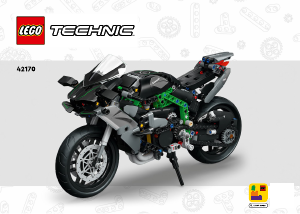
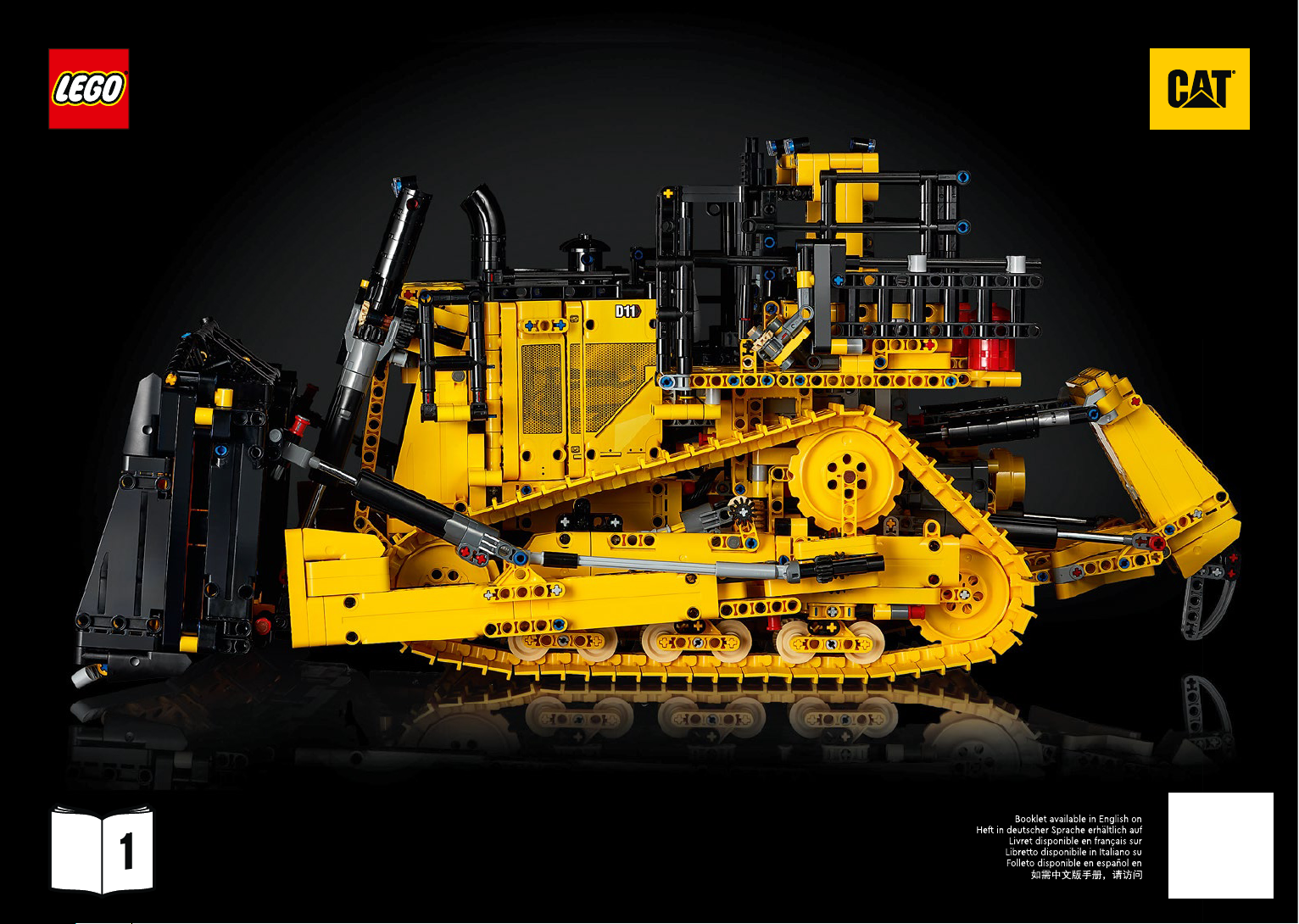
Manual Lego set 42131 Technic Cat D11T bulldozer

Need building instructions for your Lego set 42131 Technic Cat D11T bulldozer? Below you can view and download the PDF building instructions for free. This product currently has 10 frequently asked questions, 42 comments and has 25 votes with an average product rating of 24/100. If this are not the building instructions you want, please contact us.

Is your product defective and the manual offers no solution? Go to a Repair Café for free repair services.

Manual

Loading…
1
Download manual in English (PDF, 296.17 MB)
(Consider the environment and only print this manual if it is really necessary)

Loading…

Rating

Let us know what you think about the Lego set 42131 Technic Cat D11T bulldozer by leaving a product rating. Want to share your experiences with this product or ask a question? Please leave a comment at the bottom of the page.
Are you satisfied with the Lego set 42131 Technic Cat D11T bulldozer?
Yes No
24%
76%
25 votes

Join the conversation about this product

Here you can share what you think about the Lego set 42131 Technic Cat D11T bulldozer. If you have a question, first carefully read the manual. Requesting a manual can be done by using our contact form.

Rob Brouwers 04-07-2022
While calibrating the 42131 bulldozer, the calibration hangs on the first step and does not go any further, while during testing everything works, what can I do about this?

reply | This was helpful (89) Read more (Translated by Google)
Stanislav Čihák 28-12-2022
When I first checked the calibration, everything worked. after assembly, the calibration starts and the data does not work. where is the error please. thank you

This was helpful (32) (Translated by Google)
Piet de Haan 21-12-2022
Have the same, how did you solve it

This was helpful (22) (Translated by Google)
Ton 13-01-2023
Contact opgenomen met Lego servicedesk. Hun antwoord was om de bak, tijdens het kalibreren, met de hand omhoog te houden. Oorzaak zou ( kunnen) zijn dat de motor iets te licht is. Dit heilp echter niet. Toen de tandwielen, aan de onderkant, tijdens het kalibreren, met de hand bewogen. Beetje heen en terug. Dit werkte, de kalibratie werd afgerond en alles werkt perfect. Wellicht helpt het bij jullie ook.

This was helpful (7)
Arne 07-01-2024
Hello I had the same problem, the calibration hung in the first step. Solution: Uninstalled the app and reinstalled. I then ran the test again and after that the calibration worked fine. So everything ok

This was helpful (1) (Translated by Google)
Marco pintus 13-12-2022
I bought the lego 42131 set and during the calibration it doesn't go beyond the first step. What can I do?

reply | This was helpful (43) Read more (Translated by Google)
romain 31-12-2022
hello marco, have you solved your problem? thank you roman

This was helpful (10) (Translated by Google)
Oliver Steib 31-12-2022
Everything worked when tested during assembly. After setup, the calibration hangs. What can I do??

reply | This was helpful (28) (Translated by Google)
Ben Oppelaar 17-10-2023
When calibrating the 42131 bulldozer, the calibration gets stuck at the first step and does not continue, while everything functions during testing, what can I do about this?

reply | This was helpful (18) (Translated by Google)
Piet de Haan 21-12-2022
Calibration issue hangs. Have rebuilt the bulldozer but same problem. Testing went well

reply | This was helpful (10) Read more (Translated by Google)
romain 31-12-2022
Hello, I have the same problem as you. Calibration starts, step 1, then nothing... thank you, Romain.

This was helpful (17) (Translated by Google)

Loading…

KEVIN TERRIO 20-06-2023
after building 42131 BULLDOZED the calibration does not go past the first step ,

reply | This was helpful (10)
G.F. Hetterscheid 05-01-2023
I think it's a nice bolldozer but I'd like to know, how do I have to do the calibration in steps, is there also a remote panel for sale instead of the telephone, I would like to hear from Geert.

reply | This was helpful (9) (Translated by Google)
Piet Porsius 17-10-2023
Testing went well, firmware update was done and during calibration it skips step 1 and gets stuck at step 2. Maybe you know a solution because I can't find any answers.

reply | This was helpful (9) (Translated by Google)
Anton van Erp 29-12-2022
Bij het calibreren blijft het systeem hangen bij de ladder, de ladder komt naar beneden maar de motor blijft lopen als hij beneden is stopt niet en ik moet de ladder los maken om de ladder weer in positie te krijgen.

reply | This was helpful (8) Read more
Kees van Wijnen 04-12-2023
If I had also taken the cabin off and done a test, which went well and then put the cabin back, the sprocket was probably not properly positioned on the wheel.

This was helpful (0) (Translated by Google)
Anton van Erp 29-12-2022
Tijdens het calibreren blijft het systeem hangen op de ladder, de ladder komt naar beneden maar de motor blijft draaien als hij beneden is en drukt zich vast tegen de bulldozer na het stoppen van het calibreren moet ik de ladder los maken om de spanning de ladder weg te nemen en weer in positie te monteren.

reply | This was helpful (6)
Force kevin 02-09-2023
Hello everyone, I am asking for help in solving the calibration problem you have encountered. Did you find the solution and thank you in advance for your answer

reply | This was helpful (5) (Translated by Google)
Matthias Hahn 17-10-2023
Good day. I have the LEGO Bulldozer CAT D11 kit. After I connected the cables according to the template, the APP writes to me. "The connections are connected incorrectly. What can I do. Best regards Matthias Hahn

reply | This was helpful (5) Read more (Translated by Google)
Bas postma 16-11-2023
Mathijs I have the same problem. Have you been able to solve it in the meantime? If so, what did you do?

This was helpful (0) (Translated by Google)
François ENGINGER 01-09-2023
I am building this model. There is no way to configure it with the app on the mobile phone. The model remains blocked from the first configuration step. I took it apart and reassembled it suspecting a build error on my part. The problem persists. Has anyone else faced the same difficulty. If so, I would really like to know how to fix this problem. Thank you for your attention.

reply | This was helpful (2) Read more (Translated by Google)
cedric baillet 01-09-2023
Hello Francois I have exactly the same problem... I'm stuck at the "test" step... I checked and rechecked if I hadn't made an assembly error but no... I positioned the gears correctly and this famous orange piece which must be supposed to be used as a limit switch... there is always has a blockage and we can see that it forces ... I do not see at all where the problem comes from ... the faulty Hub? I really don't see...

This was helpful (7) (Translated by Google)
Pascal PRADAT 16-10-2023
Hello, I have exactly the same problem as many, is there a solution? Thank you for your reply

This was helpful (7) (Translated by Google)
Jerry 02-12-2023
Hello, my solution was try the calibration, when it get stuck remove the app and download it again. Try again. It worked for me

This was helpful (2)
Chiel Smits 16-03-2022
The new sett the bulldozer D11 is great now only the download the app, I just don't know how and where. HELP Greetings. chiel

reply | This was helpful (1) (Translated by Google)
henk douma 10-12-2023
During the test, I receive a message indicating an incorrect port connection. When I connect it again, this message remains. I can't find anything about this. Does anyone know anything about this?

reply | This was helpful (1) Read more (Translated by Google)
Bas 10-12-2023
Henk, Apply update. Press the green button on the hub for 10 seconds while the control app is open. Good luck. Bass

This was helpful (0) (Translated by Google)
Peter 25-12-2023
Henk prisli ste na chybu?

This was helpful (0)
Michael 30-12-2023
I get exactly the same thing, do you have a solution in the meantime?

This was helpful (0) (Translated by Google)
Arnoud Meesters 29-01-2023
Is there a manual on how to calibrate this building set? After switching on, the app will calibrate the motors, but they will continue to run without any view of the end of calibration

reply | This was helpful (0) Read more (Translated by Google)
Arnoud meesters 29-01-2023
Found, 1 of the gears had too much space and rattled on. These fixed. Now the motor gets stuck, sees that and can calibrate

This was helpful (5) (Translated by Google)
Jozef 18-05-2023
I have mounted the bulldozer 42131, beautiful piece, now I would like to make the B model with the same parts (a crane) How and where can I find the construction drawings or manual. Hopefully answer soon

reply | This was helpful (0) (Translated by Google)
peter 19-11-2023
hello, one question, can anyone tell me how far I should extend the lifting cylinders before I mount them on the d11, the drawing is a bit unclear, kind regards, Peter

reply | This was helpful (0) (Translated by Google)
K. Zwaan 20-11-2023
Set mounted in the test procedure everything works well. However, during the calibration procedure the container is raised and lowered and the calibration procedure remains stuck. Is it not possible to use the app without the calibration procedure?

reply | This was helpful (0) Read more (Translated by Google)
Klaas 21-11-2023
After calibrating about 10 times everything works fine...

This was helpful (0) (Translated by Google)
Ronald ten Kulve 28-11-2023
I have now put the Bulldozer together 2 times, but I continue to have problems with the calibration. I even bought a 2nd hub, but the 2nd hub also had the same problems. I took the hub apart and connected the 4 motors to it correctly and even then the calibration does not extend beyond the 2 motors for the slider. What can I do to further improve the calibration?

reply | This was helpful (0) Read more (Translated by Google)
Jerry 02-12-2023
Hello Ronald. My solution was simple. I removed the app and installed it again. Then tried to calibrate again and it worked.

This was helpful (6)
Jerry 02-12-2023
My problem with the D11 dozer: After calibration, everything works fine. But when I close the bluetooth, or shut off the dozer manually and start again, for some reason the calibration went out the door and the functions are working not properly anymore. So I have to do the complete calibration again to let the dozer work again. Anybody knows what to do here?

reply | This was helpful (0) Read more
Albert 04-02-2024
Hi Jerry, I have the same problem. I raised a ticket at Lego.com but they seems to have no solution for this. I recieved a new HUB but this didn't help. I had to do some firmware updates. Also didn't help. They don't (or will not) understand the problem. I send them several videos but they still ask me everytime to do the same. For now is send the dozer back to the shop and they are going to have a look at it.

This was helpful (0)
Paul De Schouwer 10-12-2023
Can't get the app to work, what am I doing wrong?

reply | This was helpful (0) (Translated by Google)
Peter 25-12-2023
Pri kroku c.198 ma spka nepusti dalej, vyhadzuje stale chybu ze su porty nespravne zapojene, kde moze byt chyba?

reply | This was helpful (0)
Maggen Dominique 22-02-2024
We bought the Cat D11 Bulldozer twice, but they suddenly have the same fault. During calibration the calibration freezes on the tracks. we tested the motors separately without mounting them but they do nothing; it concerns the engines with serial no. 6317490. now my question is, is there a known problem with the app or engines

reply | This was helpful (0) (Translated by Google)

More about this manual

We understand that it’s nice to have a paper manual for your Lego set 42131 Technic Cat D11T bulldozer. You can always download the manual from our website and print it yourself. If you would like to have an original manual, we recommend you contact Lego. They might be able to provide an original manual. Are you looking for the manual of your Lego set 42131 Technic Cat D11T bulldozer in a different language? Choose your preferred language on our homepage and search for the model number to see if we have it available.

Specifications

Brand Lego
Model set 42131 Technic Cat D11T bulldozer
Category
File type PDF
File size 296.17 MB

All manuals for Lego Technic
More manuals of Lego

Frequently Asked Questions about Lego set 42131 Technic Cat D11T bulldozer

Our support team searches for useful product information and answers to frequently asked questions. If you find an inaccuracy in our frequently asked questions, please let us know by using our contact form.

There is a Lego brick missing from my set, where can I order a spare one? Verified

Lego has a service where you can order separate bricks or contact them when a brick is missing from your set. Have a look at their website for more information.

This was helpful (4967) Read more

How can I prevent my Lego toys from discolouring? Verified

The two biggest contributers to the discolouring of the plastic of Lego toys are long term exposure to sunlight and cigarette smoke. Try to minimise these when storing your Playmobil.

This was helpful (2021) Read more

What is the best way to clean my Lego bricks? Verified

Lego advises to clean the bricks by hand with some water (no warmer than 40°C) and a mild detergent. Never place the bricks in a washing machine or dishwasher. Let the bricks air-dry afterwards. Electric parts can only be cleaned with dry cloth.

This was helpful (1826) Read more

After I build a new Lego set I always have a few small pieces left. Did I forget to use them? Verified

No, many new Lego sets provide spares for the smaller pieces.

This was helpful (1552) Read more

What is the best way to apply stickers on Lego? Verified

To be able to reposition stickers it's a good idea to apply some glass cleaner on the location you want to put the sticker. When the sticker is in right spot, let it dry and it will stick.

This was helpful (1326) Read more

Where can I find a part list of my Lego set? Verified

Many modern Lego instructions include a part list at the end of the booklet. In the case of multiple booklets the list might be found in the middle of the PDF.

This was helpful (1296) Read more

Can Lego and Duplo bricks be used in combination with each other? Verified

Yes, Lego and Duplo bricks are compatible. Lego bricks fit on the Duplo bricks with the hollow studs. Duplo bricks fit best on larger Lego bricks and could come loose form smaller Lego bricks.

This was helpful (1127) Read more

From what age is Lego suited to play with? Verified

Most Lego sets are suited to play with from age 4 and up, because of the small parts they include. The special Duplo theme is suited for children aged 1,5 and up. The recommended age is always mentioned on the box.

This was helpful (1057) Read more

Where can I find the instructions for the alternative model of my Lego Technic set? Verified

We have combined the instructions for the alternative models with those of the main model. Scroll past the regular instructions to view the alternative model.

This was helpful (382) Read more

Where can I find more information about my Lego set or a Lego part? Verified

If you want to know about a Lego set or part, such as the year it’s from, how many pieces a set has, replacement parts or in what other sets a certain piece can be found, than BrickLink.com is the best place. BrickLink.com is a website with nearly all details about Lego sets and parts and is a part of the Lego Group.

This was helpful (269) Read more
Manual Lego set 42131 Technic Cat D11T bulldozer

Related products

Related categories

×
Download