Manual Karlsson KA6036BK Alarm Clock Radio

Need a manual for your Karlsson KA6036BK Alarm Clock Radio? Below you can view and download the PDF manual for free in English. This product currently has 3 frequently asked questions, 0 comments and has 0 votes. If this is not the manual you want, please contact us.

Is your product defective and the manual offers no solution? Go to a Repair Café for free repair services.

Manual

Loading…
Karlsson is a trademark of Present Time®
Televisieweg 16, 1322 AL, Almere
www.presenttime.com
Before use
Inserting/changing batteries:
To operate, you require 3 batteries of type LR6 (AA), 1.5 V. The battery compartment is
located at the back of the device.
Push the locking tab of the battery compartment cover towards the compartment and
remove it.
Insert the batteries as illustrated at the bottom of the battery compartment. Ensure
correct polarity (+/-).
Replace the battery compartment cover.
Tips for using the mains adapter:
To operate the radio, you can also use a mains adapter instead of batteries.
Connection:
Plug the mains adapter into the DC 5V connection socket at the rear of the radio.
Plug the mains adapter into a socket with a voltage matching the specifi cations under
“Technical Data”.
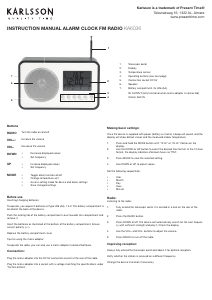
INSTRUCTION MANUAL ALARM CLOCK FM RADIO KA6036
Making basic settings:
Once the device is supplied with power (battery or mains), a beep will sound, and the
display will show default values and the measured indoor temperature.
1. Press and hold the MODE button until “12 Hr” or “24 Hr”  ashes on the
display.
2. Use the DOWN or UP button to select the desired time format. In the 12-hour
format, the display indicates afternoon hours as “PM”.
3. Press MODE to save the selected setting.
4. Use DOWN or UP to adjust values.
Set the following sequentially:
Year
Month
Day
Hour
Minute
Radio:
Listening to the radio:
1. Fully extend the telescopic aerial. It is located in a lock on the rear of the
radio.
2. Press the RADIO button.
3. Press DOWN or UP. The device will automatically search for the next frequen-
cy with suffi cient strength and play it. Check the display.
4. Use the VOL+ and VOL- buttons to adjust the volume.
5. Press RADIO to turn off the radio.
Improving reception:
Always fully extend the telescopic aerial and adjust it for optimal reception.
Verify whether the station is received on a different frequency.
Change the device’s location if necessary.
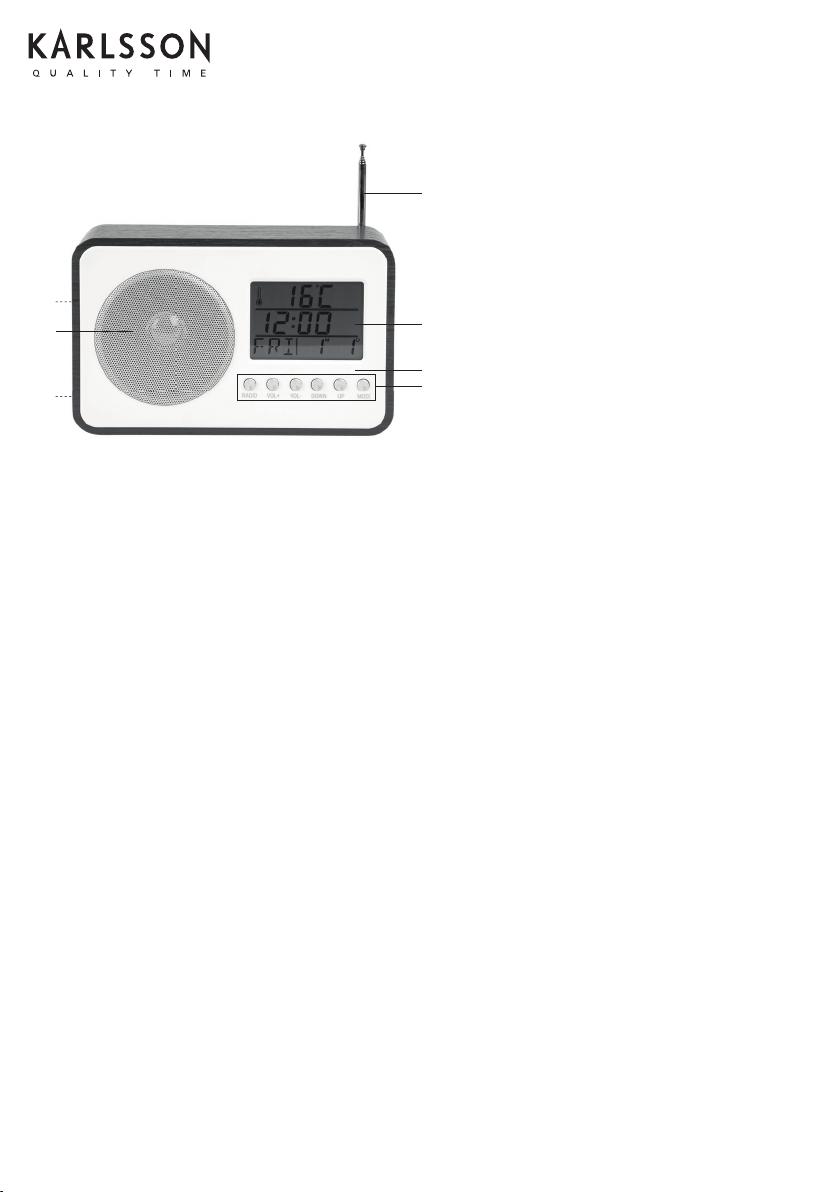
1. Telescopic aerial
2. Display
3. Temperature sensor
4. Operating buttons (see next page)
5. Connection socket DC 5V
6. Speaker
7. Battery compartment, 3x LR6 (AA).
5V OUTPUT (only functional when mains adapter is connected)
3.5mm AUX IN
1
2
6
7
5
3
4
Buttons
RADIO
VOL+:
VOL-
DOWN
UP
MODE
Turn the radio on and off
Increase the volume
Decrease the volume
Decrease displayed values
Set frequency
Increase displayed values
Set frequency
Toggle alarm function on/off
Change temperature unit
Access setting mode for device and alarm settings
Save changed settings
Download manual in English (PDF, 1.52 MB)
(Consider the environment and only print this manual if it is really necessary)

Loading…

Rating

Let us know what you think about the Karlsson KA6036BK Alarm Clock Radio by leaving a product rating. Want to share your experiences with this product or ask a question? Please leave a comment at the bottom of the page.
Are you satisfied with the Karlsson KA6036BK Alarm Clock Radio?
Yes No
Be the first to rate this product
0 votes

Join the conversation about this product

Here you can share what you think about the Karlsson KA6036BK Alarm Clock Radio. If you have a question, first carefully read the manual. Requesting a manual can be done by using our contact form.

More about this manual

We understand that it’s nice to have a paper manual for your Karlsson KA6036BK Alarm Clock Radio. You can always download the manual from our website and print it yourself. If you would like to have an original manual, we recommend you contact Karlsson. They might be able to provide an original manual. Are you looking for the manual of your Karlsson KA6036BK Alarm Clock Radio in a different language? Choose your preferred language on our homepage and search for the model number to see if we have it available.

Specifications

Brand Karlsson
Model KA6036BK
Category Alarm Clock Radios
File type PDF
File size 1.52 MB

All manuals for Karlsson Alarm Clock Radios
More manuals of Alarm Clock Radios

Frequently Asked Questions about Karlsson KA6036BK Alarm Clock Radio

Our support team searches for useful product information and answers to frequently asked questions. If you find an inaccuracy in our frequently asked questions, please let us know by using our contact form.

What do AM and PM stand for? Verified

AM stands for Ante Meridiem and indicates that the time is before midday. PM stands for Post Meridiem and indicates that the time is past midday.

This was helpful (292) Read more

What is GMT? Verified

GMT stands for Greenwich Mean Time (sometimes called UTC, standing for Coordinated Universal Time). It is the time for the longitude 0, that passes through Greenwich near London.

This was helpful (167) Read more

What is the difference between FM and AM? Verified

FM and AM are both forms of modulation used to transmit a signal. FM stands for Frequency Modulation and AM stands for Amplitude Modulation. AM is the oldest form of modulation. The biggest difference is that the FM signal is much stronger than the AM signal.

This was helpful (166) Read more
Manual Karlsson KA6036BK Alarm Clock Radio

Related products

Related categories

×
Download