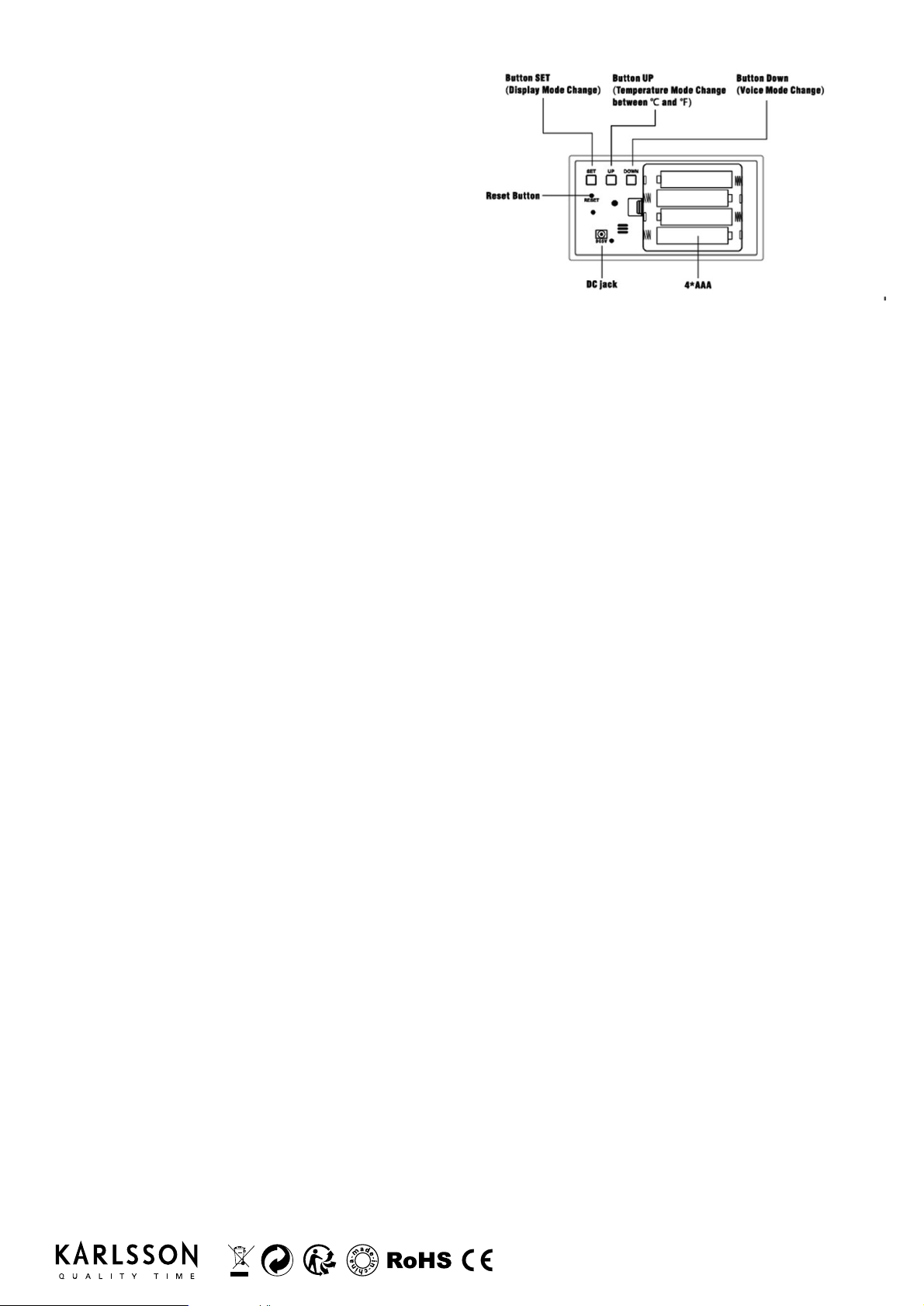
INSTRUCTION MANUAL | ALARM CLOCK MIRROR LED I KA5878 | KA5879
Main Features
1. LED Display
2. Time, Internal Celsius (°C) /Fahrenheit (ºF)
Temperature display
3. 12/24 hours selecting format.
4. 3 Groups of Alarm with sound
5. Display luminance adjustment L1-L2-L3
6. Sound control display
7. Power supply : 4x AAA 1.5V batteries (not included),
or DC 5V/500MA by USB cable (include)
8. Insert battery: 1pc CR2032 Included.
The setting ow is: YEAR - MONTH - DATE - 12/24 HOURS - HOUR - MINUTE - ALARM 1 ON/OFF - ALARM HOUR - ALARM
MINUTE - ALARM2 ON/OFF - ALARM2 HOUR - ALARM2 MINUTE - ALARM3 ON/OFF - ALARM3 HOUR - ALARM3 MINUTE -
WORK DAY ALARM ON/OFF - EXIT
Date setting:
Press and hold the SET button for 2 seconds to activate the setting.
• When the year ashes, press UP/DOWN button to select the correct year.
• Press the SET button, when the month ashes, press UP/DOWN button to select the correct month.
• Press the SET button, when the day ashes, press UP/DOWN button to select correct the day.
Celsius/Fahrenheit Setting:
Press UP button to transfer temperature ºC to ºF
Press SET button to select display mode DP-1 or DP-2.
DP-1 : time/temperature/year/month/date automatically take turns display
DP-2 : display time and temperature
Time setting:
• Press the SET button, when 12H ashes, press UP/DOWN button to select 12/24 HOURS status.
• Press the SET button, when the HOUR ashes, press UP/DOWN button to select the correct hour.
• Press the SET button, when the MINUTE ashes, press UP/DOWN button to select the correct minutes.
Alarm setting:
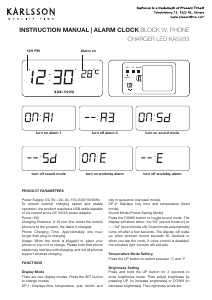
• Press the SET button, when “- -: AL” and ashes, press UP/DOWN button to select the alarm ON/OFF. “ON:AL”: the alarm is
on, “- -: AL”: the alarm is off.
• Press the SET button, when the ALARM HOUR ashes, press UP/DOWN button to select the correct alarm hour.
• Press the SET button, when the ALARM MINUTE ashes, press UP/DOWN button to select the correct alarm minutes.
• Repeat above steps to set the ALARM 2 and ALARM 3
• Press the SET button, the surface will indicator “- -: E” and ashes, press UP/DOWN button to select work day alarm ON/OFF.
“ON:E”: alarm from Monday to Friday on, Saturday and Sunday off. “- -: E”: alarm for all days.
• Press the SET button, exit the setting.
• When the indicator shows a dot “·” at the back and top right corner of the MINUTE Digits, the alarm time is ON.
• Not showing a dot “·” at the back and top right corner of the MINUTE Digits, the alarm time is OFF.
• When the alarm is ringing, press any button to stop it.
12/24 HOUR FORMATE
• If the time is 12 HOUR format, a dot “·”at the front and top left corner of the HOUR DIGIT will be shown when the hour is
advanced into the PM time.
LED dimmer Setting:
• Press UP button, when the indicator shows “L1”, press UP/DOWN” button to select L1/L2/L3.
• The default setting for the dimmer is dark from 18:00pm-6:59am.
USING THE SOUND CONRTOL DISPLAY
• Press the DOWN button, when the indictor shows “- -: Sd”, the sound control display is OFF, when the indictor shows
“on:Sd”,the sound control display is ON.
EN


Join the conversation about this product
Here you can share what you think about the Karlsson KA5878BK Alarm Clock. If you have a question, first carefully read the manual. Requesting a manual can be done by using our contact form.