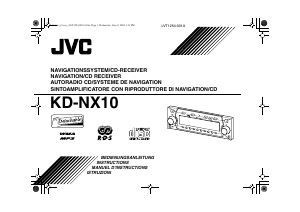
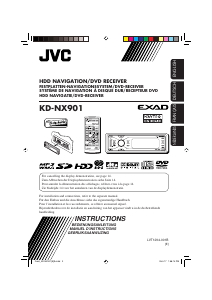
Manual JVC KD-NX901 Car Navigation

Need a manual for your JVC KD-NX901 Car Navigation? Below you can view and download the PDF manual for free in English. This product currently has 1 frequently asked question, 1 comment and has 0 votes. If this is not the manual you want, please contact us.

Is your product defective and the manual offers no solution? Go to a Repair Café for free repair services.

Manual

Loading…
2
ENGLISH
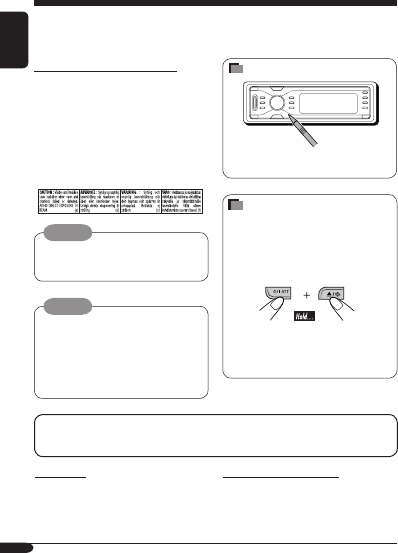
How to forcibly eject a disc
If a disc cannot be recognized by the
receiver or cannot be ejected, ejects the disc
as follows.
While the source operation screen is
shown...
If this does not work, try to reset your
receiver.
Be careful not to drop the disc when it
ejects.
Thank you for purchasing a JVC product.
Please read all instructions carefully before operation, to ensure your complete understanding and to
obtain the best possible performance from the unit.
Warning:
If you need to operate the receiver while
driving, be sure to look ahead carefully or
you may be involved in a traffic accident.
Temperature inside the car....
If you have parked the car for a long time in
hot or cold weather, wait until the temperature
in the car becomes normal before operating the
unit.
For safety....
Do not raise the volume level too much, as
this will block outside sounds, making driving
dangerous.
Stop the car before performing any
complicated operations.
For security reasons, a numbered ID card is provided with this receiver, and the same ID number
is imprinted on the receiver’s chassis. Keep the card in a safe place, as it will help the authorities
to identify your receiver if stolen.
Caution
Never try to analyse or retrieve the data
stored in the Hard Disk Drive (HDD).
Otherwise, you may have your warranty
invalid, and be penalized by law.
The manufacturer assumes no liability for
any damage resulting from such conduct as
mentioned above.
IMPORTANT FOR LASER PRODUCTS
1. CLASS 1 LASER PRODUCT
2. CAUTION: Do not open the top cover.
There are no user serviceable parts inside
the unit; leave all servicing to qualified
service personnel.
3. CAUTION: Visible and invisible laser
radiation when open and interlock failed or
defeated. Avoid direct exposure to beam.
4. REPRODUCTION OF LABEL: CAUTION
LABEL, PLACED OUTSIDE THE UNIT.
How to reset your unit
This will reset the microcomputer. Your
preset adjustments will also be erased.
EN02-10_KD-NX901[E]fb.indd 2EN02-10_KD-NX901[E]fb.indd 2 05.3.17 1:59:24 PM05.3.17 1:59:24 PM
Download manual in English (PDF, 15.17 MB)
(Consider the environment and only print this manual if it is really necessary)

Loading…

Rating

Let us know what you think about the JVC KD-NX901 Car Navigation by leaving a product rating. Want to share your experiences with this product or ask a question? Please leave a comment at the bottom of the page.
Are you satisfied with the JVC KD-NX901 Car Navigation?
Yes No
Be the first to rate this product
0 votes

Join the conversation about this product

Here you can share what you think about the JVC KD-NX901 Car Navigation. If you have a question, first carefully read the manual. Requesting a manual can be done by using our contact form.

Richter 13-02-2025
Operating instructions for JVC KD-NX 901 not included in German

reply | This was helpful (0) (Translated by Google)

More about this manual

We understand that it’s nice to have a paper manual for your JVC KD-NX901 Car Navigation. You can always download the manual from our website and print it yourself. If you would like to have an original manual, we recommend you contact JVC. They might be able to provide an original manual. Are you looking for the manual of your JVC KD-NX901 Car Navigation in a different language? Choose your preferred language on our homepage and search for the model number to see if we have it available.

Specifications

Brand JVC
Model KD-NX901
Category Car Navigation
File type PDF
File size 15.17 MB

All manuals for JVC Car Navigation
More manuals of Car Navigation

Frequently Asked Questions about JVC KD-NX901 Car Navigation

Our support team searches for useful product information and answers to frequently asked questions. If you find an inaccuracy in our frequently asked questions, please let us know by using our contact form.

My car navigation indicates a road that no longer exists, why is that? Verified

The maps on many car navigations need to be updated manually. When this does not happen, the car navigation will determine a route based on the last available map.

This was helpful (430) Read more
Manual JVC KD-NX901 Car Navigation

Related products

Related categories

×
Download