contents
unpacking .......................................................................................................................................... 3
product overview ............................................................................................................................ 4
front view ...................................................................................................................................................................... 4
top view ......................................................................................................................................................................... 4
rear view ........................................................................................................................................................................ 4
power source ..................................................................................................................................... 5
mains power ................................................................................................................................................................ 5
basic operation ................................................................................................................................. 5
powering ON/OFF ...................................................................................................................................................... 5
selecting modes .........................................................................................................................................................5
memory .........................................................................................................................................................................5
adjusting the volume ................................................................................................................................................ 5
snooze function .......................................................................................................................................................... 6
sleep timer function .................................................................................................................................................. 6
setting the alarms ...................................................................................................................................................... 6
system reset ................................................................................................................................................................. 7
software version ......................................................................................................................................................... 7
DAB operation ................................................................................................................................... 8
auto scan modes ........................................................................................................................................................ 8
manual tuning ............................................................................................................................................................. 8
secondary services ..................................................................................................................................................... 8
storing stations ........................................................................................................................................................... 9
recalling a stored station .........................................................................................................................................9
display modes ...........................................................................................................................................................10
FM operation ................................................................................................................................... 11
selecting FM mode ..................................................................................................................................................11
auto scan .....................................................................................................................................................................11
manual scan ...............................................................................................................................................................11
storing stations .........................................................................................................................................................11
recalling a stored station .......................................................................................................................................11
display modes ...........................................................................................................................................................12
iPod / iPhone operation ................................................................................................................ 13
selecting iPod / iPhone mode..............................................................................................................................13
inserting the iPod / iPhone ...................................................................................................................................13
charging your iPod / iPhone .................................................................................................................................13
AUX operation ................................................................................................................................. 13
maintenance .................................................................................................................................... 14
hints and tips ................................................................................................................................... 14
specications ................................................................................................................................... 14
safety warnings ............................................................................................................................... 15
iPHDKDB10_IB_110920_Zell.indd 2 20/09/2011 11:05 AM


Join the conversation about this product
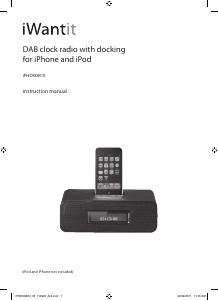
Here you can share what you think about the iWantit iPHDKDB10 Alarm Clock Radio. If you have a question, first carefully read the manual. Requesting a manual can be done by using our contact form.