
Návod k obsluze CZ
3
www.igm.cz
DIGITAL SPIRIT LEVEL EN
www.igmtools.com
OPERATING
Battery installation and exchange
The batteries (6) are placed on the back side of the tool.
1. Press the click on the battery cover to open the battery case.
2. Put 2 AAA (LR03) batteries respecting the polarity. You can find the „+“ icon inside the battery case.
3. Close the battery cover.
Note: Exchange the batteries when the display is fade or showing unclear values. Always replace both
batteries. If you don‘t use your tool for longer period, replace the batteries as well. During prolonged
storage, the batteries can discharge and rust.
USE
You can use the tool as a „normal“ inclinometer to measure with the aid of the vertical (1) or
horizontal (2) bubbles. Or you can use it as a digital angle gauge.
1. Short press the ON/OFF button (3) to switch the tool on.
2. For a few seconds, the display is blue lit. Use the tool to measure the surface angle and read
the measured value at the display.
3. When you turn the tool over > 90°, the characters will automatically turn over 180° for better readout.
4. Pres the HOLD/LIGHT button (5) to hold the actual displayed value. The display will be lit. Press
the HOLD/LIGHT again to cancel the frozen value and display the new measured value.
5. To switch the display light on or off, press the HOLD/LIGHT button (5) for 3 seconds.
6. To switch between absolute a relative measurement mode, short press the ON/OFF button (3).
The display shows ABS = the absolute angle is displayed i.e. the angle to the horizontal.
The display shows INC = the relative/deviation angle is displayed. The tool will be set at zero in the
actual position and the measured values are displayed with reference to this benchmark.
7. Hold the ON/OFF button for 3 seconds to switch the tool off. When not used for ca. 5 minutes,
the tool will automatically switch off.
NOTE
1. The deviation indicator (7) shows the deviation in mm /m of the measured angle. The
deviation is showed, as soon as the angle is <5,7° (max. 100 mm / m).
2. Small position icon (8). The tool shows whether the displayed values are positive (up arrow) or
negative (down arrow).
CALIBRATION
The digital level is calibrated at maximum accuracy when manufactured. If necessary, you can
calibrate your tool as well:
1. Switch the tool off and put it on a flat and even surface – the calibration surface.
2. Switch and hold the HOLD/LIGHT button (5) and at the same time press the ON/OFF button
(3). The display shows the flashing icon „-1 - “.
3. Press the ON/OFF button (3) again, the display shows the flashing icon „-2 -“.
4. Turn the tool by 180°, (as if you wanted to read the display „upside down“). Then press the ON/
OFF button (3) to conclude the calibration.
Note: During the calibration make sure that the digital level is stabilized on the calibration surface.
Operating instructions EN


Join the conversation about this product
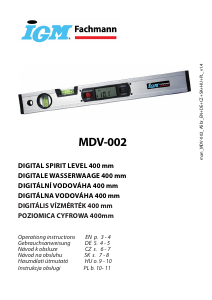
Here you can share what you think about the IGM Fachmann MDV-002 Level. If you have a question, first carefully read the manual. Requesting a manual can be done by using our contact form.