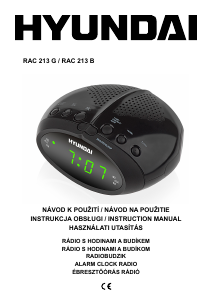
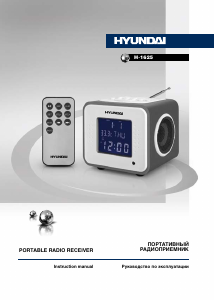
Manual Hyundai H-1625 Alarm Clock Radio

Need a manual for your Hyundai H-1625 Alarm Clock Radio? Below you can view and download the PDF manual for free in English. This product currently has 3 frequently asked questions, 0 comments and has 0 votes. If this is not the manual you want, please contact us.

Is your product defective and the manual offers no solution? Go to a Repair Café for free repair services.

Manual

Loading…
4
Instruction manual
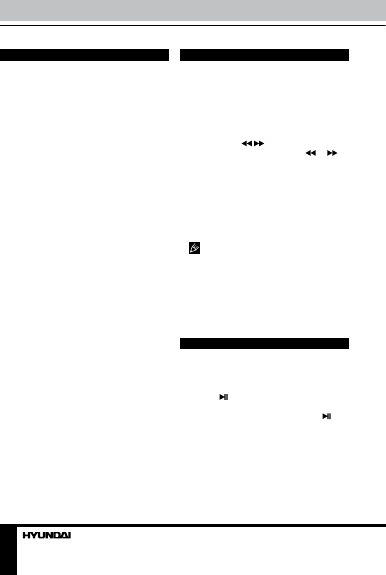
General operations
Power on/off
When the unit is connected to the current
supply mains, slide POWER switch to ON
position to switch the power on. To switch the
power off, slide POWER switch to OFF position.
Clock and calendar
• In clock mode (no ALARM indication)
press and hold SET button to enable time
setting mode. Press repeatedly SET button
to go to setting of parameters in following
sequence: minute => hour => 12/24-hour
=> year => month => date. The selected
parameter will blink meaning readiness for
adjustment. The default time setting is 01-01,
2009, THU, 12-hour, AM12:00.
• Press VOL+ button to adjust the parameter
up. Press VOL- to adjust the parameter down.
• Day of week will be set automatically.
• In time setting mode, if no button is pressed
within 30 seconds after a parameter is selected,
the unit will automatically go to clock mode.
• In time setting mode, press MODE button
to return to clock mode.
Termometer
The unit is equipped with a built-in
termometer. The current temperature is
updated every 30 seconds and is shown on the
display. In clock mode press VOL- button to
select Celsius or Fahrenheit termometer mode.
AUX input
To connect an external audio device (eg.
MP3-player), please use a standard stereo
cable with 3.5 mm to 3.5 mm plugs to connect
the audio line-out of the external device to the
AUX input socket of this unit.
Backlight
Press LIGHT button on the unit to switch on/
off the display backlight. When the backlight
is off, pressing any button will enable the
backlight for 10 seconds.
Radio operation
• Radio reception is only available when the
unit is powered by the rechargeable battery.
• In clock mode press RADIO button to
switch the FM radio on.
• For FM reception extend the telescopic
antenna.
• To adjust the frequency step by step
press repeatedly
/ buttons. For automatic
search of a station, press and hold
or
button; the unit will look for the next available
station and start its broadcast. Repeat the
operation to search more stations.
• To save a station, press and hold SET
button. The memory position will blink. Press
VOL+/VOL- buttons to select a memory
position. Press SET button to save the current
station under the selected number. You can
maximum 20 stations in the memory.
During program saving, if no button is
pressed within several seconds, the unit will
return to normal radio mode.
• To call a saved station, press SET button,
then press VOL+/VOL- buttons.
• To adjust volume, in radio mode press
repeatedly VOL+/VOL- buttons.
• To switch off the radio, press MODE button.
USB/SD/MMC operation
Connecting USB/SD/MMC
• Insert a USB device into the USB port or
insert a memory card into the memory card
slot. Press button to enable USB/SD/MMC
mode. The unit will start reading the device,
LOAD will be displayed. Press and hold
button to select between USB or SD/MMC
mode, if both devices are inserted (USB is
played by default). If no device is detected, NO
CARD will be dislpayed.
• When the device and tracks on it are
detected, the display shows the total number of
tracks, currently playing track number, playback
time, equalizer mode and other playback
Download manual in English (PDF, 0.16 MB)
(Consider the environment and only print this manual if it is really necessary)

Loading…

Rating

Let us know what you think about the Hyundai H-1625 Alarm Clock Radio by leaving a product rating. Want to share your experiences with this product or ask a question? Please leave a comment at the bottom of the page.
Are you satisfied with the Hyundai H-1625 Alarm Clock Radio?
Yes No
Be the first to rate this product
0 votes

Join the conversation about this product

Here you can share what you think about the Hyundai H-1625 Alarm Clock Radio. If you have a question, first carefully read the manual. Requesting a manual can be done by using our contact form.

More about this manual

We understand that it’s nice to have a paper manual for your Hyundai H-1625 Alarm Clock Radio. You can always download the manual from our website and print it yourself. If you would like to have an original manual, we recommend you contact Hyundai. They might be able to provide an original manual. Are you looking for the manual of your Hyundai H-1625 Alarm Clock Radio in a different language? Choose your preferred language on our homepage and search for the model number to see if we have it available.

Specifications

Brand Hyundai
Model H-1625
Category Alarm Clock Radios
File type PDF
File size 0.16 MB

All manuals for Hyundai Alarm Clock Radios
More manuals of Alarm Clock Radios

Frequently Asked Questions about Hyundai H-1625 Alarm Clock Radio

Our support team searches for useful product information and answers to frequently asked questions. If you find an inaccuracy in our frequently asked questions, please let us know by using our contact form.

What do AM and PM stand for? Verified

AM stands for Ante Meridiem and indicates that the time is before midday. PM stands for Post Meridiem and indicates that the time is past midday.

This was helpful (293) Read more

What is GMT? Verified

GMT stands for Greenwich Mean Time (sometimes called UTC, standing for Coordinated Universal Time). It is the time for the longitude 0, that passes through Greenwich near London.

This was helpful (168) Read more

What is the difference between FM and AM? Verified

FM and AM are both forms of modulation used to transmit a signal. FM stands for Frequency Modulation and AM stands for Amplitude Modulation. AM is the oldest form of modulation. The biggest difference is that the FM signal is much stronger than the AM signal.

This was helpful (167) Read more
Manual Hyundai H-1625 Alarm Clock Radio

Related products

Related categories

×
Download