Manual Hozelock 2212 Sensor Controller Water Computer

Need a manual for your Hozelock 2212 Sensor Controller Water Computer? Below you can view and download the PDF manual for free in English. This product currently has 0 frequently asked questions, 1 comment and has 0 votes. If this is not the manual you want, please contact us.

Is your product defective and the manual offers no solution? Go to a Repair Café for free repair services.

Manual

Loading…
4
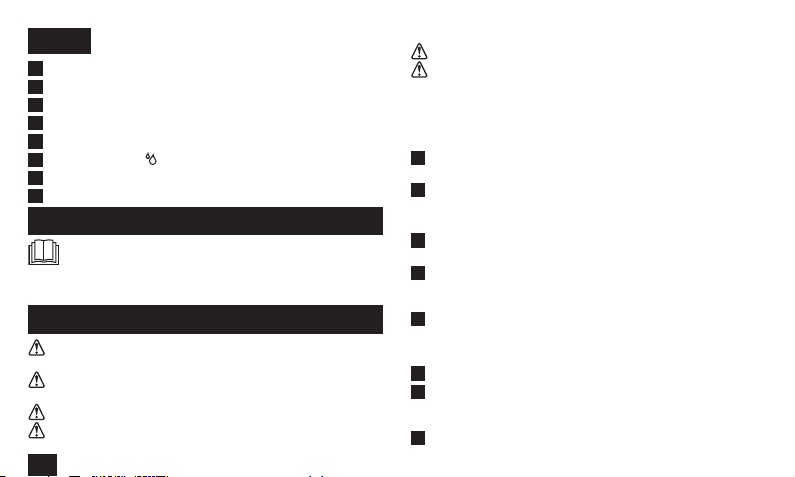
GB
A
21mm G½ (½”) Adaptor
B
26.5mm G¾ (¾”) Adaptor
C
33.3mm G1 (1”) Adaptor
D
Duration dial
E
LED indicator lights
F
Water Now button
- On/Off/Override
G
Hose pipe connector
H
Light Sensor
Installation & operating instructions
READ THESE INSTRUCTIONS CAREFULLY BEFORE
ATTEMPTING TO USE THIS PRODUCT.
FAILURE TO OBSERVE THE FOLLOWING NOTICES MAY RESULT
IN INJURY OR PRODUCT DAMAGE
General information
THESE INSTRUCTIONS ARE ALSO AVAILABLE ON THE
HOZELOCK WEBSITE.
This product meets the requirements of IP44 and therefore can
be used in exposed weather conditions.
This product is not suitable for supplying drinking water.
Threaded water connections are suitable for hand tightening
only.
This product can be fitted to mains water supply.
This product can be fitted to outdoor water butts or tanks that
have an inline filter fitted before the controller.
Installing the batteries
You must use Alkaline batteries – alternatives will result in
incorrect operation.
1
Remove the front panel as shown (Fig. 1), gripping the recessed
part and pulling towards you.
2
Insert 2 x 1.5v AA (LR6) batteries (Fig. 1) and replace the
controller front panel.
IMPORTANT: Rechargeable batteries must not be used.
3
Replace batteries each season. (max 8 months use, used twice a
day)
4
When batteries are installed the motor will operate the internal
valve to check that it is ready for use and the batteries installed
have enough charge to safely operate the valve
5
If the LED indicator flashes red, the batteries need to be
replaced.
Connecting the Sensor Controller to the tap
1
Choose the correct tap adapter (Fig. 3)
2
Using the correct adapter(s), attach the controller to the tap and
tighten firmly to avoid leaks. Do not use a spanner or other tool
to tighten as this might damage the threads. (Fig. 4)
3
Turn on the Tap.
Download manual in English (PDF, 0.73 MB)
(Consider the environment and only print this manual if it is really necessary)

Loading…

Rating

Let us know what you think about the Hozelock 2212 Sensor Controller Water Computer by leaving a product rating. Want to share your experiences with this product or ask a question? Please leave a comment at the bottom of the page.
Are you satisfied with the Hozelock 2212 Sensor Controller Water Computer?
Yes No
Be the first to rate this product
0 votes

Join the conversation about this product

Here you can share what you think about the Hozelock 2212 Sensor Controller Water Computer. If you have a question, first carefully read the manual. Requesting a manual can be done by using our contact form.

Harry janssen 20-07-2026
Want a clear description of DEACTIVATE IT IS AN OLD MODEL

reply | This was helpful (0) (Translated by Google)

More about this manual

We understand that it’s nice to have a paper manual for your Hozelock 2212 Sensor Controller Water Computer. You can always download the manual from our website and print it yourself. If you would like to have an original manual, we recommend you contact Hozelock. They might be able to provide an original manual. Are you looking for the manual of your Hozelock 2212 Sensor Controller Water Computer in a different language? Choose your preferred language on our homepage and search for the model number to see if we have it available.

Specifications

Brand Hozelock
Model 2212 Sensor Controller
Category Water Computers
File type PDF
File size 0.73 MB

All manuals for Hozelock Water Computers
More manuals of Water Computers

Manual Hozelock 2212 Sensor Controller Water Computer

Related products

Related categories

×
Download