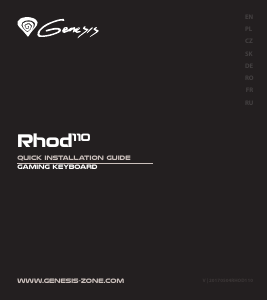
Manual Genesis Rhod 500 RGB Keyboard

Need a manual for your Genesis Rhod 500 RGB Keyboard? Below you can view and download the PDF manual for free in English. This product currently has 2 frequently asked questions, 0 comments and has 0 votes. If this is not the manual you want, please contact us.

Is your product defective and the manual offers no solution? Go to a Repair Café for free repair services.

Manual

Loading…

SPECIFICATION
Keyboard size
• Connector
Number of key
Number of multimedia keys
466 x 159 x 36 mm
USB
104
12
PACKAGE CONTENT
Rhod 500 RGB gaming keyboard
Quick installation guide
warranty
2 years limited manufacturer warranty
requirements
PC or PC compatible device with a USB port
Windows® XP/Vista/7/8/10, Android, Linux
features
Anti-ghosting for 19 keys
4-zones RGB backlight with ability to set 10 different modes
Multimedia function keys
Gaming software with profile and macro editor
Instalation
Connect your device to the USB port of your computer, it is necessary to wait about 15 seconds for the first connection until the drivers
are fully installed. The keyboard includes software that allows you to set up advanced features, if you want to use these features, you
need to download and install the software from our website www.genesis-zone.com. Open the installation folder and then double-click
the setup.exe file. Follow the installation instructions. After a successful installation, the software icon appears on the main bottom
panel. Double-clicking the icon opens the settings interface.
ARROW FUNCTION CHANGE
Press FN + W to swap arrow function with W, A, S, D
keys function.
BACKLIGHT COLOR CHANGE
To change the backlight color, press keys FN + Insert
Note: This function works only in mode FN + 2, FN + 5
and FN + 0.
BACKLIGHT MODE CHANGE
Press the keys FN + Scroll Lock, or FN + 0-9 to change
between 10 backlight modes.
SPEED OF BACKLIGHT
EFFECTS
To change the backlight brightness level press keys
BACKLIGHT BRIGHTNESS
To change the backlight brightness level press keys FN + Page
Up/Page Down.
Note: This function works only in mode FN + 2.
CUSTOM MODE
Custom mode allows you to set the individual
illumination of each zone:
1. Hold FN button and double press button 7 to enter
into “Custom Mode”
2. Press the FN + arrow Up/Down to change color
3. Press the FN + arrow Right/Left to move between 4
zones
4. Hold FN button and double press button 7 to save
settings
EN
PL
DE
ES
CZ
SK
RO
HU
BG
RU
SAFETY INFORMATION
Use as directed.
Non-authorized repairs or taking the device to pieces make the warranty
void and may cause the product damage.
Avoid to hit or friction with a hard object, otherwise it will lead to grind
surface or other hardware damage.
Do not use the product in low and high temperatures, in strong
magnetic fields and in the damp or dusty atmosphere.
Do not drop, knock, or shake the device. Rough handling can break it.
Slots and openings in the case are provided for ventilation and should
not be obscure. Blocking the vents can cause overheating of the device.
GENERAL
The safe product, conforming to the EU requirements.
The product is made in accordance with RoHS European standard.
The WEEE symbol (the crossed-out wheeled bin) using indicates
that this product in not home waste. Appropriate waste
management aids in avoiding consequences which are harmful
for people and environment and result from dangerous
materials used in the device, as well as improper storage and
processing. Segregated household waste collection aids recycle
materials and components of which the device was made.
In order to get detailed information about recycling this
product please contact your retailer or a local authority.
Note: This function not working in modes FN + 2 and FN + 7.
Fn
Download manual in English (PDF, 0.17 MB)
(Consider the environment and only print this manual if it is really necessary)

Loading…

Rating

Let us know what you think about the Genesis Rhod 500 RGB Keyboard by leaving a product rating. Want to share your experiences with this product or ask a question? Please leave a comment at the bottom of the page.
Are you satisfied with the Genesis Rhod 500 RGB Keyboard?
Yes No
Be the first to rate this product
0 votes

Join the conversation about this product

Here you can share what you think about the Genesis Rhod 500 RGB Keyboard. If you have a question, first carefully read the manual. Requesting a manual can be done by using our contact form.

More about this manual

We understand that it’s nice to have a paper manual for your Genesis Rhod 500 RGB Keyboard. You can always download the manual from our website and print it yourself. If you would like to have an original manual, we recommend you contact Genesis. They might be able to provide an original manual. Are you looking for the manual of your Genesis Rhod 500 RGB Keyboard in a different language? Choose your preferred language on our homepage and search for the model number to see if we have it available.

Specifications

Brand Genesis
Model Rhod 500 RGB
Category Keyboards
File type PDF
File size 0.17 MB

All manuals for Genesis Keyboards
More manuals of Keyboards

Frequently Asked Questions about Genesis Rhod 500 RGB Keyboard

Our support team searches for useful product information and answers to frequently asked questions. If you find an inaccuracy in our frequently asked questions, please let us know by using our contact form.

The letters on the keyboard are not in the places that I am used to, why is that? Verified

Most keyboards use a QWERTY layout, standing for the first six letters on the keyboard. However, there are different keyboard layouts, matching the specific needs of a certain language. It is also possible that the keyboard keys have been swapped. Especially with older keyboards this is easy to do.

This was helpful (1357) Read more

What is the best way to clean my keyboard Verified

Never insert objects between the edges of the keys, as this will mainly push dirt in and damage the keyboard. It is best to clean the keyboard with compressed air while keeping the keyboard upside down. The top of the keys can be cleaned with a slightly damp cloth.

This was helpful (201) Read more
Manual Genesis Rhod 500 RGB Keyboard

Related products

Related categories

×
Download