
Table of Contents
Introduction......................................1
Getting Started........................................ 1
Buttons................................................. 1
Using the Watch.................................. 2
Viewing the Controls Menu............. 2
Viewing Widgets.............................. 3
Customizing the Watch....................... 3
Pairing Your Smartphone........................3
Charging the Watch.................................4
Product Updates..................................... 4
Setting Up Garmin Express................. 4
Solar Charging..................................4
Viewing the Solar Widget........................ 5
Tips for Solar Charging........................... 5
Activities and Apps...........................5
Starting an Activity.................................. 6
Tips for Recording Activities.............. 6
Changing the Power Mode................. 6
Playing Audio Prompts During an
Activity..................................................6
Using the Metronome..........................7
Stopping an Activity................................ 7
Evaluating an Activity.............................. 7
Adding or Removing a Favorite
Activity..................................................... 8
Creating a Custom Activity..................... 8
Indoor Activities...................................... 8
Going for a Virtual Run........................ 8
Calibrating the Treadmill Distance..... 9
Recording a Strength Training
Activity..................................................9
Using an Indoor Trainer.................... 10
Outdoor Activities................................. 10
Going for a Track Run....................... 10
Tips for Recording a Track Run.... 11
Recording an Obstacle Racing
Activity............................................... 11
Recording an Ultra Run Activity........ 11
Viewing Your Ski Runs...................... 11
Recording a Backcountry Skiing or
Snowboarding Activity...................... 12
Cross-Country Skiing Power Data.... 12
Going Fishing..................................... 12
Jumpmaster...................................... 12
Multisport.............................................. 13
Triathlon Training.............................. 13
Creating a Multisport Activity........... 13
Swimming.............................................. 13
Swim Terminology............................ 14
Stroke Types...................................... 14
Tips for Swimming Activities............14
Auto Rest and Manual Rest.............. 14
Training with the Drill Log................. 15
Turning Off Wrist-based Heart Rate
While Swimming................................ 15
Golfing................................................... 15
Playing Golf........................................15
Hole Information............................... 16
Big Numbers Mode........................17
Measuring Distance with Button
Targeting............................................ 17
Changing Holes................................. 17
Changing the Green...........................17
Moving the Flag................................. 18
Viewing Measured Shots.................. 18
Manually Measuring a Shot.......... 18
Viewing Layup and Dogleg
Distances........................................... 18
Saving Custom Targets.................18
Viewing Club Statistics..................... 19
Keeping Score................................... 19
Updating a Score........................... 19
Setting the Scoring Method.......... 19
Setting Your Handicap.................. 20
Enabling Statistics Tracking......... 20
TruSwing™..........................................20
Using the Golf Odometer.................. 20
Viewing PlaysLike Distance.............. 21
Viewing the Direction to the Pin....... 21
Climbing Sports..................................... 22
Recording an Indoor Climbing
Activity............................................... 22
Recording a Bouldering Activity....... 23
Starting an Expedition...........................23
Changing the Track Point Recording
Interval............................................... 23
Recording a Track Point Manually... 23
Viewing Track Points........................ 24
Connected Features....................... 24
Table of Contents i



Join the conversation about this product
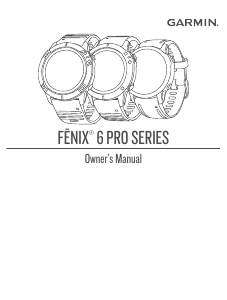
Here you can share what you think about the Garmin Fenix 6 Pro Smart Watch. If you have a question, first carefully read the manual. Requesting a manual can be done by using our contact form.