Manual Fujitsu ScanSnap fi-5110EOX Scanner

Need a manual for your Fujitsu ScanSnap fi-5110EOX Scanner? Below you can view and download the PDF manual for free in English. This product currently has 1 frequently asked question, 0 comments and has 0 votes. If this is not the manual you want, please contact us.

Is your product defective and the manual offers no solution? Go to a Repair Café for free repair services.

Manual

Loading…

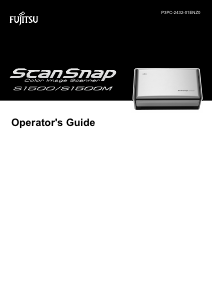
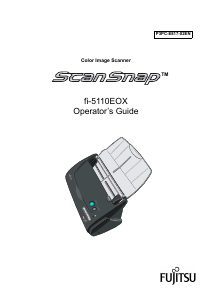
ScanSnap fi-4110EOX2 Operator's Guide i
Introduction
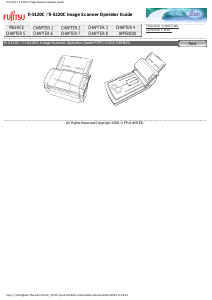
Thank you for purchasing the ScanSnap fi-5110EOX Color Image Scanner product.
ScanSnap fi-5110EOX comes with a color image scanner and office applications. It is a complete
Office Solution designed to improve your productivity and to solve your office scanning problems.
ScanSnap product has the following features.
Just pressing the Scanner button allows you to turn images on paper into PDFs!
You can turn the documents that clutter up your desktop into PDFs, and manage and
archive them on your computer. You can use the Adobe®
Acrobat® software packaged
with this scanner to display and these PDF documents.
ScanSnap product can also automatically recognize the type of document, color or
black & white, so scanned image files can be made smaller when scanning documents
containing a mixture of color and black & white pages. You can also have the scanner
automatically remove blank pages in documents in order to reduce the size of files even
more.
Effortless scanning!
Double-sided color documents A4 or Letter in size can be scanned at a speed of about
15 sheets/minute. (when Scan mode is set to Normal, Color mode is set to Auto, and
Compression rate is set to3)|" (*1)
Small desktop footprint!
Smaller than a sheet of A4 or letter paper in size, ScanSnap scanner can be left on your
desk all the time.
Business cards easily filed!
Business cards can be easily filed and searched for using the OCR function by using the
"CardMinder
TM
" software supplied with the scanner.
(*1) -Depending on the document, scanning speed may become slower in "B&W"
(Black&White) mode (due to process for converting data scanned in color to mono-
chrome data).
Example: Scanning color brochures in "B&W" mode
-When either of "Automatic size and skew detection", or "Automatic image rotation" is
enabled, scanning speed may become slower.
(*2) ScanSnap fi-5110EOX does not support TWAIN and ISIS standards.
This document describes how to handle ScanSnap fi-5110EOX and basic operation methods.
Before you start using ScanSnap, fi-5110EOX be sure to thoroughly read this manual to ensure
correct use.
ScanSnap fi-5110EOX is referred to as ScanSnap hereafter in this document.
Download manual in English (PDF, 3.89 MB)
(Consider the environment and only print this manual if it is really necessary)

Loading…

Rating

Let us know what you think about the Fujitsu ScanSnap fi-5110EOX Scanner by leaving a product rating. Want to share your experiences with this product or ask a question? Please leave a comment at the bottom of the page.
Are you satisfied with the Fujitsu ScanSnap fi-5110EOX Scanner?
Yes No
Be the first to rate this product
0 votes

Join the conversation about this product

Here you can share what you think about the Fujitsu ScanSnap fi-5110EOX Scanner. If you have a question, first carefully read the manual. Requesting a manual can be done by using our contact form.

More about this manual

We understand that it’s nice to have a paper manual for your Fujitsu ScanSnap fi-5110EOX Scanner. You can always download the manual from our website and print it yourself. If you would like to have an original manual, we recommend you contact Fujitsu. They might be able to provide an original manual. Are you looking for the manual of your Fujitsu ScanSnap fi-5110EOX Scanner in a different language? Choose your preferred language on our homepage and search for the model number to see if we have it available.

Specifications

Brand Fujitsu
Model ScanSnap fi-5110EOX
Category Scanners
File type PDF
File size 3.89 MB

All manuals for Fujitsu Scanners
More manuals of Scanners

Frequently Asked Questions about Fujitsu ScanSnap fi-5110EOX Scanner

Our support team searches for useful product information and answers to frequently asked questions. If you find an inaccuracy in our frequently asked questions, please let us know by using our contact form.

What does DPI stand for? Verified

DPI stands for Dots Per Inch and indicates how sharp scans will be. More DPI results in sharper scans.

This was helpful (24) Read more
Manual Fujitsu ScanSnap fi-5110EOX Scanner

Related products

Related categories

×
Download