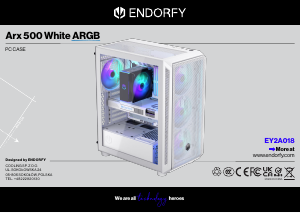
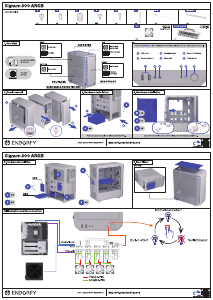
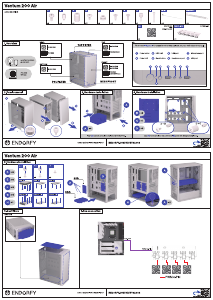
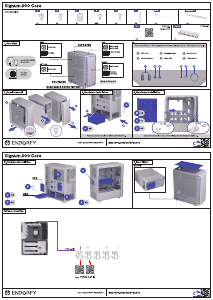
Manual Endorfy EY2A016 Arx 500 Core PC Case

Need a manual for your Endorfy EY2A016 Arx 500 Core PC Case? Below you can view and download the PDF manual for free in English. This product currently has 0 frequently asked questions, 0 comments and has 0 votes. If this is not the manual you want, please contact us.

Is your product defective and the manual offers no solution? Go to a Repair Café for free repair services.

Manual

Loading…

SCAN
THE QR CODE
SCAN
THE QR CODE
ENDORFY.COM/KB/EYA
NEED MORE INFORMATION?
+  + 
Call charges will apply according to your operator's rates.
CUSTOMER SERVICE TELEPHONE:
SCAN
THE QR CODE
SCAN
THE QR CODE
ENDORFY.COM/KB/EYA
NEED MORE INFORMATION?
+  + 
Call charges will apply according to your operator's rates.
CUSTOMER SERVICE TELEPHONE:
ACCESSORIES
×
FANS STRATUS 
PWM
PREINSTALLED
×
PWM SPLITTER × PWM PIN
×
B
×
A
×
C
×
D
×
E
×
F
×
G
×
ZIP TIE
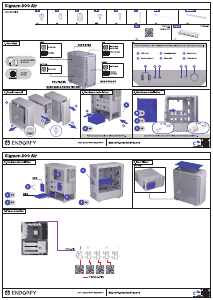
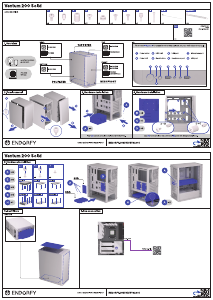
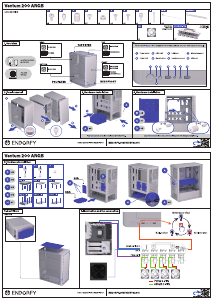
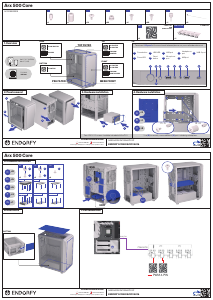
1. Overview
PSU MAX:
 mm
× .”/.” HYBRID
× .” SSD
REAR
 RAD
× / FAN
BOTTOM
×  FAN
TOP
//
 RAD
×  FAN
×  FAN
FRONT
//
/ RAD
×  FAN
×  FAN
MESH FRONT
TOP FILTER
PSU FILTER
Power button
1
Power LED
2
HDD LED
3
Reset
button
4
USB-C port
9
USB port
5
Microphone
port
6
I/O
To connect I/O panel of the case to motherboard please use your motherboard manual.
Headphones
port
7
USB port
8
5 8 9
1
42 6 7
3
1
3
4
5
6
2. Panel removal
2
Four UNC-6-32 screws should be included with the PSU.
3. Hardware installation
1
2
Use (B) to securely screw additional (A) parts into designated places.
×
C
×
B
×
A
B + A
C + A
D D D
D D D
D D D
4. Hardware installation
SSD
D+F
×
E
×
C
×
D
×
G
×
F
5. Hardware installation
TOP VIEW
BOTTOM VIEW
×
TOP VIEW
BOTTOM VIEW
×
TOP VIEW
BOTTOM VIEW
×
HDD
G
D+F
D
E
D
F
C
HDD SSD SSD
6. Dust filters
BOTTOM
7. Fan connection
PWM 4-PIN
PWM 4-PIN
CHA_FAN
Arx 500 Core
Arx 500 Core
Download manual in English (PDF, 2.77 MB)
(Consider the environment and only print this manual if it is really necessary)

Loading…

Rating

Let us know what you think about the Endorfy EY2A016 Arx 500 Core PC Case by leaving a product rating. Want to share your experiences with this product or ask a question? Please leave a comment at the bottom of the page.
Are you satisfied with the Endorfy EY2A016 Arx 500 Core PC Case?
Yes No
Be the first to rate this product
0 votes

Join the conversation about this product

Here you can share what you think about the Endorfy EY2A016 Arx 500 Core PC Case. If you have a question, first carefully read the manual. Requesting a manual can be done by using our contact form.

More about this manual

We understand that it’s nice to have a paper manual for your Endorfy EY2A016 Arx 500 Core PC Case. You can always download the manual from our website and print it yourself. If you would like to have an original manual, we recommend you contact Endorfy. They might be able to provide an original manual. Are you looking for the manual of your Endorfy EY2A016 Arx 500 Core PC Case in a different language? Choose your preferred language on our homepage and search for the model number to see if we have it available.

Specifications

Brand Endorfy
Model EY2A016 Arx 500 Core
Category PC Cases
File type PDF
File size 2.77 MB

All manuals for Endorfy PC Cases
More manuals of PC Cases
Manual Endorfy EY2A016 Arx 500 Core PC Case

Related products

Related categories

×
Download