2
CONTENTS
CHAPTER I: PRODUCT INFORMATION ............................................................................................................... 4
1-1 Introduction ......................................................................................................................................... 4
1-2 Safety Information ............................................................................................................................... 5
1-3 System Requirements .......................................................................................................................... 6
1-4 Package Contents ................................................................................................................................ 6
1-5 Getting familiar with your new wireless broadband router ................................................................ 7
CHAPTER II: SYSTEM AND NETWORK SETUP ..................................................................................................... 9
2-1 Getting Started .................................................................................................................................... 9
2-2 Setting client computers to obtain IP addresses automatically ........................................................ 12
2-2-1 Windows 95/98/Me IP address setup .................................................................................... 13
2-2-2 Windows 2000 IP address setup ............................................................................................ 15
2-2-3 Windows XP IP address setup ................................................................................................ 17
2-2-4 Windows Vista IP address setup ............................................................................................ 19
2-3 Connecting to broadband router via web browser ........................................................................... 21
2-4 Using “Quick Setup” ........................................................................................................................... 26
2-4-1 Using “3G/3.5G” as broadband connection type ................................................................... 28
2-4-2 Using “Dynamic IP” as broadband connection type .............................................................. 30
2-4-3 Using “Static IP” as broadband connection type ................................................................... 31
2-4-4 Using “PPPoE” as broadband connection type ...................................................................... 32
2-4-5 Using “PPTP” as broadband connection type ........................................................................ 34
2-4-6 Using “L2TP” as broadband connection type ......................................................................... 36
3-4-7 Using “WISP” as broadband connection type ........................................................................ 38
2-5 Using “iQoS” ...................................................................................................................................... 40
CHAPTER III: GENERAL SETUP .......................................................................................................................... 42
3-1 System ................................................................................................................................................ 43
3-1-1 Time Zone ............................................................................................................................... 44
3-1-2 Password Settings ................................................................................................................... 45
3-1-3 Remote Management............................................................................................................. 46
3-2 WAN ................................................................................................................................................... 48
3-2-1 3G/3.5G Settings..................................................................................................................... 49
3-2-2 Dynamic IP .............................................................................................................................. 51
3-2-3 Static IP ................................................................................................................................... 53
3-2-4 PPPoE ...................................................................................................................................... 55
3-2-5 PPTP ........................................................................................................................................ 57
3-2-6 L2TP ........................................................................................................................................ 60
3-2-7 WISP ........................................................................................................................................ 63
3-3 LAN (Wired) ....................................................................................................................................... 65
3-3-1 Before you start: Suggestions for deciding an IP address ...................................................... 65
3-3-2 LAN IP...................................................................................................................................... 67
3-3-3 DHCP Server ............................................................................................................................ 68


Join the conversation about this product
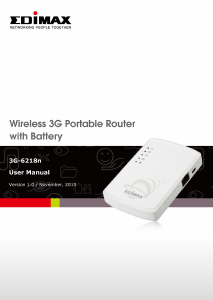
Here you can share what you think about the Edimax 3G-6218n Router. If you have a question, first carefully read the manual. Requesting a manual can be done by using our contact form.