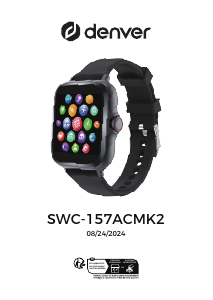
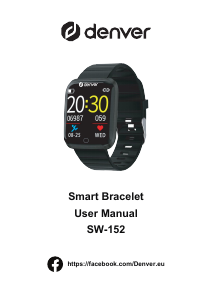
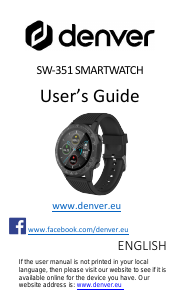
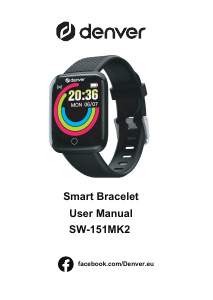
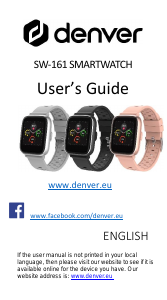
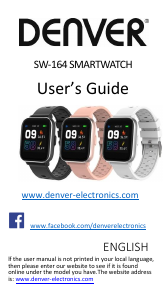
Manual Denver SW-164 Smart Watch

Need a manual for your Denver SW-164 Smart Watch? Below you can view and download the PDF manual for free in English. This product currently has 0 frequently asked questions, 110 comments and has 198 votes with an average product rating of 17/100. If this is not the manual you want, please contact us.

Is your product defective and the manual offers no solution? Go to a Repair Café for free repair services.

Manual

Loading…

Download manual in English (PDF, 3.42 MB)
(Consider the environment and only print this manual if it is really necessary)

Loading…

Rating

Let us know what you think about the Denver SW-164 Smart Watch by leaving a product rating. Want to share your experiences with this product or ask a question? Please leave a comment at the bottom of the page.
Are you satisfied with the Denver SW-164 Smart Watch?
Yes No
17%
83%
198 votes

Join the conversation about this product

Here you can share what you think about the Denver SW-164 Smart Watch. If you have a question, first carefully read the manual. Requesting a manual can be done by using our contact form.

Patrick 22-08-2021
Hello;) somehow the watch does not connect to WhatsApp does anyone have a solution?

reply | This was helpful (268) (Translated by Google)
hds 09-12-2021
the watch does not connect via bluetooth, no reasonable description, how to turn on bluetooh on the watch??? I always come back to the main menu

reply | This was helpful (211) Read more (Translated by Google)
Luther 19-08-2022
How to turn on Bluetooth on the watch

This was helpful (180) (Translated by Google)
Darka 07-05-2023
Ako mam zapnúť bluetooth na hodinkach sw 164 .. nedá sa nastavit ?

This was helpful (13) (Translated by Google)
Roos van nordenne 15-03-2023
the same

This was helpful (2) (Translated by Google)
Sirkka Jyrkkä 05-05-2021
I need instructions for use denver sw-164 in english

reply | This was helpful (143) Read more (Translated by Google)
[email protected] 12-05-2025
I urgently need operating instructions for SW-164 in German urgently

This was helpful (1) (Translated by Google)
Lasse Lundberg 18-07-2021
How to set the right time?

reply | This was helpful (137) Read more (Translated by Google)
Pentti Heinonen 04-11-2021
Time shift

This was helpful (57) (Translated by Google)
Karjalasta 15-12-2021
The time will be set when you install the denver smart home you enter the spot you get 6n which you set in the app

This was helpful (11) (Translated by Google)
Reino Forsman 22-07-2021
How do I get my sleep data from the clock to the phone, once it was successful, now I can't get it to move.

reply | This was helpful (89) (Translated by Google)

Loading…

Tomppa 15-09-2021
How do I set the correct time and date?

reply | This was helpful (66) Read more (Translated by Google)
Tomppa 17-09-2021
How do I read these answers

This was helpful (50) (Translated by Google)
SIEVERS 29-01-2022
HOW DO I SET THE TIME

This was helpful (33) (Translated by Google)
Kirsten Hüttig 06-11-2021
The clock will not start at all without the connection to the smartphone. I'm afraid that it will only work in conjunction with the smartphone and not alone. This is not an option for me. So either explain to me how the watch works without a smartphone, or I will report this on all social networks. I don't want to have all of my GPS data in any app, which is then only sold.

reply | This was helpful (62) (Translated by Google)
Catalina Kuderna 01-04-2021
Best, Since two days ago, I can no longer pair my smartwatch with my smartphone, via bluetooth. I've tried constantly, but I can't anymore. The smartwatch functioned well for the first few days, but not anymore. My smartphone finds the smartwatch, but it cannot be paired. I do not know why. I would like to ask for your help. With best regards, Catalina Kuderna [email protected]

reply | This was helpful (58) Read more (Translated by Google)
Mona 22-05-2023
Same here!! Deplorable!!!!!!!

This was helpful (7) (Translated by Google)
eija kangas-virtanen 21-07-2021
I am looking for a Finnish manual for the Denver SW 164 watch

reply | This was helpful (57) Read more (Translated by Google)
Karjalainen 15-12-2021
Watch the web

This was helpful (12) (Translated by Google)
Allu 18-07-2021
Can I see who's calling?

reply | This was helpful (55) (Translated by Google)
Frank 06-09-2021
Can I ask a question about the watch?

reply | This was helpful (42) Read more (Translated by Google)
Fragesteller 07-11-2021
Where and how can I set the time and day of the week

This was helpful (81) (Translated by Google)
Manny 31-12-2021
How can I pair the watch with the iPhone?

This was helpful (24) (Translated by Google)
Laura 12-08-2021
How do I get my heart rate and blood oxygen to work on my watch? I've been struggling though and what and it doesn't show any readings?

reply | This was helpful (33) (Translated by Google)
User 14-07-2021
Does oxygen saturation measure 24/7? ..

reply | This was helpful (28) (Translated by Google)
Martti Mört 21-07-2021
The hour of using the watch without recharging was 2 days. The information I got from the model was 120 hours, which was not the case

reply | This was helpful (24) (Translated by Google)
Reijo Kursula 22-07-2021
I need instructions for use denver sw-164 in english

reply | This was helpful (23) (Translated by Google)
Ulla 29-07-2021
Sports performances are not recorded even if they last longer than 5 minutes, why not? Why doesn't sleep information appear on my phone?

reply | This was helpful (23) (Translated by Google)
Arja jokinen 09-09-2021
Where in English user manual.

reply | This was helpful (19) Read more (Translated by Google)
Karjalainen 15-12-2021
You can find it online, but it is incomplete, give it a try

This was helpful (4) (Translated by Google)
Ulf Store 03-01-2022
Bluetooth stopped working after about 2 months. Does not help reset and boot. Sometimes it finds the clock but pairing is so slow that it reports failed. Is the clock ticking?

reply | This was helpful (14) (Translated by Google)
Meggi 12-01-2022
What should I do to get the Denver 164 to record sleep times? ?

reply | This was helpful (11) (Translated by Google)
Otto Zippel 04-09-2021
Explained very badly for older people. Very few can speak English. For German customers, it is advisable to explain all relevant information in German.

reply | This was helpful (9) (Translated by Google)
Jorma Kettunen 09-09-2021
English user manual denver sw-164

reply | This was helpful (9) (Translated by Google)
Teija Heino 28-09-2021
Are there any Finnish languages ​​in the language options?

reply | This was helpful (9) Read more (Translated by Google)
Karjalainen 15-12-2021
Eo oo finnish london german epsanja

This was helpful (4) (Translated by Google)
José luis 18-09-2022
How can I activate Bluetooth on the watch, it appears with the crossed out symbol

reply | This was helpful (9) (Translated by Google)
Meggi 12-01-2022
What should I do to get the Denver 164 to record sleep times? ?

reply | This was helpful (7) (Translated by Google)
Mireille De Middelaer 12-03-2021
I can't move the clock. I cannot connect the smart watch to my Samsung A50 vie bluetooth. I can't find enough explanation in the manual.

reply | This was helpful (6) (Translated by Google)
Silke Schwarzbach 03-08-2021
Unfortunately only the weather on the clock is not as it should be, just rain and the sun is smiling

reply | This was helpful (6) (Translated by Google)
philippe goffin 04-04-2021
need a user manual in French, for example to change the date, time and obtain all the possible functions of the watch (with or without a smartphone) Thank you

reply | This was helpful (5) (Translated by Google)
Gerhard 11-12-2021
The running distance in km is displayed incorrectly. Example: Instead of 6.5 km, 5.5 km are determined and displayed. As a result, many other data (pace, calories ...) are also incorrect.

reply | This was helpful (5) (Translated by Google)
Serena 25-12-2021
When I receive sms, he doesn't show me the sender

reply | This was helpful (5) (Translated by Google)
Ulla 29-07-2021
Sports performances are not recorded even if they last longer than 5 minutes, why not? Why doesn't sleep information appear on my phone?

reply | This was helpful (4) (Translated by Google)
Yvi 04-11-2021
Hello ... somehow I have the feeling that the app is not working properly Not all data is transferred. Sleep monitoring not at all. The watch's battery runs out very quickly. I am absolutely disappointed with the watch.

reply | This was helpful (4) Read more (Translated by Google)
moster 19-11-2021
how can you set this clock without an app

This was helpful (15) (Translated by Google)
Gerhard Meier 22-12-2021
Absolute crap. can't get this thing to work!!!! although bluetooth recognizes the watch, nothing happens. no flashing nothing, it's loaded. The watch always goes off after a few seconds. Was a gift from Metro, they wanted to save on the disposal costs: I'll take care of that now no email, nothing to ask.

reply | This was helpful (4) (Translated by Google)
Uwe Zander Toyota 16-07-2021
Hi there, unfortunately no sport data are recorded

reply | This was helpful (3) (Translated by Google)
Rolf Majer 09-11-2021
Nothing terrible in German

reply | This was helpful (3) (Translated by Google)
Xaver 10-11-2021
Not all functions can always be called up, sleep times not at all, the software also goes online again and again and it takes a while until it reconnects with the mobile phone! Otherwise, steps and pulse are more likely to be forgotten

reply | This was helpful (3) (Translated by Google)
martti.pirinen 29-07-2021
please use the guide

reply | This was helpful (2) (Translated by Google)
Timo Kotisaari 14-09-2021
I can't find the user manual for Denver SW-164 in English

reply | This was helpful (2) Read more (Translated by Google)
Karjalainen 15-12-2021
Watch online

This was helpful (3) (Translated by Google)
SIMO SAITSEFF 06-12-2021
FINNISH USER MANUAL, ps NERVE ON THE SURFACE

reply | This was helpful (2) (Translated by Google)
Tuula Pietikäinen 11-08-2024
Hello! Where can I get the stride length entered into the Denver SW-164 device

reply | This was helpful (2) (Translated by Google)
Ward Heylen 15-03-2021
Difficult to set up. Contains too much data. Can't turn on with arm. I am returning this watch to seller.

reply | This was helpful (1) (Translated by Google)
Maija Roiha 13-01-2022
I need the Finnish manual SW-164 thank you

reply | This was helpful (1) (Translated by Google)
Azi 05-06-2022
the time zone clock is incorrect and i cant set it correctly.

reply | This was helpful (1)
Pittomvils Denise 09-03-2021
the supplied USB cable does not fit my mobile phone typSAMSUNG - so can't use the watch

reply | This was helpful (0) Read more (Translated by Google)
Rob 17-06-2021
I charge via the PC/laptop

This was helpful (2) (Translated by Google)
Karjalainen 15-12-2021
The cord is for charging the watch, heh, the handset has its own, a blue tooth is needed

This was helpful (2) (Translated by Google)
Margaretha V 09-03-2021
impossible to pair with a Oneplus

reply | This was helpful (0) (Translated by Google)
hubert pricken 03-04-2021
I cannot connect it. he does not take the blutooh

reply | This was helpful (0) (Translated by Google)
Marcel Bonte 24-04-2021
I cannot connect the watch on 164 to bluetooth Thank you for your attention

reply | This was helpful (0) Read more (Translated by Google)
Karjalainen 15-12-2021
That is difficult, yes, a complicated thing

This was helpful (0) (Translated by Google)
van schooneveld 18-06-2021
The illumination of the display is too short. This is the most annoying. I really need more time to read the instructions and icons. How do I set that up? Furthermore, receive a message notification icon , but no text. Is this just a notification that there is a message on my iPhone? does it sound when there is a message? if so how do i do that. Like to hear from you mrs danielle

reply | This was helpful (0) Read more (Translated by Google)
MBT 16-08-2021
Under "settings," you can set the time when the display turns off.

This was helpful (0) (Translated by Google)
Karin Braune 24-06-2021
Det går inte att ladda ner manualen som PDF. Och det går inte att skriva ut den annars.

reply | This was helpful (0)
Ola Nordmann 09-08-2021
Hi What do you think of it?

reply | This was helpful (0) (Translated by Google)
Tomppa 17-09-2021
Email verification failed (error occured)

reply | This was helpful (0) (Translated by Google)
Ulf H 26-10-2021
Bought the watch a few months ago. Now refuses to connect via bluetooth. I have uninstalled and reinstalled the watch without any improvement. I have also tried with other phone without success.

reply | This was helpful (0) (Translated by Google)
L Julien 31-10-2021
Clock setting winter time how do I set the new time?

reply | This was helpful (0) (Translated by Google)
Barbara brieger nie mofe 03-11-2021
I can't handle denver 164

reply | This was helpful (0) (Translated by Google)
Tuula 01-12-2021
Bluetooth range non-existent about 5m. May be constantly connected to the phone.

reply | This was helpful (0) (Translated by Google)
Gianfranca 14-12-2021
I can't read the names of those who send me messages, I don't get messages from Messenger and I can't take pictures. You can help me?

reply | This was helpful (0) (Translated by Google)
Karjalainen 15-12-2021
Sleep tracking doesn't work, but it should be automatic, huh

reply | This was helpful (0) (Translated by Google)
Jürgen Wittig 15-12-2021
No instructions for use, how to set day and month. Instructions only in English. Switches within seconds, etc. Conclusion this watch is a dumpster product.china all talked about.watch goes back

reply | This was helpful (0) (Translated by Google)
Fussel 28-12-2021
Doesn't connect to the app

reply | This was helpful (0) (Translated by Google)
Anja Hirschl 30-12-2021
Hello, I want to register, but I don't get a confirmation code

reply | This was helpful (0) (Translated by Google)
Ulf Store 03-01-2022
Bluetooth stopped working after about 2 months. Does not help reset and boot. Sometimes it finds the clock but pairing is so slow that it reports failed. Is the watch cute?

reply | This was helpful (0) (Translated by Google)
Ulf Store 03-01-2022
Bluetooth stopped working after about 2 months. Does not help reset and boot. Sometimes it finds the clock but pairing is so slow that it reports failed. Is the clock ticking?

reply | This was helpful (0) (Translated by Google)
Clemente 09-01-2022
Everything's OK

reply | This was helpful (0) (Translated by Google)
Clemente 09-01-2022
All good, but it doesn't work with heart rate

reply | This was helpful (0) (Translated by Google)
Maija Roiha 13-01-2022
Instructions for use in Finnish required. thank you

reply | This was helpful (0) (Translated by Google)
Pit 31-03-2022
How can I change personal settings (height, weight, ...) afterwards? Doesn't work on the smartwatch or in the app. Even resetting the software and reinstalling the app doesn't do anything. ;-(

reply | This was helpful (0) (Translated by Google)
Nicole 05-04-2022
Hello How can I set the watch so that it doesn't always turn on when I turn my wrist?

reply | This was helpful (0) (Translated by Google)
Foubert Miriam 06-05-2022
I can't see my sleep data what can I do and my watch is charged enough

reply | This was helpful (0) (Translated by Google)
Kamibro 09-06-2022
There have been no sleep logs for a week??? how can i set the time for the screen? And how can I delete the data of the bike tour? I don't leave the watch on Bluetooth all the time, then my battery is empty in no time, turn it on for 1/2 hour in the evening so that the data is transferred to the cell phone. So I'm very disappointed and I get annoyed about it every day. Should have listened to my husband and bought a branded watch.

reply | This was helpful (0) (Translated by Google)
Teuvo 29-10-2022
The device can require the sharing of contact information, but cannot set the settings automatically. You don't have time to look at and understand the screen before it turns off. There should be basic functions such as sleep quality and heart function as automatic settings and interpretation instructions. It's been almost a month since I bought the product - I'm not satisfied even though I guessed its nature: A terrible number of possibilities, two of which work.

reply | This was helpful (0) (Translated by Google)
Olavi 06-11-2022
The settings of the SW-164 watch do not remain and the Bluetooth connection is no longer available. Now I want to set the clock manually and keep it separate from the internet. Is it possible and how?

reply | This was helpful (0) (Translated by Google)
Sabine Berger 30-12-2022
How can I set sleep monitoring

reply | This was helpful (0) (Translated by Google)
Jorma v 02-03-2023
How do I get the sleep information transferred to the phone?

reply | This was helpful (0) (Translated by Google)
Reynerio 12-04-2023
A Samsung a12 won't connect to my device

reply | This was helpful (0) (Translated by Google)
Darka 07-05-2023
Ako sa nastaví bluetooth na hodinkach sw164 Denver , vráti ma to naspäť do menu.. Poraďte mi prosím nemám nervy už.

reply | This was helpful (0) (Translated by Google)
Daubies Patrick 11-05-2023
On the watch connect denver w164 the Bluetooth is deactivated how to put it back please thank you

reply | This was helpful (0) (Translated by Google)
Nasanin Dorani 13-06-2023
Good day, I have now connected my watch to my cell phone via Bluetooth, but how do I send messages on the cell phone or calls and how do I receive them on the watch?

reply | This was helpful (0) (Translated by Google)
Mari 13-06-2023
Hello, the APP from the manual cannot be installed because the Android version of the cell phone is too new. Who knows advice?

reply | This was helpful (0) (Translated by Google)
Henrik Madsen 17-07-2023
The watch won't turn on, it now charges for 24 hours.

reply | This was helpful (0) (Translated by Google)
Janique 19-08-2023
Bluetooth is off on smartwatch denver sw 164 how to turn it on?

reply | This was helpful (0) (Translated by Google)
Maj 02-09-2023
Hello

reply | This was helpful (0) (Translated by Google)
Cilina 03-09-2023
And although the watch has this camera function, strangely enough, you can't display any pictures where it was described and it doesn't work, we get that the pictures are displayed there, it's partly just that the gallery is displayed If you can select pictures, please let me know if anyone has any idea With friendly greetings

reply | This was helpful (0) (Translated by Google)
Verhaeghe dahlia 19-01-2024
How come, I had a heart rate of 109 at 10 am, on my Denver app it was also there but it was not at the correct time, it was at 3 am

reply | This was helpful (0) (Translated by Google)
Ullrich Richter 22-06-2024
Why is the telephone symbol blocked for me?

reply | This was helpful (0) (Translated by Google)
Maija Roiha 25-11-2024
Where can I find the Finnish user manual Denver Smart SW 164

reply | This was helpful (0) (Translated by Google)
Alexandra 11-01-2025
How do I set this clock?

reply | This was helpful (0) (Translated by Google)
Alexandra 11-01-2025
How do I set this clock? Denver 164

reply | This was helpful (0) (Translated by Google)
Agnes Ljundqvist 13-03-2025
How do I restore Bluetooth?

reply | This was helpful (0) (Translated by Google)
Annki 18-03-2025
Don't get on Bluetooth on the clock. What should I do

reply | This was helpful (0) (Translated by Google)
Swede 30-07-2025
Make Sure That The Denver App On Your Phone Has The Right to Look for Devices Close By. That was the isssue for me, when the bluetooth did not work.

reply | This was helpful (0) (Translated by Google)
LEV 28-10-2025
Absolute trash. As many has reported, Bluetooth stops working after a while. No way to connect to app or set the time. What a rip off!!

reply | This was helpful (0)

More about this manual

We understand that it’s nice to have a paper manual for your Denver SW-164 Smart Watch. You can always download the manual from our website and print it yourself. If you would like to have an original manual, we recommend you contact Denver. They might be able to provide an original manual. Are you looking for the manual of your Denver SW-164 Smart Watch in a different language? Choose your preferred language on our homepage and search for the model number to see if we have it available.

Specifications

Brand Denver
Model SW-164
Category Smart Watches
File type PDF
File size 3.42 MB

All manuals for Denver Smart Watches
More manuals of Smart Watches
Manual Denver SW-164 Smart Watch

Related products

Related categories

×
Download