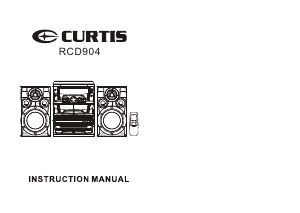
Manual Curtis RCD904 Stereo-set

Need a manual for your Curtis RCD904 Stereo-set? Below you can view and download the PDF manual for free in English. This product currently has 0 frequently asked questions, 0 comments and has 0 votes. If this is not the manual you want, please contact us.

Is your product defective and the manual offers no solution? Go to a Repair Café for free repair services.

Manual

Loading…

EnglishEnglish
LOCATION OF CONTROLS
1. Mains Lead , Speaker Sockets and FM Antenna wire ( at the rear of the unit )
2. CD Tray
3. RECORD Key
4. PLAY Key
5. REWIND Key
6. FAST FORWARD Key
7. STOP / EJECT Key
8. PAUSE Key
9. CASSETTE Compartment A
10. DISC SKIP Button
11. CD REPEAT Button
12. PROGRAM Button
13. PHONES Socket
14.. FUNCTION Selector (Phono/Tuner/Tape/CD)
15.. CD STOP Button
16.. STANDBY/ON Button
17.. PRESET EQUALIZER Button
18.. FM-STEREO Indicator
19.. STANDBY/Mute Indicator
20. EQ Indicators
21. LCD Display
22. REMOTE Sensor
23. Turntable (PHONO)
24. VOLUME Up/Down Button
25. DIAL Pointer
26. HIGH SPEED DUBBING/ FM Stereo Selector
27. CD PLAY/PAUSE Button
28. RADIO Band wave selector
29. TUNING Knob
30. CD Skip/Search Forward Button
CD Skip/Search Backward Button
31. INTRO Button
32. CASSETTE Compartment B
33. PLAY Key
34. REWIND Key
35. FAST FORWARD Key
34
36. STOP / EJECT Key
37. PAUSE Key
38. CD OPEN / CLOSE Button
39. CD DIRECT Access - 1, 2, 3
CONNECTING TO POWER
Before switching on make sure that the voltage of your electricity supply is the same as
that indicated on the rating plate.
For your own safety read the following instructions carefully before attempting to connect
this unit to the mains.
MAINS (AC) OPERATION
This unit is designed to operate on AC 120V 60Hz current only. Connecting it to other
power sources may damage the unit.
CAUTION
To prevent electric shock disconnect from the mains before removing cover. No user
serviceable parts inside. Refer servicing to qualified service personnel.
POWER SUPPLY
Remove the stereo carefully from the box, retaining the packaging for future use.
AC POWER OPERATION
Connect the plug to a mains power inlet 120V AC ~ 60 Hz.
CONNECTIONS
SPEAKER CONNECTION
Connect each speaker to the corresponding speaker terminals on the back of the system.
Ensure that the left speaker is connected to the left connector, and the right speaker to the
right connector.
HEADPHONE
This unit will accept stereo headphones (not included) with a 3.5mm plug and an impedance
of 8 ohms or greater.
The speakers are automatically disconnected when headphones are connected to the
PHONES JACKS (13).
Download manual in English (PDF, 1.41 MB)
(Consider the environment and only print this manual if it is really necessary)

Loading…

Rating

Let us know what you think about the Curtis RCD904 Stereo-set by leaving a product rating. Want to share your experiences with this product or ask a question? Please leave a comment at the bottom of the page.
Are you satisfied with the Curtis RCD904 Stereo-set?
Yes No
Be the first to rate this product
0 votes

Join the conversation about this product

Here you can share what you think about the Curtis RCD904 Stereo-set. If you have a question, first carefully read the manual. Requesting a manual can be done by using our contact form.

More about this manual

We understand that it’s nice to have a paper manual for your Curtis RCD904 Stereo-set. You can always download the manual from our website and print it yourself. If you would like to have an original manual, we recommend you contact Curtis. They might be able to provide an original manual. Are you looking for the manual of your Curtis RCD904 Stereo-set in a different language? Choose your preferred language on our homepage and search for the model number to see if we have it available.

Specifications

Brand Curtis
Model RCD904
Category Stereo-sets
File type PDF
File size 1.41 MB

All manuals for Curtis Stereo-sets
More manuals of Stereo-sets
Manual Curtis RCD904 Stereo-set

Related products

Related categories

×
Download