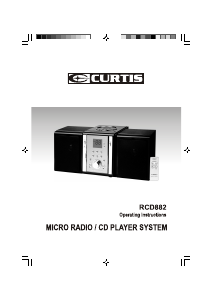
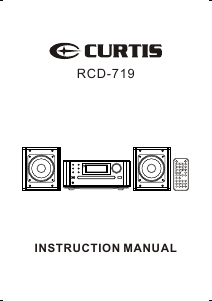
Manual Curtis RCD719 Stereo-set

Need a manual for your Curtis RCD719 Stereo-set? Below you can view and download the PDF manual for free in English. This product currently has 0 frequently asked questions, 0 comments and has 0 votes. If this is not the manual you want, please contact us.

Is your product defective and the manual offers no solution? Go to a Repair Café for free repair services.

Manual

Loading…

6
Operation
Now your CD micro system is installed and
ready for use, please refer to the following
instructions for correct operation.
AC Power Operation
The CD micro system will be in standby mode,
when the AC power supply is connected and
switched on.
At the front of the CD micro system, or using the
remote control, press POWER, to switch the
CD micro system on. The LCD display will light
up.
Volume Control
WARNING
Do not turn off the CD micro system when
the volume is set at high level. When it is
subsequently turned on, a sudden blast of
sound may damage your hearing and the
external speakers.
The volume level can be adjusted either using
the controls on the unit or by the remote
control.
On the unit turn the volume control towards the
‘+’ sign to increase the volume and towards the
‘-’ sign to reduce the volume. The volume level
will be displayed while adjustments are being
made.
Note: The volume control on the unit does not
fully rotate, you only need to turn the
control until it clicks.
To adjust the volume level using the remote
control, press the VOLUME +/- buttons.
Press MUTE on the remote control to mute the
sound. Press MUTE again to resume sound.
Note: Pressing any of the volume control buttons
will also resume sound.
Headphones
Note: Reduce the volume to a low level before
putting on headphones. Adjust volume
to a comfortable level.
A headphones socket is provided for private
listening. It is located on the front of the unit.
see page 2.
A pair of stereo headphones with a 3.5mm
stereo plug is required(not included). Insert
the stereo plug into the socket for headphone
use.
The external speakers are automatically
disconnected when headphones are in use.
TONE
Your CD micro system has " BASS/TREBLE”
sound effect setting. The setting can be
selected by pressing the TONE button on the
remote.
a. Press TONE 2 times to Bass mode.
b. Press TONE 3 times to Treble mode.
c. Press Vol Up/Down button to adjust the
Bass/Trebel effect.
ESP
To turn ON/OFF the ESP function at stop mode
for antishock during MP3 playing.
Download manual in English (PDF, 1.63 MB)
(Consider the environment and only print this manual if it is really necessary)

Loading…

Rating

Let us know what you think about the Curtis RCD719 Stereo-set by leaving a product rating. Want to share your experiences with this product or ask a question? Please leave a comment at the bottom of the page.
Are you satisfied with the Curtis RCD719 Stereo-set?
Yes No
Be the first to rate this product
0 votes

Join the conversation about this product

Here you can share what you think about the Curtis RCD719 Stereo-set. If you have a question, first carefully read the manual. Requesting a manual can be done by using our contact form.

More about this manual

We understand that it’s nice to have a paper manual for your Curtis RCD719 Stereo-set. You can always download the manual from our website and print it yourself. If you would like to have an original manual, we recommend you contact Curtis. They might be able to provide an original manual. Are you looking for the manual of your Curtis RCD719 Stereo-set in a different language? Choose your preferred language on our homepage and search for the model number to see if we have it available.

Specifications

Brand Curtis
Model RCD719
Category Stereo-sets
File type PDF
File size 1.63 MB

All manuals for Curtis Stereo-sets
More manuals of Stereo-sets
Manual Curtis RCD719 Stereo-set

Related products

Related categories

×
Download