Manual Curtis RCD719 Stereo-set

Need a manual for your Curtis RCD719 Stereo-set? Below you can view and download the PDF manual for free in English. This product currently has 0 frequently asked questions, 0 comments and has 0 votes. If this is not the manual you want, please contact us.

Is your product defective and the manual offers no solution? Go to a Repair Café for free repair services.

Manual

Loading…
4
Getting Started
Unpacking your
RCD719 MP3 Micro System
Carefully remove your CD micro system from its
packaging. You may wish to store the
packaging for future use.
Box Contents:
- CD/MP3 micro system
- 2 speakers (speaker cables attached)
- Remote control
- AM Loop Antenna
- User Guide
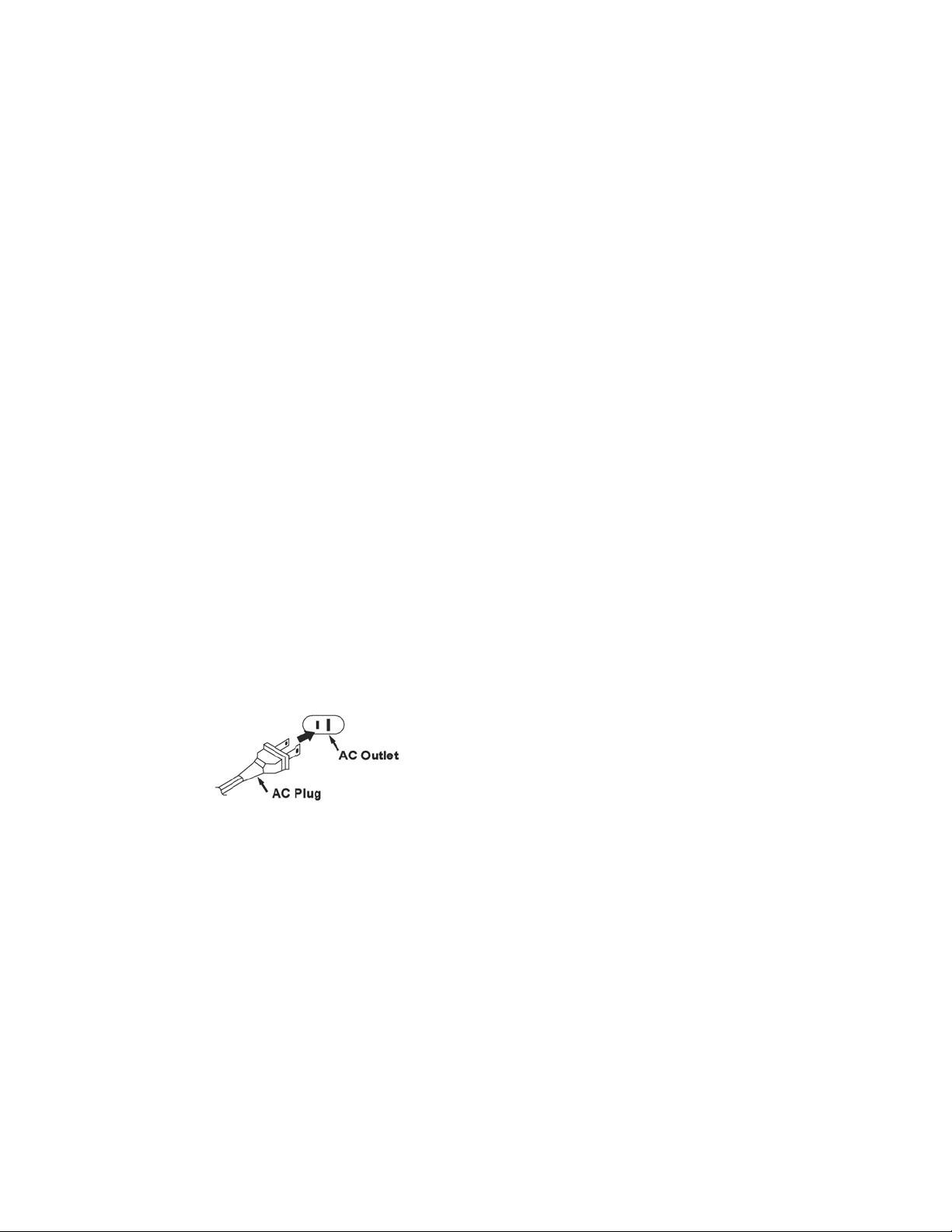
AC CONNECTION
Plug the power cord into an AC outlet having
120v,60Hz only. Connecting this unit to other
power sources may damage the unit.
NOTES:
*The AC polarized plug helps to minimize
the possibility of electric shock. If the
polarized plug does not fit into a
nonpolarized AC outlet, do not file or cut
the wide blade; it is the user`s
responsibility to have an electrician
replace the obsolete outlet.
*The power cord should be unplugged
from the outlet when the unit is not going
to be used for a long period of time.
Installation
Speaker Connection
1. Unwind the cable from each speaker.
2. At the rear of the CD micro system there
are two speaker sockets.
3. Plug the speaker located on the left into the
socket marked ‘L’ and coloured white.
4. Plug the speaker located on the right into
the socket marked ‘R’ and coloured red.
5. For optimal stereo effect, place the
speakers approximately 1.5m apart.
AC Power Connection
1. Connect the mains plug to a mains supply
socket and switch on the supply.
2. At the front of the CD micro system unit,
press the STANDBY button.
3. The LCD display will light up.
Antenna
The FM antenna is attached to the back of the
unit. Unwind the wire. Positioning is described
in the Radio section.
The AM
antenna is a separate loop aerial that
plugs into the back of the unit at the socket
marked
AM ANT.’. Its assembly is described in
the Radio section.
Download manual in English (PDF, 1.63 MB)
(Consider the environment and only print this manual if it is really necessary)

Loading…

Rating

Let us know what you think about the Curtis RCD719 Stereo-set by leaving a product rating. Want to share your experiences with this product or ask a question? Please leave a comment at the bottom of the page.
Are you satisfied with the Curtis RCD719 Stereo-set?
Yes No
Be the first to rate this product
0 votes

Join the conversation about this product

Here you can share what you think about the Curtis RCD719 Stereo-set. If you have a question, first carefully read the manual. Requesting a manual can be done by using our contact form.

More about this manual

We understand that it’s nice to have a paper manual for your Curtis RCD719 Stereo-set. You can always download the manual from our website and print it yourself. If you would like to have an original manual, we recommend you contact Curtis. They might be able to provide an original manual. Are you looking for the manual of your Curtis RCD719 Stereo-set in a different language? Choose your preferred language on our homepage and search for the model number to see if we have it available.

Specifications

Brand Curtis
Model RCD719
Category Stereo-sets
File type PDF
File size 1.63 MB

All manuals for Curtis Stereo-sets
More manuals of Stereo-sets
Manual Curtis RCD719 Stereo-set

Related products

Related categories

×
Download