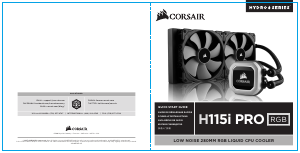
Manual Corsair H115i Pro RGB CPU Cooler

Need a manual for your Corsair H115i Pro RGB CPU Cooler? Below you can view and download the PDF manual for free in English. This product currently has 0 frequently asked questions, 0 comments and has 0 votes. If this is not the manual you want, please contact us.

Is your product defective and the manual offers no solution? Go to a Repair Café for free repair services.

Manual

Loading…

1
Installing the Intel Backplate
Installation de la plaque arrière Intel • Installation der Intel-Rückwand
Instalación de la placa de soporte para Intel • Установка опорной пластины Intel
安装 Intel 背板
For LGA 115X installation, slide the backplate
pins inside (figure 1).
For LGA 1366 installation, slide the backplate
pins outside (figure 1).
Install the assembled backplate (figure 2).
Note: Intel LGA 2011 and LGA 2066 does not
require backplate installation. Proceed to step 2.
Pour l'installation sur un socket LGA 115X, faites glisser
les broches de la plaque arrière vers l'intérieur (figure 1).
Pour l'installation sur un socket LGA 1366, faites glisser
les broches de la plaque arrière vers l'extérieur (figure 1).
Installez la plaque arrière assemblée (figure 2).
Remarque: Intel LGA 2011 et LGA 2066 ne nécessitent
pas l'installation d'une plaque arrière. Passez à l’étape 2.
Schieben Sie die Stifte der Rückwand nach innen,
um LGA 115X zu montieren (Abbildung 1).
Schieben Sie die Stifte der Rückwand nach innen,
um LGA 1366 zu montieren (Abbildung 1).
Montieren Sie die zusammengebaute Rückwand
(Abbildung 2).
Hinweis: Der Intel LGA2011 und der LGA2066
erfordern keine Rückwandinstallation.
Fahren Sie mit Schritt2 fort.
Para instalación en LGA 115X, deslice la placa de soporte
con las patillas hacia dentro (figura 1).
Para instalación en LGA 1366, deslice la placa de soporte
con las patillas hacia fuera (figura 1).
Instale la placa de soporte ensamblada (figura 2).
Nota: Intel LGA 2011 y LGA 2066 no requieren la
instalación de una placa de respaldo.
Continúe con el paso 2.
При установке LGA 115X задвиньте штырьки
внутрь (Рис. 1).
При установке LGA 1366 задвиньте штырьки
наружу (Рис. 1).
Установите собранную опорную пластину. (Рис. 2)
Примечание. Для Intel LGA 2011 и LGA 2066
установка опорной пластины не требуется.
Перейдите к шагу 2.
要安装 LGA 115X,请将背板针脚插入(图 1 )。
要安装 LGA 1366,请将背板针脚拔出(图 1 )。
安装组装好的背板(图 2 )。
注意:Intel LGA 2011和LGA 2066不需要背面板安装。
继续执行步骤2。
LGA 1366
LGA
115X
figure 1
figure 2
J
Download manual in English (PDF, 2.06 MB)
(Consider the environment and only print this manual if it is really necessary)

Loading…

Rating

Let us know what you think about the Corsair H115i Pro RGB CPU Cooler by leaving a product rating. Want to share your experiences with this product or ask a question? Please leave a comment at the bottom of the page.
Are you satisfied with the Corsair H115i Pro RGB CPU Cooler?
Yes No
Be the first to rate this product
0 votes

Join the conversation about this product

Here you can share what you think about the Corsair H115i Pro RGB CPU Cooler. If you have a question, first carefully read the manual. Requesting a manual can be done by using our contact form.

More about this manual

We understand that it’s nice to have a paper manual for your Corsair H115i Pro RGB CPU Cooler. You can always download the manual from our website and print it yourself. If you would like to have an original manual, we recommend you contact Corsair. They might be able to provide an original manual. Are you looking for the manual of your Corsair H115i Pro RGB CPU Cooler in a different language? Choose your preferred language on our homepage and search for the model number to see if we have it available.

Specifications

Brand Corsair
Model H115i Pro RGB
Category CPU Coolers
File type PDF
File size 2.06 MB

All manuals for Corsair CPU Coolers
More manuals of CPU Coolers
Manual Corsair H115i Pro RGB CPU Cooler

Related products

Related categories

×
Download