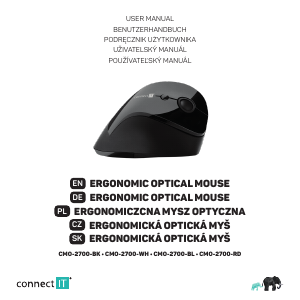
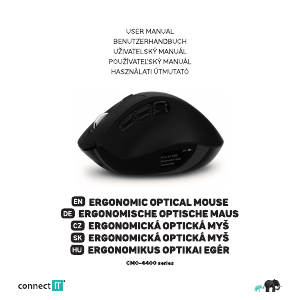
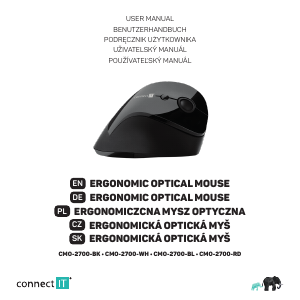
Manual Connect IT CMO-2700-RD Mouse

Need a manual for your Connect IT CMO-2700-RD Mouse? Below you can view and download the PDF manual for free in English. This product currently has 4 frequently asked questions, 0 comments and has 0 votes. If this is not the manual you want, please contact us.

Is your product defective and the manual offers no solution? Go to a Repair Café for free repair services.

Manual

Loading…
CONNECT IT® is a registered trade mark R202004-IM
EN
3
USER MANUAL
ERGONOMIC OPTICAL MOUSE
CMO-2700-BK • CMO-2700-WH • CMO-2700-BL • CMO-2700-RD
4
Notices
The use of the product limits your awareness of surrounding sounds. Therefore do not drive vehicles or operate any machines when using
the product. Clean the product using a soft damp cloth that does not give up any fluff. Do not use any aggressive agents for cleaning.
To prevent possible hearing damage, do not listen at high volume levels for long periods.
INSTRUCTIONS AND INFORMATION REGARDING THE DISPOSAL OF USED PACKAGING MATERIALS
Packaging materials and old appliances shall preferably be recycled. The packaging materials of this product can be disposed of as sorted
waste. The same applies to the plastic bags made of polyethylene (PE) and other materials – please hand them over for recycling.
DISPOSAL OF WASTE ELECTRICAL & ELECTRONIC EQUIPMENT
In accordance with the European Directive 2012/19/EU on waste electrical and electronic equipment (WEEE), this appliance
is labeled with this symbol on the product or its packaging to indicate that this product shall not be treated as household
waste. It must be disposed of at a collection site for recycling of waste electrical and electronic equipment. The proper
disposal of this product helps to prevent adverse impacts on the environment and human health, which could otherwise
result from improper waste disposal. The disposal shall be carried out in accordance with waste management regulations.
For more detailed information about the recycling of this product, contact the local authorities, household waste disposal
services or the shop where you have bought the product. For proper disposal, renewal and recycling, hand the products over
to the designated collection sites. Alternatively, in some EU or other European countries, you can return the products to your
local dealer when buying an equivalent new product. The proper disposal of this product helps to preserve valuable natural
resources and prevent potential adverse impacts on the environment and human health, which could result from improper
waste disposal. For details, contact your local authorities or the nearest collection facility. In case of improper disposal of this
type of waste, fines may be imposed in accordance with national legislation.
For business entities in the EU countries
If you want to dispose of electrical and/or electronic equipment, please contact your dealer or supplier for the necessary
information.
Disposal in other countries outside the European Union
This symbol is valid in the European Union. If you want to dispose of this product, contact your local authorities or your
dealer for the necessary information about the proper way of disposal.
In accordance with the law, we provide the take-back, processing and free environmentally friendly disposal of electrical
and electronic equipment through the collective system of REMA Systém, a.s. The main purpose is to protect the
environment by ensuring the efficient recycling of waste electrical and electronic equipment.
For the current list of collection sites, see the web www.rema.cloud
This product meets all the basic requirements of the applicable EU directives. It is CE marked. This mark indicates
the conformity of the product‘s technical characteristics with the applicable technical regulations. The EU Declaration
of Conformity is available at www.connectit-europe.com.
Download manual in English (PDF, 3.4 MB)
(Consider the environment and only print this manual if it is really necessary)

Loading…

Rating

Let us know what you think about the Connect IT CMO-2700-RD Mouse by leaving a product rating. Want to share your experiences with this product or ask a question? Please leave a comment at the bottom of the page.
Are you satisfied with the Connect IT CMO-2700-RD Mouse?
Yes No
Be the first to rate this product
0 votes

Join the conversation about this product

Here you can share what you think about the Connect IT CMO-2700-RD Mouse. If you have a question, first carefully read the manual. Requesting a manual can be done by using our contact form.

More about this manual

We understand that it’s nice to have a paper manual for your Connect IT CMO-2700-RD Mouse. You can always download the manual from our website and print it yourself. If you would like to have an original manual, we recommend you contact Connect IT. They might be able to provide an original manual. Are you looking for the manual of your Connect IT CMO-2700-RD Mouse in a different language? Choose your preferred language on our homepage and search for the model number to see if we have it available.

Specifications

Brand Connect IT
Model CMO-2700-RD
Category Mice
File type PDF
File size 3.4 MB

All manuals for Connect IT Mice
More manuals of Mice

Frequently Asked Questions about Connect IT CMO-2700-RD Mouse

Our support team searches for useful product information and answers to frequently asked questions. If you find an inaccuracy in our frequently asked questions, please let us know by using our contact form.

What is the best surface to use a mouse on? Verified

A traditional trackball mouse will work best on a padded surface such as a mouse pad. An optical mouse will work on almost any flat surface, with the exception of transparent or reflective surfaces. Surfaces with a printed repetitive pattern might interfere with the functioning of the mouse.

This was helpful (128) Read more

What is an ergonomic mouse? Verified

Daily use of a regular mouse over long periods of time can result in pain in the arm and wrist. This is also called RSI (Repetitive Strain Injury). An ergonomic mouse is shaped to reduce these issues or prevent them.

This was helpful (60) Read more

What is the difference between a normal mouse and a gaming mouse? Verified

Every gaming mouse can be used asa regular mouse. However, a gaming mouse often has additional buttons in specific places to make gaming easier. There even are gaming mice that have buttons that are meant to better play a specific game.

This was helpful (59) Read more

What size mouse is best for my hand? Verified

This partially depends on personal preference and necessity, but in general a mouse should be around 60% of the size of your hand. This is the most comfortable and most ergononical.

This was helpful (55) Read more
Manual Connect IT CMO-2700-RD Mouse

Related products

Related categories

×
Download