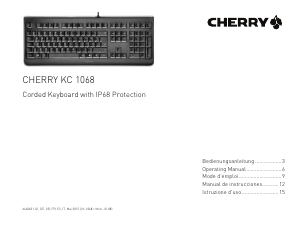
Manual Cherry KC 1068 Keyboard

Need a manual for your Cherry KC 1068 Keyboard? Below you can view and download the PDF manual for free in English. This product currently has 2 frequently asked questions, 0 comments and has 0 votes. If this is not the manual you want, please contact us.

Is your product defective and the manual offers no solution? Go to a Repair Café for free repair services.

Manual

Loading…

3
Herzlichen
Glückwunsch!
CHERRY entwickelt und produziert seit 1967
innovative Eingabe-Systeme für Computer.
Den Unterschied in Qualität, Zuverlässigkeit
und Design können Sie jetzt mit Ihrer
CHERRY KC 1068 erleben.
Bestehen Sie immer auf Original CHERRY.
Für Informationen zu weiteren Produkten,
Downloads und vielem mehr, besuchen Sie
bitte www.cherry.de.
1 Tastatur anschließen
Stecken Sie die Tastatur am USB-Anschluss
des PCs/Notebooks an.
Die Tastatur ist ohne Softwareinstallation
betriebsbereit.
2Software KeyM@n
Die F-Tasten der Tastatur und die Hotkeys
(außer Standby) können Sie mit der Software
KeyM@n frei programmieren (kostenloser
Download unter: www.cherry.de ->
Hilfe & Support -> Downloads ->
CHERRY KC 1068).
Probieren Sie es aus!
3Schutzfolie der
Tastatur
Durch die Folie ist die Tastatur gegen das
Eindringen von Staub, Schmutz und Wasser
(bis 1 m Tiefe) geschützt (IP68 geprüft).
Der USB-Stecker ist auch mit der beiliegenden
Kappe nicht nach IP68 geschützt.
Die Folie der Tastatur ist beständig gegen
Wasser, Spülmittel, Isopropylalkohol und
Diesel.
Die Schutzfolie enthält keine polybromierten
Diphenylether und ist frei von Halogenen und
Latex.
Wenn Sie die Schutzfolie entfernen, können Sie
die Tastatur nur noch wie eine gewöhnliche
Tastatur, ohne Schutz gegen Umwelteinflüsse,
verwenden.
HINWEIS: Beschädigung der Folie
durch scharfe Gegenstände
Verhindern Sie, dass die Folie durch
scharfe Gegenstände durchstochen oder
zerschnitten wird.
Klappen Sie nicht die Aufstellfüße der
Tastatur aus.
4 Tipps
4.1 Reinigen der Schutzfolie
1 Schalten Sie den PC aus oder ziehen Sie den
Stecker der Tastatur.
2 Reinigen Sie die Schutzfolie mit einem leicht
feuchten Tuch und etwas mildem
Reinigungsmittel (z. B.: Geschirrspülmittel)
oder mit Isopropylalkohol.
3 Trocknen Sie die Schutzfolie mit einem
fusselfreien, weichen Tuch.
Weitere Hinweise zu Reinigung und
Desinfektion erhalten Sie unter:
www.cherry.de -> Hilfe & Support ->
Downloads -> CHERRY KC 1068.
HINWEIS: Beschädigung durch
aggressive Reinigungsmittel oder
Flüssigkeit im Stecker
Entfernen Sie nicht die Schutzfolie der
Tastatur.
Verwenden Sie zur Reinigung keine
Scheuermittel oder Scheuerschwämme.
Verhindern Sie, dass Flüssigkeit in den
Stecker gelangt.
Reinigen Sie die Tastatur nicht in der
Spülmaschine.
BEDIENUNGSANLEITUNG
CHERRY KC 1068 – Corded Keyboard with IP68 Protection
DE
Download manual in English (PDF, 3.68 MB)
(Consider the environment and only print this manual if it is really necessary)

Loading…

Rating

Let us know what you think about the Cherry KC 1068 Keyboard by leaving a product rating. Want to share your experiences with this product or ask a question? Please leave a comment at the bottom of the page.
Are you satisfied with the Cherry KC 1068 Keyboard?
Yes No
Be the first to rate this product
0 votes

Join the conversation about this product

Here you can share what you think about the Cherry KC 1068 Keyboard. If you have a question, first carefully read the manual. Requesting a manual can be done by using our contact form.

More about this manual

We understand that it’s nice to have a paper manual for your Cherry KC 1068 Keyboard. You can always download the manual from our website and print it yourself. If you would like to have an original manual, we recommend you contact Cherry. They might be able to provide an original manual. Are you looking for the manual of your Cherry KC 1068 Keyboard in a different language? Choose your preferred language on our homepage and search for the model number to see if we have it available.

Specifications

Brand Cherry
Model KC 1068
Category Keyboards
File type PDF
File size 3.68 MB

All manuals for Cherry Keyboards
More manuals of Keyboards

Frequently Asked Questions about Cherry KC 1068 Keyboard

Our support team searches for useful product information and answers to frequently asked questions. If you find an inaccuracy in our frequently asked questions, please let us know by using our contact form.

The letters on the keyboard are not in the places that I am used to, why is that? Verified

Most keyboards use a QWERTY layout, standing for the first six letters on the keyboard. However, there are different keyboard layouts, matching the specific needs of a certain language. It is also possible that the keyboard keys have been swapped. Especially with older keyboards this is easy to do.

This was helpful (1365) Read more

What is the best way to clean my keyboard Verified

Never insert objects between the edges of the keys, as this will mainly push dirt in and damage the keyboard. It is best to clean the keyboard with compressed air while keeping the keyboard upside down. The top of the keys can be cleaned with a slightly damp cloth.

This was helpful (204) Read more
Manual Cherry KC 1068 Keyboard

Related products

Related categories

×
Download