2
3 Using the chip card
reader
• Insert the chip card with the chip facing down
and forward into the chip card slot.
4 Secure PIN Entry
If your application supports it, the entry of the PIN
is not transmitted to the system, but instead from
the numerical keypad of the keyboard directly to
the chip card.
Confirm the PIN by using one of the two "Enter"
keys.
Abort the process by using the "Esc" key or the "+"
key on the number block.
Correct your entry with the "Backspace" key or the
"–" key on the number block.
5 Cleaning the keyboard
1 Switch off the PC/laptop or pull out the keyboard
plug.
NOTE! Aggressive cleaning agents and liquids can
damage the keyboard
• Do not use solvents such as gasoline or alcohol
and scouring agents or scouring sponges for
cleaning.
• Prevent liquids from entering the keyboard.
• Do not remove the key caps of the keyboard.
2 Clean the keyboard with a slightly damp cloth
and some mild cleaning agent (e.g. dishwashing
liquid).
3 Dry off the keyboard with a soft, lint-free cloth.
6 Troubleshooting
• Use another USB port on the PC/laptop.
• To make sure that the keyboard is not defective,
test it if possible with another PC/laptop.
• Set the option "USB Keyboard Support" or "USB
Legacy Mode" to enabled in the BIOS of the PC.
7 Device disposal
• Do not dispose of devices with this
symbol in household waste.
• Dispose of the devices in accordance
with statutory regulations – at your local
dealer or at municipal recycling centers.
8 Technical data
LED Status
LED DATA lights up blue Voltage to the card
LED DATA flashes blue Data transmission
LED PIN flashes red Keyboard is in the
Secure PIN Entry mode
Designation Value
Card reading unit 100,000 insertions
Protocols T=0, T=1, (S=8, S=9, S=10
with SyncAPI)
Supply voltage 5.0 V/DC ±5% SELV
Current consumption Max. 100 mA
Storage temperature –20 °C ... +60 °C
Operating temperature 0 °C ... +50 °C
9Contact
Please provide the following information about the
device when contacting technical support:
• Item and serial no. of the product
• Name and manufacturer of your system
• Operating system and, if applicable, installed
service pack version
For Europe
Cherry Europe GmbH
Cherrystraße 2
91275 Auerbach/OPf.
Germany
Internet: www.cherry.de
For USA
Cherry Americas, LLC
5732 95th Avenue
Suite 850
Kenosha, WI 53144
USA
Tel.: +1 262 942 6508
Email: sales@cherryamericas.com
Internet: www.cherryamericas.com
10 Certifications
10.1 Federal Communications
Commission (FCC) Radio
Frequency Interference
Statement
This device complies with part 15 of the FCC Rules.
Operation is subject to the following two conditions:
(1) This device may not cause harmful interference,
and (2) this device must accept any interference
received, including interference that may cause
undesired operation.
Note: This equipment has been tested and found to
comply with the limits for a Class B digital device,
pursuant to part 15 of the FCC Rules. These limits
are designed to provide reasonable protection
against harmful interference in a residential
installation. This equipment generates, uses and
can radiate radio frequency energy and, if not
installed and used in accordance with the
instructions, may cause harmful interference to
radio communications. However, there is no
guarantee that interference will not occur in a
particular installation. If this equipment does cause
harmful interference to radio or television
reception, which can be determined by turning the
equipment off and on, the user is encouraged to try
to correct the interference by one or more of the
following measures:
• Reorient or relocate the receiving antenna.
• Increase the separation between the equipment
and receiver.
• Connect the equipment into an outlet on a circuit
different from that to which the receiver is
connected.
• Consult the dealer or an experienced radio/TV
technician for help.
Caution: Any changes or modifications not
expressly approved by the party responsible for
compliance could void the user's authority to
operate the equipment.
10.2 For UL
For use with Listed Personal Computers only!
10.3 UKCA
UK Authorised Representative:
Authorised Representative Service
The Old Methodist Chapel
Great Hucklow
SK17 8RG
UK
Avant de commencer...
CHERRY KC 1000 SC est un clavier à lecteur
intégré pour cartes à puce.
Pour obtenir des informations sur d'autres
produits, sur les téléchargements et bien d'autres
choses, consultez le site www.cherry.de.
1 Pour votre sécurité
LMR signifie "Lésion due aux mouvements
répétitifs"
Le syndrome LMR apparaît suite à de petits mouve-
ments se répétant en permanence.
• Organisez votre poste de travail de manière
ergonomique.
• Sélectionnez une inclinaison agréable du clavier
grâce aux pieds d’appui sur la face inférieure.
• Faites plusieurs petites pauses, le cas échéant
accompagnées d’exercices d’étirement.
• Modifiez souvent votre attitude corporelle.
2 Raccordement au PC et
installation du logiciel
1 Téléchargez le logiciel actuel sur notre site
www.cherry.de à la rubrique Assistance >
Téléchargement.
2 Suivez les instructions d'installation à l'écran.
3 Connectez la fiche USB du clavier au connecteur
USB de votre PC
/ portable.
3 Utilisation du lecteur de
cartes à puce
• Introduisez la carte à puce dans la fente
correspondante avec la puce vers le bas et
dirigée vers l'avant.
FR
MODE D’EMPLOI
Chaque appareil est différent !
Le mode d’emploi contient des consignes
pour une utilisation efficace et fiable.
• Lisez attentivement le mode d’emploi.
• Conservez le mode d’emploi et transmettez-le
aux autres utilisateurs.


Join the conversation about this product
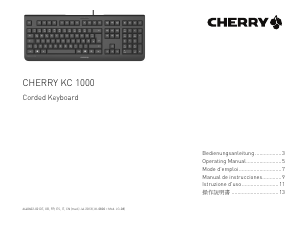
Here you can share what you think about the Cherry KC 1000 SC Keyboard. If you have a question, first carefully read the manual. Requesting a manual can be done by using our contact form.