
Manual Casio Timeless Collection MTP-M305M-8AVEF Watch
Need a manual for your Casio Timeless Collection MTP-M305M-8AVEF Watch? Below you can view and download the PDF manual for free in English. This product currently has 7 frequently asked questions, 0 comments and has 0 votes. If this is not the manual you want, please contact us.
Is your product defective and the manual offers no solution? Go to a Repair Café for free repair services.
Manual
Loading…
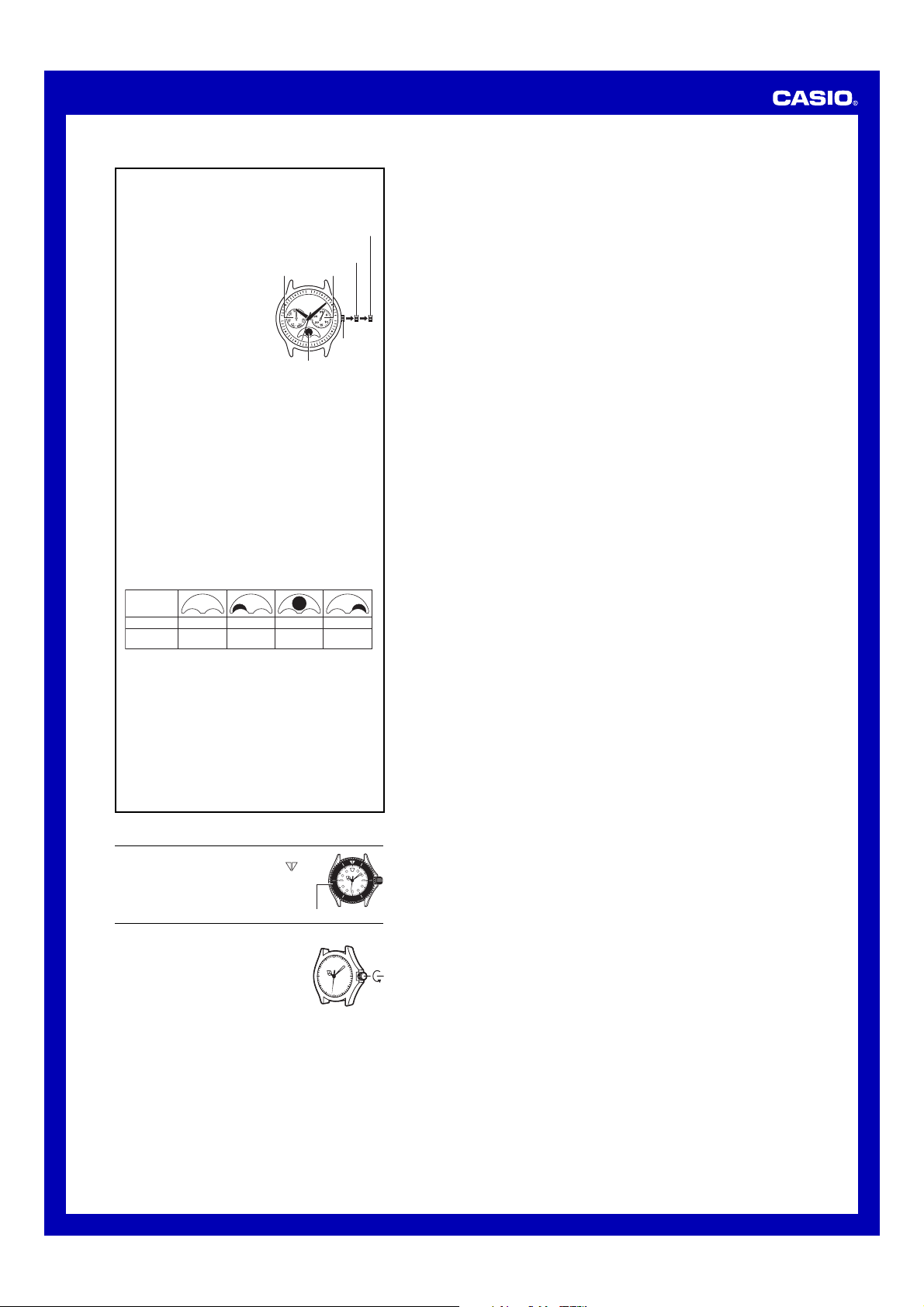

Loading…
Rating
Let us know what you think about the Casio Timeless Collection MTP-M305M-8AVEF Watch by leaving a product rating. Want to share your experiences with this product or ask a question? Please leave a comment at the bottom of the page.More about this manual
We understand that it’s nice to have a paper manual for your Casio Timeless Collection MTP-M305M-8AVEF Watch. You can always download the manual from our website and print it yourself. If you would like to have an original manual, we recommend you contact Casio. They might be able to provide an original manual. Are you looking for the manual of your Casio Timeless Collection MTP-M305M-8AVEF Watch in a different language? Choose your preferred language on our homepage and search for the model number to see if we have it available.
Specifications
| Brand | Casio |
| Model | Timeless Collection MTP-M305M-8AVEF |
| Category | Watches |
| File type | |
| File size | 0.45 MB |
All manuals for Casio Watches
More manuals of Watches
Frequently Asked Questions about Casio Timeless Collection MTP-M305M-8AVEF Watch
Our support team searches for useful product information and answers to frequently asked questions. If you find an inaccuracy in our frequently asked questions, please let us know by using our contact form.
A battery in my device is oxidized, can I still safely use it? Verified
Ja, the device can still be safely used. Firstly, remove the oxidizd battery. Never use bare hands to do this. Then clean the battery compartment with a cotton swab dipped in vinegar or lemon juice. Let it dry and insert new batteries.
This was helpful (941) Read moreMy mechanical watch runs fast, what can I do? Verified
This might be caused by exposure to a magnetic field. It can be solved by a demagnetisation process performed by a professional watchmaker.
This was helpful (879) Read moreWhat do AM and PM stand for? Verified
AM stands for Ante Meridiem and indicates that the time is before midday. PM stands for Post Meridiem and indicates that the time is past midday.
This was helpful (755) Read moreWhat is a 'Chronograph'? Verified
A 'Chronograph' is literally a 'writer of time'. The term is used to describe clocks and watches that tell the time of day as well as measure a certain period of time, like a stopwatch.
This was helpful (660) Read moreWhat is GMT? Verified
GMT stands for Greenwich Mean Time (sometimes called UTC, standing for Coordinated Universal Time). It is the time for the longitude 0, that passes through Greenwich near London.
This was helpful (500) Read moreWhat is a quartz movement? Verified
Watches and clocks with a quartz movement are driven by a battery. This sends an electric current through quartz crystals that will vibrate. These vibrations are passed on to the movement. Because the vibrations have a fixed frequency, watches and clocks with a quartz movement are extremely precise.
This was helpful (482) Read moreThere is moisture on the inside of the glass of my Casio watch, what should I do? Verified
Casio states that if the moisture appeared after an extreme change in temperature and disappears relatively quickly afterwards, there is probably nothing wrong. If the moisture does not disappear, you should have your watch repaired as soon as possible.
This was helpful (62) Read more
Join the conversation about this product
Here you can share what you think about the Casio Timeless Collection MTP-M305M-8AVEF Watch. If you have a question, first carefully read the manual. Requesting a manual can be done by using our contact form.