Manual Canon EF 75-300mm f/4-5.6 III USM Camera Lens

Need a manual for your Canon EF 75-300mm f/4-5.6 III USM Camera Lens? Below you can view and download the PDF manual for free in English. This product currently has 1 frequently asked question, 0 comments and has 0 votes. If this is not the manual you want, please contact us.

Is your product defective and the manual offers no solution? Go to a Repair Café for free repair services.

Manual

Loading…
y
EF55-200mm f/4.5-5.6 USM
EF55-200mm f/4.5-5.6 II USM
EF80-200mm f/4.5-5.6 USM
❷-
❷-
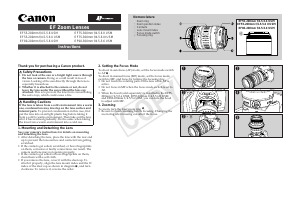
Thank you for purchasing a Canon product.
Safety Precautions
1.
Do not look at the sun or a bright light source through
the lens or camera.
Doing so could result in loss of
vision. Looking at the sun directly through the lens is
especially hazardous.
2.
Whether it is attached to the camera or not, do not
leave the lens under the sun without the lens cap
attached.
This is to prevent the lens from concentrating
the sun’s rays, which could cause a fire.
Handling Cautions
If the lens is taken from a cold environment into a warm
one, condensation may develop on the lens surface and
internal parts.
To prevent condensation in this case, first
put the lens into an airtight plastic bag before taking it
from a cold to warm environment. Then take out the lens
after it has warmed gradually. Do the same when taking
the lens from a warm environment into a cold one.
1. Mounting and Detaching the Lens
See your camera’s instructions for details on mounting
and detaching the lens.
After detaching the lens, place the lens with the rear end
up to prevent the lens surface and contacts from getting
scratched.
If the contacts get soiled, scratched, or have fingerprints
on them, corrosion or faulty connections can result. The
camera and lens may not operate properly.
If the contacts get soiled or have fingerprints on them,
clean them with a soft cloth.
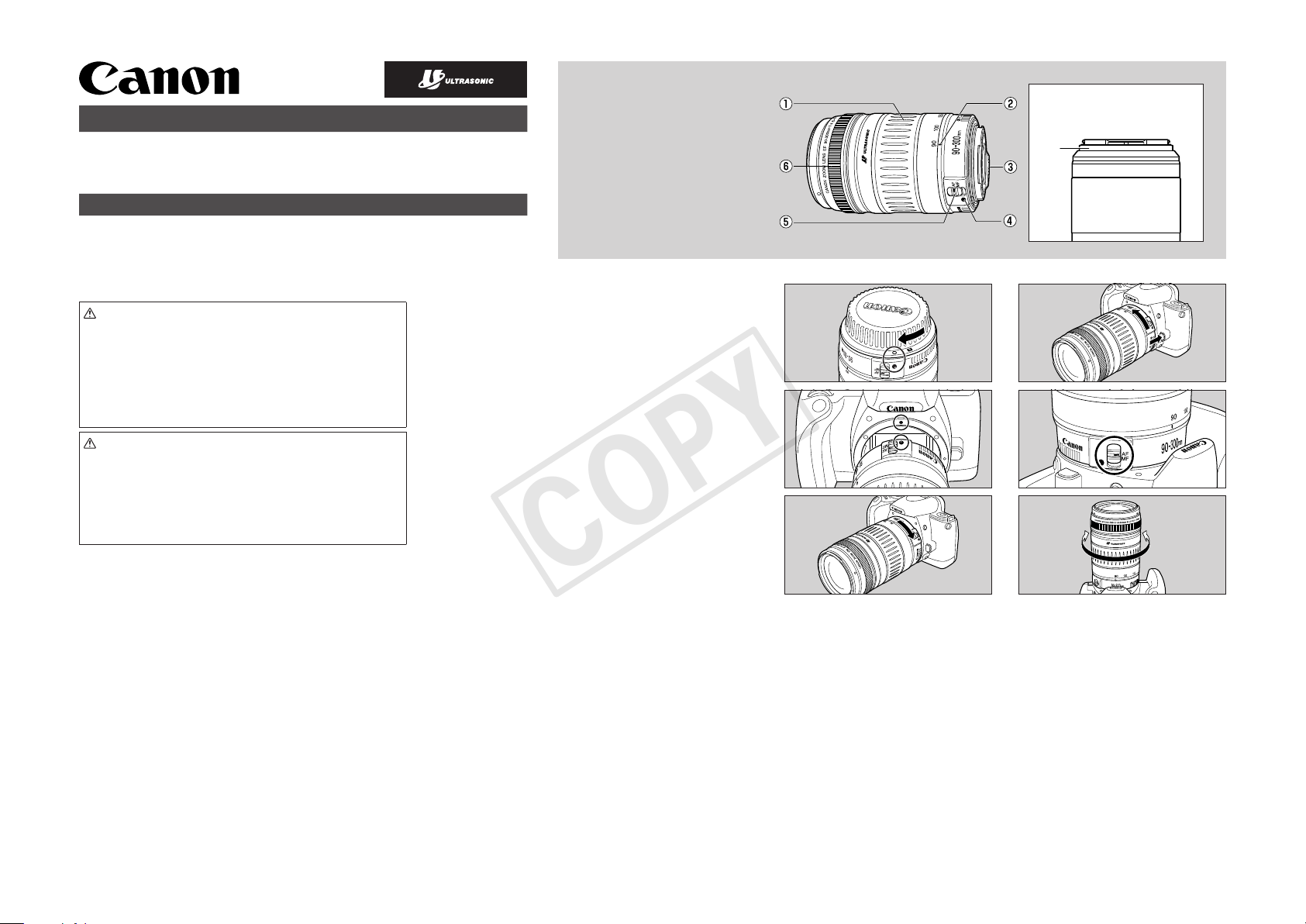
If you remove the lens, cover it with the dust cap. To
attach it properly, align the lens mount index and the
index of the dust cap as shown in diagram
, and turn
clockwise. To remove it, reverse the order.
2. Setting the Focus Mode
To shoot in autofocus (AF) mode, set the focus mode switch
to AF
.
To shoot in manual focus (MF) mode, set the focus mode
switch to MF, and focus by turning the focusing ring.
Do not touch the rotating parts of the lens while AF is
active.
Do not focus in MF when the focus mode switch is set to
AF.
When the hood (sold separately) is installed to the EF55-
200mm f/4.5-5.6 USM, EF55-200mm f/4.5-5.6 II USM
and EF80-200mm f/4.5-5.6 USM, you can turn the hood
to adjust with MF.
3. Zooming
To zoom, turn the lens’ zoom ring
.
Be sure to finish zooming before focusing. Changing the
zoom ring after focusing can affect the focus.
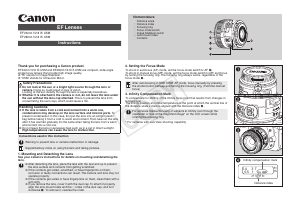
Nomenclature
Zoom ring
Zoom position index
Contacts
Lens mount index
Focus mode switch
Focusing ring
EF Zoom Lenses
EF55-200mm f/4.5-5.6 USM
EF55-200mm f/4.5-5.6 II USM
EF80-200mm f/4.5-5.6 USM
EF75-300mm f/4-5.6 II USM
EF75-300mm f/4-5.6 III USM
EF90-300mm f/4.5-5.6 USM
Instructions
COPY
Download manual in English (PDF, 0.44 MB)
(Consider the environment and only print this manual if it is really necessary)

Loading…

Rating

Let us know what you think about the Canon EF 75-300mm f/4-5.6 III USM Camera Lens by leaving a product rating. Want to share your experiences with this product or ask a question? Please leave a comment at the bottom of the page.
Are you satisfied with the Canon EF 75-300mm f/4-5.6 III USM Camera Lens?
Yes No
Be the first to rate this product
0 votes

Join the conversation about this product

Here you can share what you think about the Canon EF 75-300mm f/4-5.6 III USM Camera Lens. If you have a question, first carefully read the manual. Requesting a manual can be done by using our contact form.

More about this manual

We understand that it’s nice to have a paper manual for your Canon EF 75-300mm f/4-5.6 III USM Camera Lens. You can always download the manual from our website and print it yourself. If you would like to have an original manual, we recommend you contact Canon. They might be able to provide an original manual. Are you looking for the manual of your Canon EF 75-300mm f/4-5.6 III USM Camera Lens in a different language? Choose your preferred language on our homepage and search for the model number to see if we have it available.

Specifications

Brand Canon
Model EF 75-300mm f/4-5.6 III USM
Category Camera Lenses
File type PDF
File size 0.44 MB

All manuals for Canon Camera Lenses
More manuals of Camera Lenses

Frequently Asked Questions about Canon EF 75-300mm f/4-5.6 III USM Camera Lens

Our support team searches for useful product information and answers to frequently asked questions. If you find an inaccuracy in our frequently asked questions, please let us know by using our contact form.

What does the "f" stand for with camera lenses? Verified

The f-ratio stands for the reciprocal of the relative aperture. This is the ratio of the system's focal length to the diameter of the entrance pupil. A higher f-ratio means a smaller entrance and thus less light coming into the lens.

This was helpful (30) Read more
Manual Canon EF 75-300mm f/4-5.6 III USM Camera Lens

Related products

Related categories

×
Download