
Manual Blaupunkt Casablanca 2012 Car Radio
Need a manual for your Blaupunkt Casablanca 2012 Car Radio? Below you can view and download the PDF manual for free in English. This product currently has 4 frequently asked questions, 0 comments and has 0 votes. If this is not the manual you want, please contact us.
Is your product defective and the manual offers no solution? Go to a Repair Café for free repair services.
Manual
Loading…


Loading…
Rating
Let us know what you think about the Blaupunkt Casablanca 2012 Car Radio by leaving a product rating. Want to share your experiences with this product or ask a question? Please leave a comment at the bottom of the page.More about this manual
We understand that it’s nice to have a paper manual for your Blaupunkt Casablanca 2012 Car Radio. You can always download the manual from our website and print it yourself. If you would like to have an original manual, we recommend you contact Blaupunkt. They might be able to provide an original manual. Are you looking for the manual of your Blaupunkt Casablanca 2012 Car Radio in a different language? Choose your preferred language on our homepage and search for the model number to see if we have it available.
Specifications
| Brand | Blaupunkt |
| Model | Casablanca 2012 |
| Category | Car Radios |
| File type | |
| File size | 0.7 MB |
All manuals for Blaupunkt Car Radios
More manuals of Car Radios
Frequently Asked Questions about Blaupunkt Casablanca 2012 Car Radio
Our support team searches for useful product information and answers to frequently asked questions. If you find an inaccuracy in our frequently asked questions, please let us know by using our contact form.
What is DAB+? Verified
DAB+ is the successor of the FM signal and stands for Digital Audio Broadcasting. It is a digital signal that allows for more channels within the same bandwidth and allows for easier switching between channels.
This was helpful (638) Read moreWhat is the difference between FM and AM? Verified
FM and AM are both forms of modulation used to transmit a signal. FM stands for Frequency Modulation and AM stands for Amplitude Modulation. AM is the oldest form of modulation. The biggest difference is that the FM signal is much stronger than the AM signal.
This was helpful (409) Read moreThere is a CD stuck in my car radio, what is should I do? Verified
Some car radios have a feature to eject stuck CDs. Turn the car off and press the 'on' and 'eject' button simultaneously for 10 seconds. If this does not work, start the car and try again.
This was helpful (390) Read moreWhat size car radio fits my car? Verified
There are two standard car radio sizes, 1-DIN and 2-DIN. 1-DIN is the standard slim versin and 2-DIN is double that height. 2-DIN car radios often have room for a screen to display navigational information or play movies.
This was helpful (328) Read more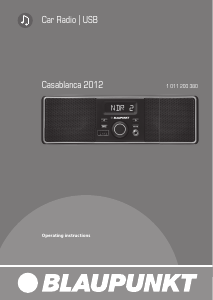
Join the conversation about this product
Here you can share what you think about the Blaupunkt Casablanca 2012 Car Radio. If you have a question, first carefully read the manual. Requesting a manual can be done by using our contact form.