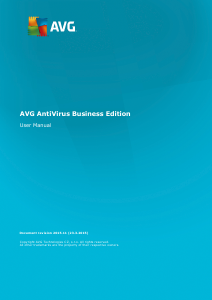
Manual AVG AntiVirus Business Edition (2013)

Need a manual for your AVG AntiVirus Business Edition (2013)? Below you can view and download the PDF manual for free in English. This product currently has 0 frequently asked questions, 0 comments and has 0 votes. If this is not the manual you want, please contact us.

Is your product defective and the manual offers no solution? Go to a Repair Café for free repair services.

Manual

Loading…
10
2. AVG AntiVirus Business Edition Installation
In order to be able to remotely install AVG on stations, you must first install AVG Remote Administration
and its components.
The whole process consists basically of two steps:
Components Installation
Deployment process
Note: It is strongly recommended that you go through the following chapters first to get a general overview of
the AVG AntiVirus Business Edition installation possibilities so that you can set the configuration that best
suits your needs. Especially check the Where to Install and Deploy and Components Overview chapters.
AVG AntiVirus Business Edition can be launched using the .exe file within the AVG Admin directory on the
installation CD. Also, the latest installation package can always be downloaded from the AVG website at
http://www.avg.com/us-en/homepage/download.
Note: There are two installation packages available for your product - for 32bit operating systems (marked as
x86) and for 64bit operating systems (marked as x64). Be sure to use the correct installation package for your
specific operating system.
Before installing AVG Remote Administration visit the AVG website and check for the latest installation
file!
2.1. Components Overview
Below you will find a brief overview of all components.
2.1.1. AVG Admin Server Deployment Wizard
This wizard will help you to deploy AVG AntiVirus Business Edition onto your server or divide it across multiple
servers.
2.1.2. AVG Network Installer
The AVG Network Installer Wizard helps you to automatically install AVG on remote stations with only a
few clicks.
2.1.3. AVG Admin Console
The AVG Admin Console is a central place for administration of your remote AVG station installations in the
network. It communicates with the AVG Admin server and controls, processes and displays all relevant events.
2.1.4. AVG Admin Lite
AVG Admin Lite is the name given to a simplified installation of AVG AntiVirus Business Edition, providing
only a local update source and script AVG installations on stations, without the benefits of AVG Data Center
and AVG Admin Console.
Download manual in English (PDF, 6.11 MB)
(Consider the environment and only print this manual if it is really necessary)

Loading…

Rating

Let us know what you think about the AVG AntiVirus Business Edition (2013) by leaving a product rating. Want to share your experiences with this product or ask a question? Please leave a comment at the bottom of the page.
Are you satisfied with the AVG AntiVirus Business Edition (2013)?
Yes No
Be the first to rate this product
0 votes

Join the conversation about this product

Here you can share what you think about the AVG AntiVirus Business Edition (2013). If you have a question, first carefully read the manual. Requesting a manual can be done by using our contact form.

More about this manual

We understand that it’s nice to have a paper manual for your AVG AntiVirus Business Edition (2013). You can always download the manual from our website and print it yourself. If you would like to have an original manual, we recommend you contact AVG. They might be able to provide an original manual. Are you looking for the manual of your AVG AntiVirus Business Edition (2013) in a different language? Choose your preferred language on our homepage and search for the model number to see if we have it available.

Specifications

Brand AVG
Model AntiVirus Business Edition (2013)
Category Software
File type PDF
File size 6.11 MB

All manuals for AVG Software
More manuals of Software
Manual AVG AntiVirus Business Edition (2013)

Related products

Related categories

×
Download